
Participant
May 31, 2022
Answered

Illustrator Windows Display Scaling Issues

  • May 31, 2022
  • 1 reply
  • 514 views

Hi!

I'm facing a bug when creating a new file in Illustrator. The drop down menu for Units doesn't work, so I can't select Centimeters or Meters, even if I scroll the mouse button. :o/
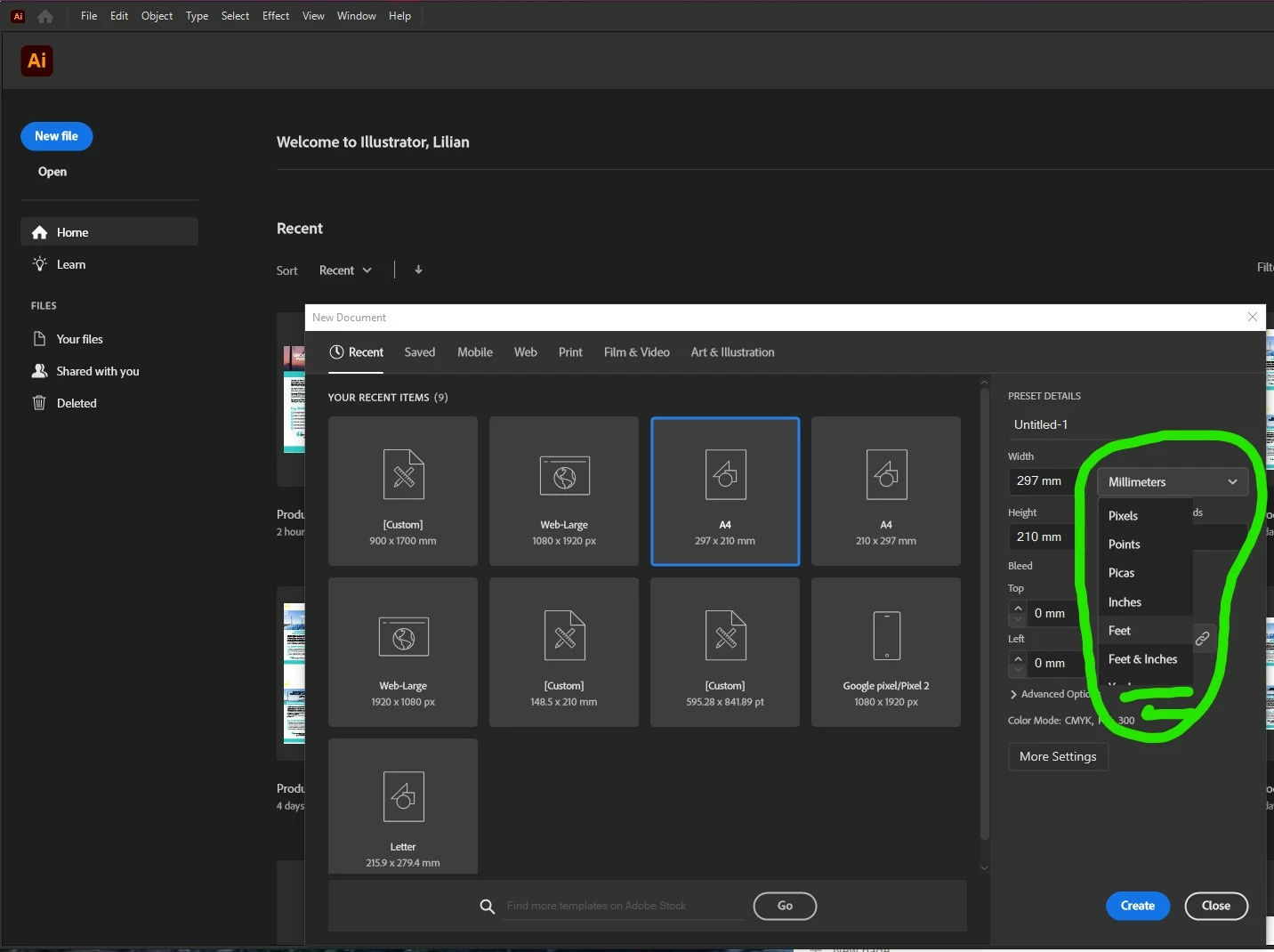
However, when I click on More Settings and go to the new window, it works.
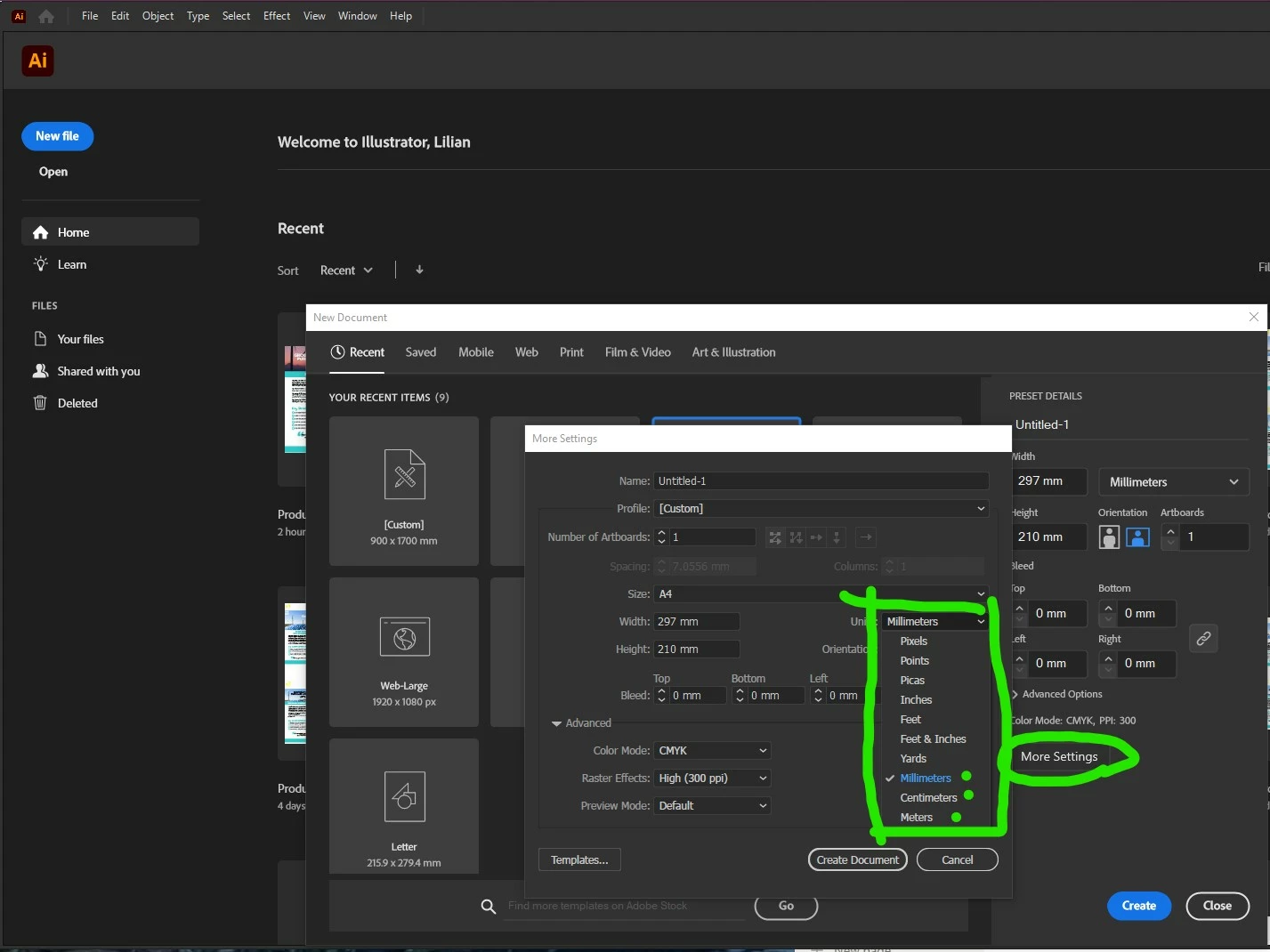
 

Anyone have already faced it?

Thanks.


[Renamed by Mod]
This topic has been closed for replies.
Correct answer Anubhav M

Hello @Lilian Juzumas,


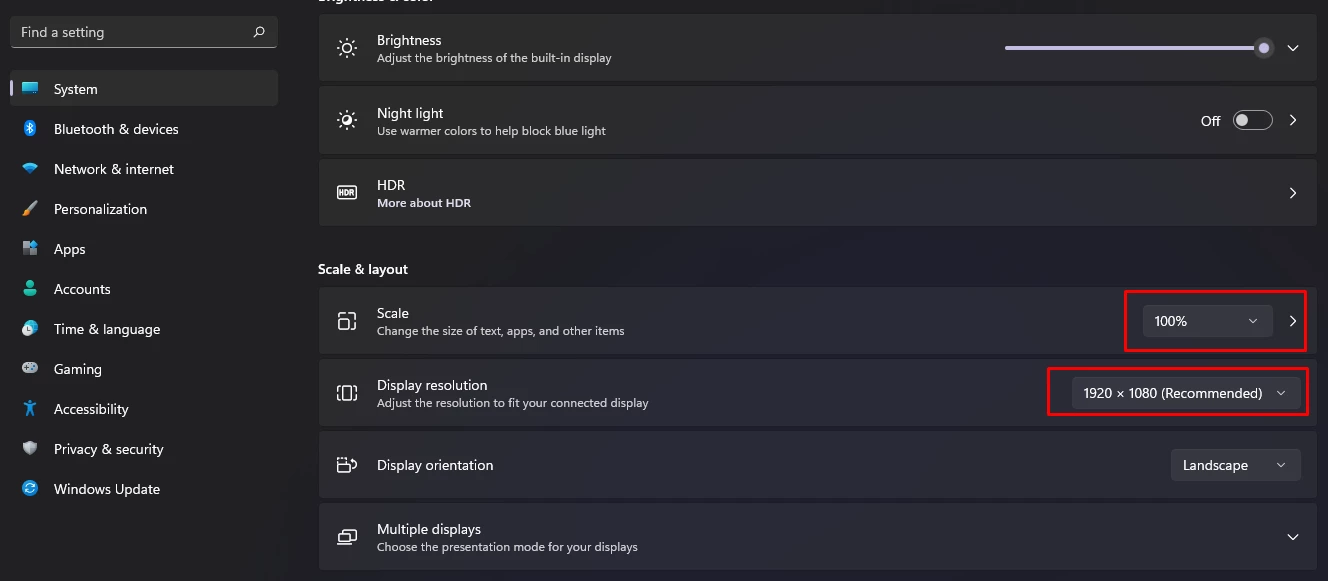
Sorry to hear about this experience. I would request you to try changing the display resolution and scaling under Windows Settings to the default and then re-launch Illustrator to check if it helps.


Looking forward to hearing from you.


Thanks,

Anubhav

1 reply

Anubhav MCommunity ManagerCorrect answer
Community Manager
May 31, 2022

Hello @Lilian Juzumas,


Sorry to hear about this experience. I would request you to try changing the display resolution and scaling under Windows Settings to the default and then re-launch Illustrator to check if it helps.


Looking forward to hearing from you.


Thanks,

Anubhav

Participant
June 2, 2022

Thank you so much, Anubhav! It really worked!!!


Thanks! 🐵