sorakumori
Participant
April 23, 2020
Answered

illustrator won't make diagonal lined seamles pattern

  • April 23, 2020
  • 2 replies
  • 648 views

Dear Illustrator community!

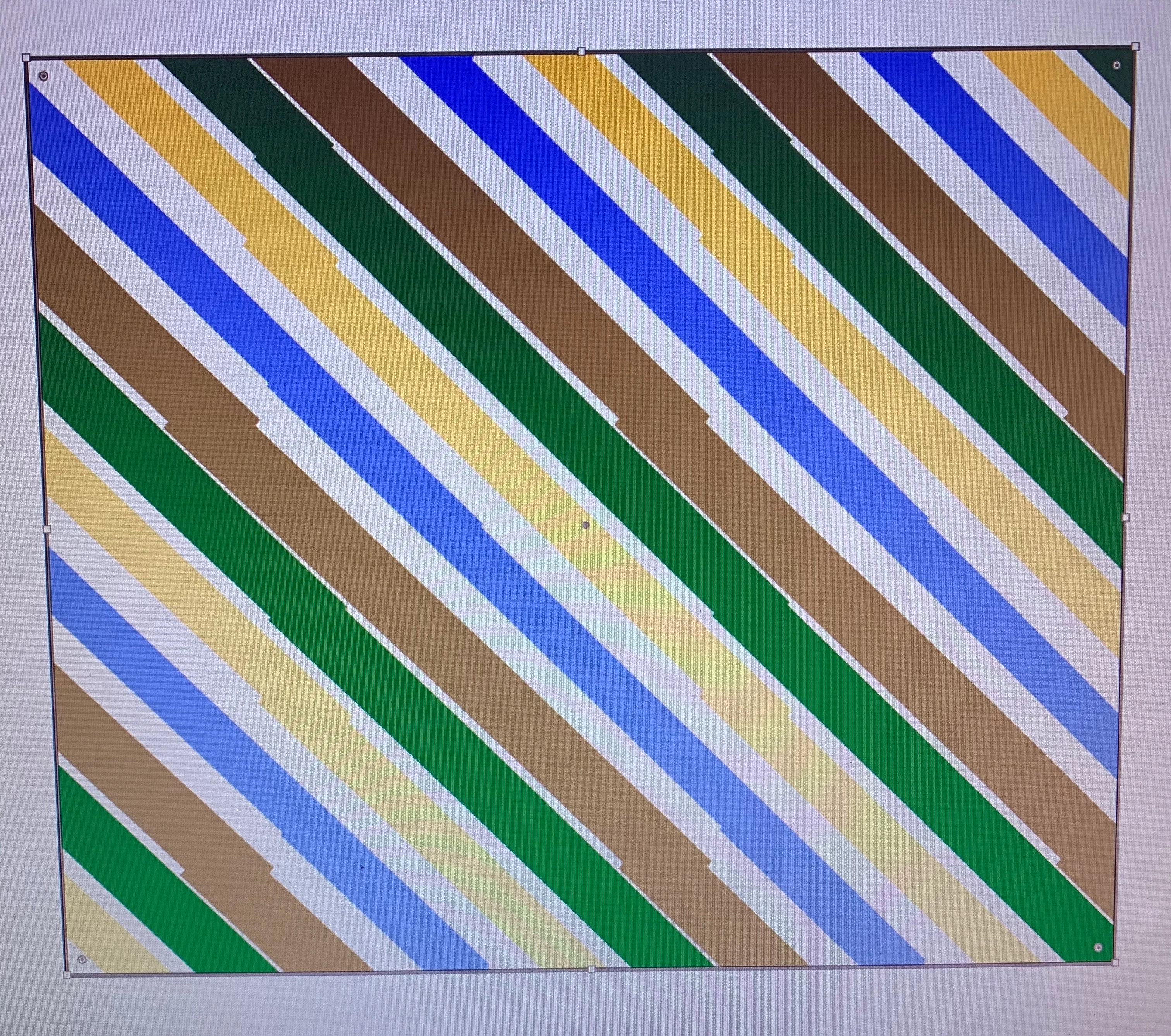
I have a problem, Illustrator won't let me make a seamless diagonal lined pattern (see image attached).
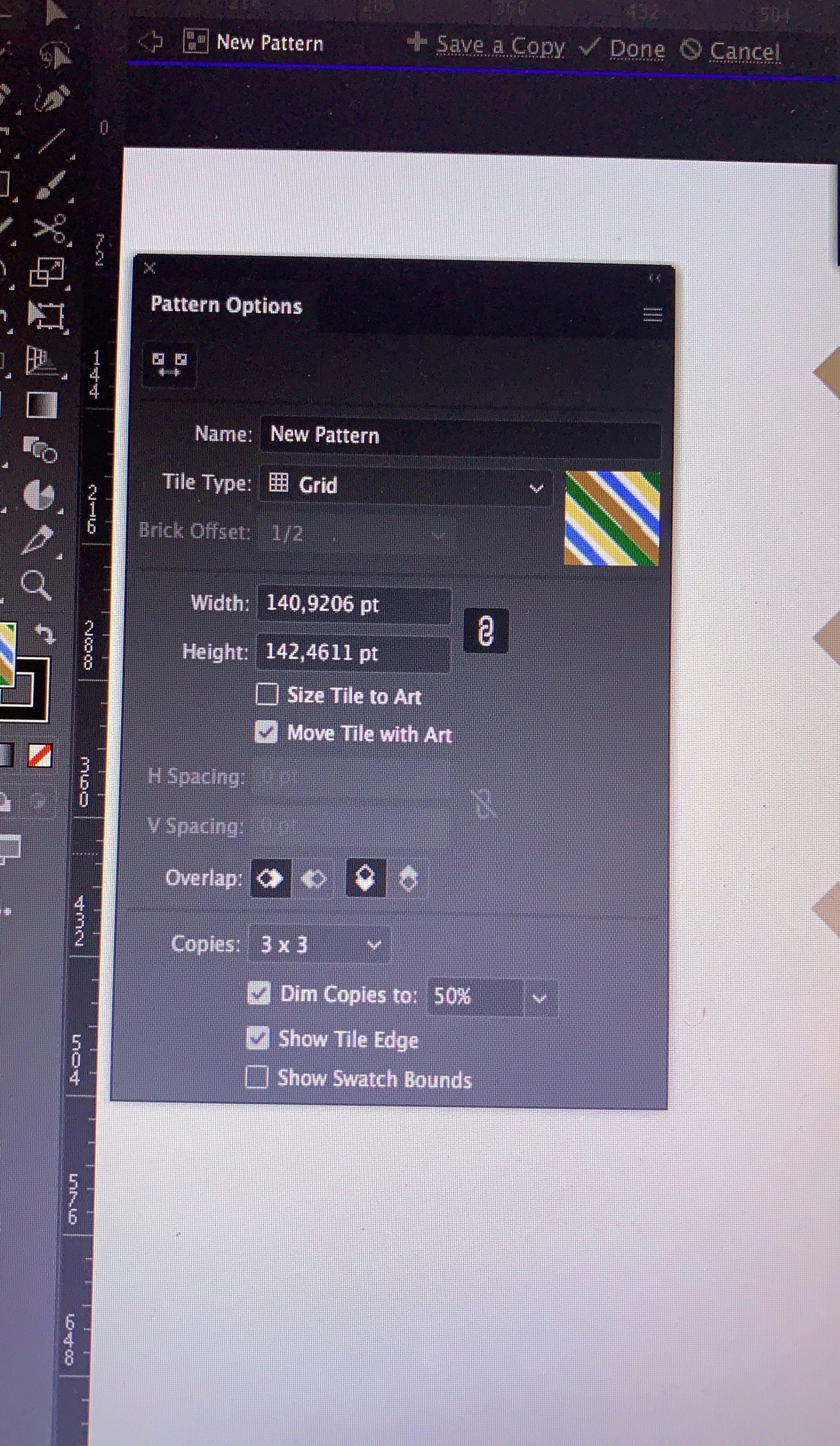
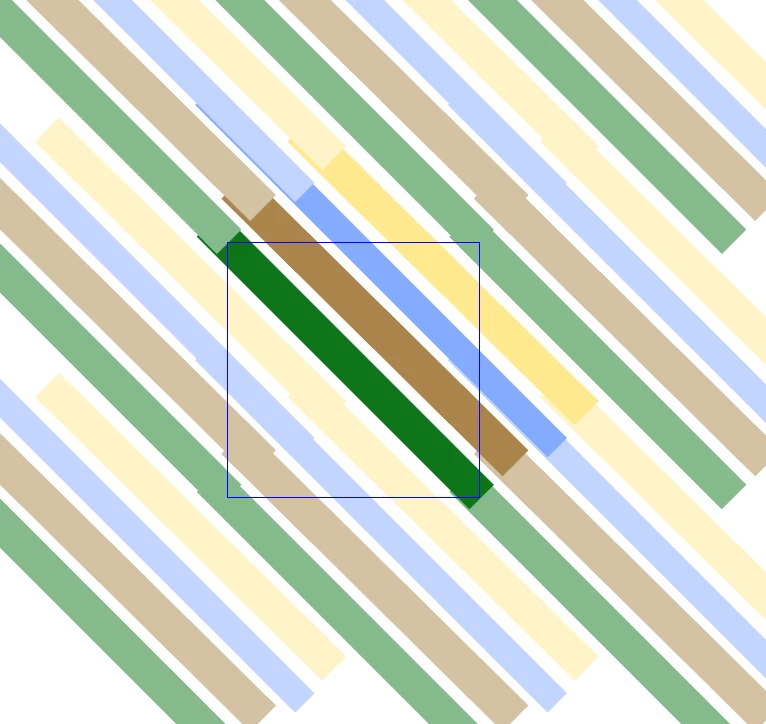
I rotated the lines at 45 degrees, but they won't matchup with the repetition. I even tried to manually tweaked it but the lines just jump away and don't want to be connected properly (see photo). I'm also adding a photo of my settings. Curiously horizontal and vertical lines are fine. Any ideas what I might be doing wrong?

Thanks so much for you help in advance!


This topic has been closed for replies.
Correct answer Monika Gause

Always make it with horizontal or vertical lines.

Then apply to the object,

then rotate the pattern inside the object.

Then make a graphic style.

2 replies

sorakumori
Participant
April 23, 2020

Thanks for your reply Monika!
But it is not really fixing my problem. I was following these two tutorials, but my lines won't mach up the same way hers do.

https://www.youtube.com/watch?v=7wQl8QqodYw 
https://www.youtube.com/watch?v=oWIdYzd4Y1s 

As in my original post I mentioned the lines won't sink up with their continuation, instead they continue jumping away from each other.

Monika Gause
Community Expert
Community Expert
April 23, 2020

You can't control diagonal lines, make horizontal ones. Then apply the pattern to a shape and rotate the pattern after applying it.


I don't have the time to watch those tutorials.

Monika Gause
Community Expert
Monika GauseCommunity ExpertCorrect answer
Community Expert
April 23, 2020

Always make it with horizontal or vertical lines.

Then apply to the object,

then rotate the pattern inside the object.

Then make a graphic style.