Answered
Illustrator Won't Open Edited Photos
Hey there! I have noticed that whenever I edit a photo in Photoshop, export itas a PNG and try to open it in Illustrator, none of my edits I made are there. How do I fix this? Thanks!

Hey there! I have noticed that whenever I edit a photo in Photoshop, export itas a PNG and try to open it in Illustrator, none of my edits I made are there. How do I fix this? Thanks!
Hi Samantha,
Are you working on a Print (CMYK) or Digital (RGB) project? You need to use the correct colorspace, and this should always be the first thing when starting any project.
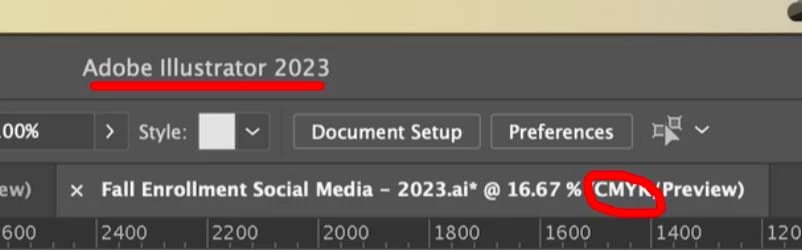
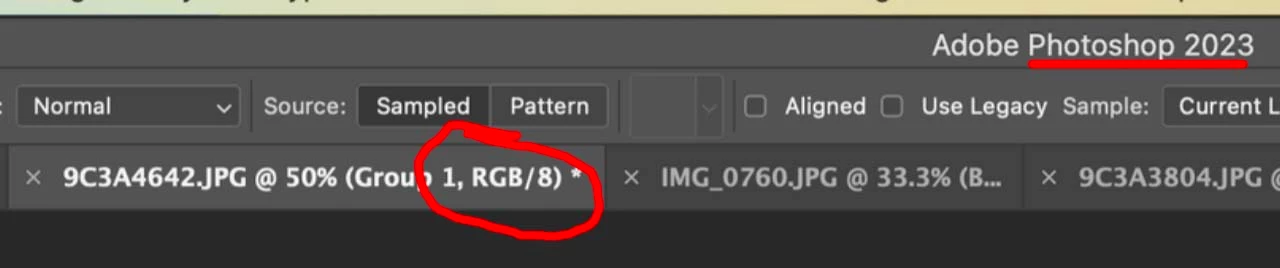
In Illustrator File >> Document Color Mode >> RGB if you are working on a digital image such as for web. If working on print, then in Photoshop then Image >> Mode >> CMYK. Also, why are you saving in png. Most likely that is the wrong format. Save as .psd, then color profiles will attach.
Already have an account? Login
Enter your E-mail address. We'll send you an e-mail with instructions to reset your password.
 AdChoices