This topic is closed to new replies. Start a new post to keep the conversation going.
Ton Frederiks
Ton FrederiksCorrect answer
Community Expert
Nov 15, 2022 5:14 PM UTC

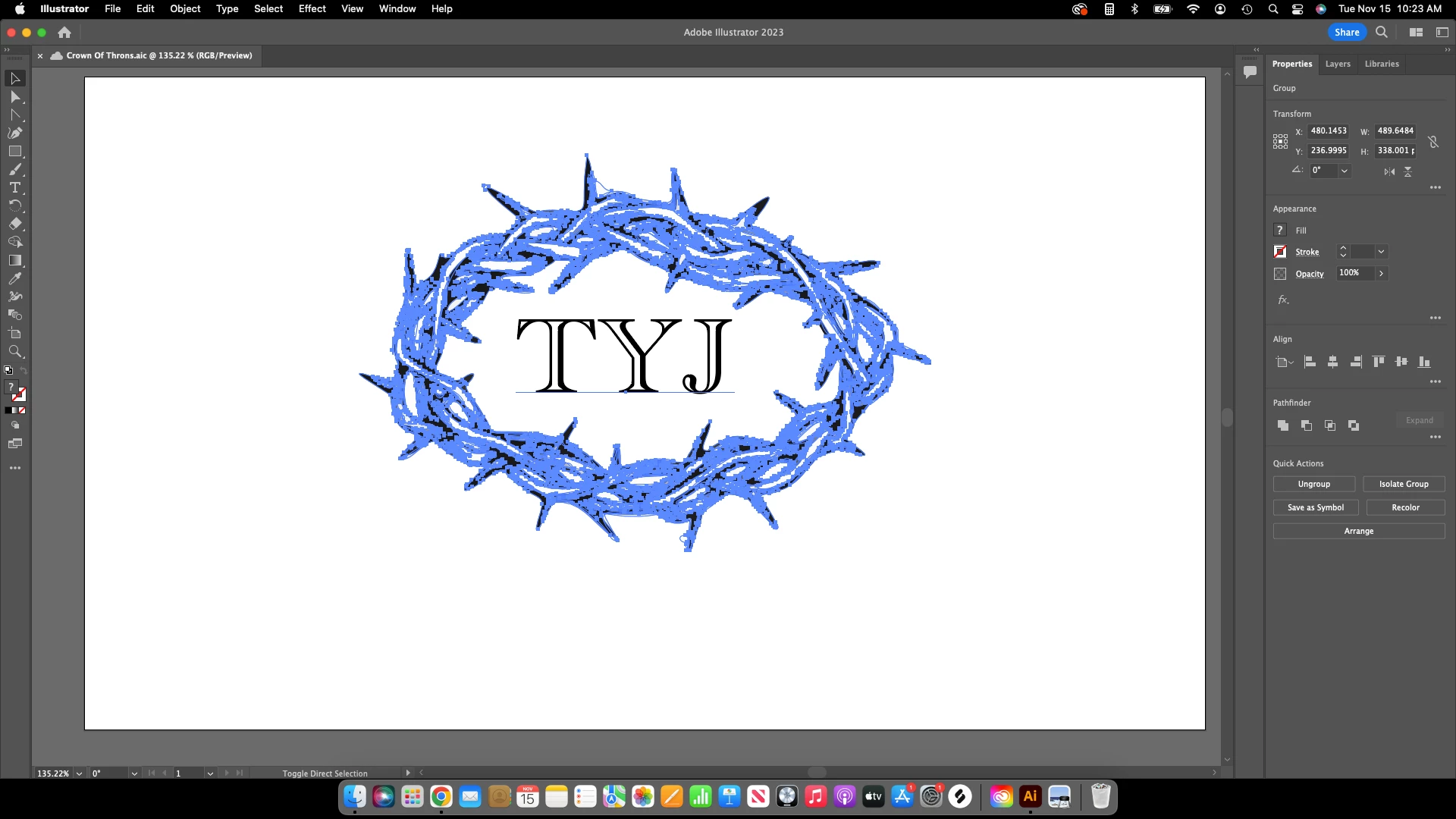
It may be the number of anchor points, but you can hide those: View > Hide Edges

7 replies

Ton Frederiks
Community Expert
Ton FrederiksCommunity ExpertCorrect answer
Community Expert
Nov 15, 2022 5:14 PM UTC

It may be the number of anchor points, but you can hide those: View > Hide Edges

Translate
Participant
Nov 15, 2022 6:44 PM UTC
Thank you that did it
Translate
Ton Frederiks
Community Expert
Community Expert
Nov 15, 2022 6:50 PM UTC

Good to hear that helped.

Translate
Doug A Roberts
Community Expert
Community Expert
Nov 15, 2022 4:54 PM UTC

What do you mean by 'mode'? This looks like a normal file with everything selected.

Translate
Participant
Nov 15, 2022 6:42 PM UTC
how do i unselect
Translate
marliton
Community Expert
Community Expert
Nov 15, 2022 4:38 PM UTC

Hi. Maybe a Pattern Brush? Check this tutorial: https://helpx.adobe.com/illustrator/how-to/illustrator-create-pattern-brush.html


Translate
Marlon Ceballos
Participant
Nov 15, 2022 4:46 PM UTC
thank im going to check it right now. I want to get off of the pattern
brush mode if its possible
Translate