Participating Frequently
January 29, 2022
Question

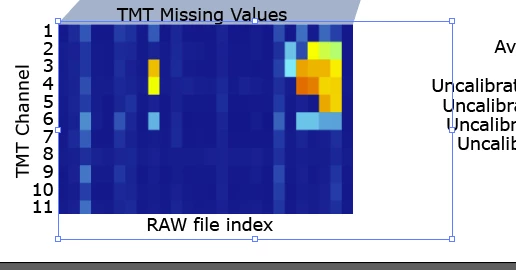
Image path does not fit the image any more after cropping. How can I fix that?
  • January 29, 2022
  • 2 replies
  • 145 views

After cropping the image I end up with this situation where the bounding box of the image is way to large. Why is this box not fitted to the cropped image automatically and how can I match the image file and the box. When I use the alignment tool of the image and the caption, the caption is not centered, is one of the problems with this. 

This topic has been closed for replies.

2 replies

michelew83603738
Community Expert
Community Expert
January 29, 2022

You can try to reset bounding box. Object>Transform>Reset Bounding Box.

Michael Bullo
Community Expert
Community Expert
January 29, 2022

What version of Illustrator are you using and how are you cropping your image?


Using Illustrator 2022 on a Mac I have cropped an image using both the Crop Image button and by making a Clipping Mask. Both versions give me a final image with a Bounding Box that hugs the cropped content.