
Answered
Image Trace - accidentally inverting my image trace
Hi there,
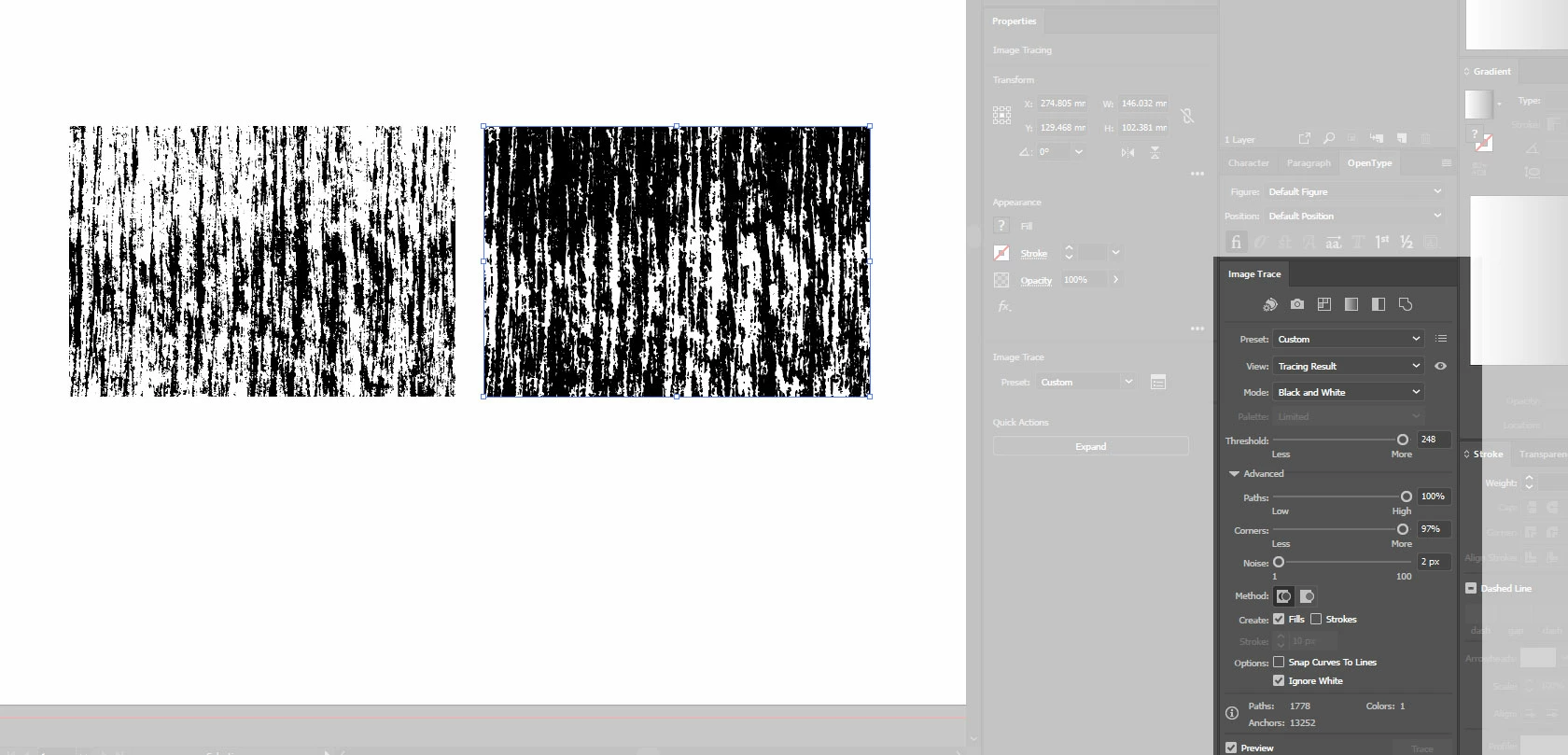
Having a bit of trouble with CC - for a bit of context, I am an illustrator who likes to import scanned b&w textures in to AI to use as part of illustrations. I am used to CS6 where I can paste in a texture, do a black and white trace (whilst knocking out the white) and that's that, ready to use!
Now trialing CC I believe I am ticking the same boxes (please see photo for a before / after trace, where the imported texture on the left is before and the right is after trace) but for whatever reason, the trace is inverting! I must be selecting something incorrectly, but don't know what / where / how...
Hopefully someone can help with this!
Dave
 AdChoices