
FloorWP
Participating Frequently
August 12, 2019
Question

Image trace: how to contain transparant background?

  • August 12, 2019
  • 3 replies
  • 3679 views

Someone please help.

I am tracing a png of a tree, in photoshop I made the background transparant.

The png looks like this:
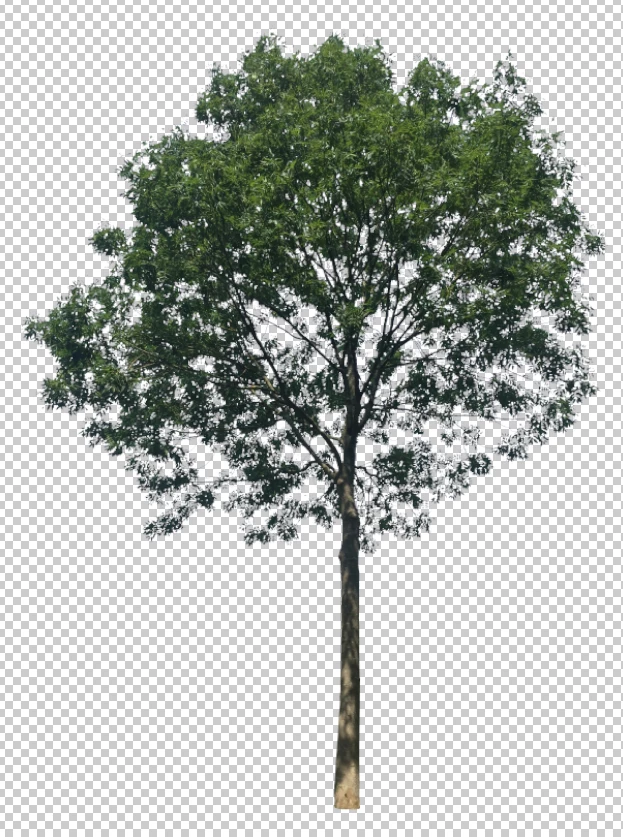
When I trace it in Illustrator, the Image trace function makes white/greyish fills of some parts of the background, that in the original png are already transparant.
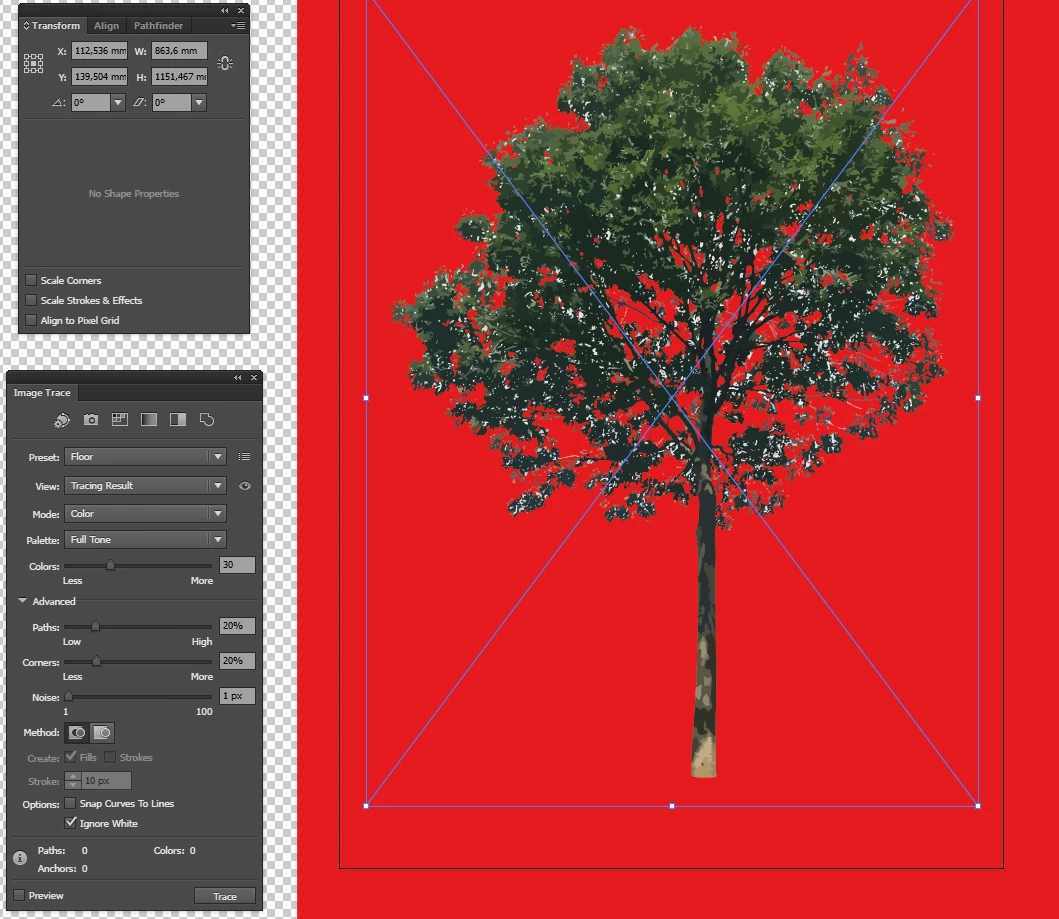
Deleting them manually or with Select > Same Fill Color is too time consuming. Other things like making the background red also don't work.
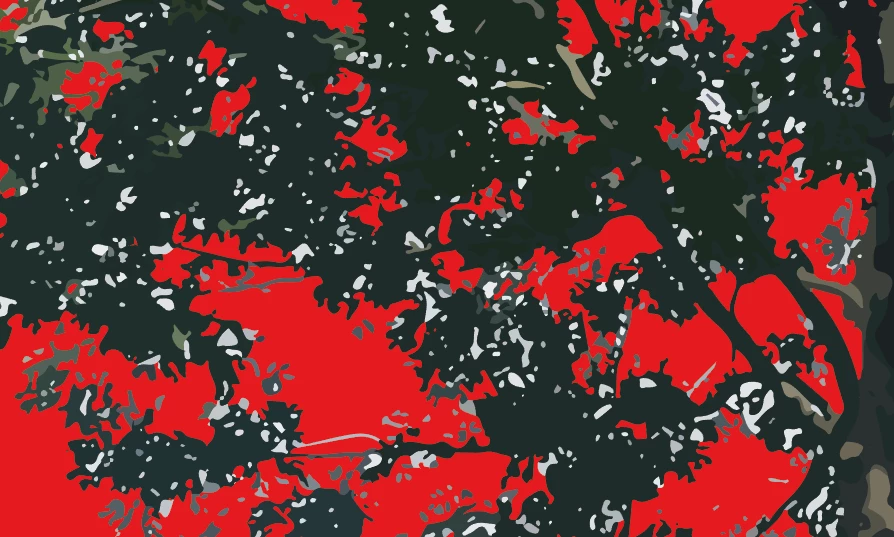
Someone has a solution?

    This topic has been closed for replies.

    3 replies

    meganchi
    Legend
    August 12, 2019

    In Photoshop you may want to defringe the image or try removing the white matte.

    Select the foreground layer of the image, often labeled as "Layer 1." Click "Layers" at the top of the window, then click "Matting" and "Defringe" to open an option box. Enter a number of pixels to use for defringing.Photoshop uses the default value of one pixel for defringing.

    OR

    select the layer with the object of interest on it and then choose Layer >Matting > Remove Black Matte or Remove White Matte.

    Jacob Bugge
    Community Expert
    Community Expert
    August 12, 2019

    FloorWP,

    Are you sure that those troublesome bits are truly fully transparent? You need a high zoom level.

    And which way was the transparency achieved in PS?

    FloorWP
    FloorWPAuthor
    Participating Frequently
    August 12, 2019

    Jacob,

    Yes, they are. The picture is a photograph (made with Iphone), where I manually deleted the surroundings (in Photoshop with magic wand and eraser). Maybe the quality is not high enough?

    Doug A Roberts
    Community Expert
    Community Expert
    August 12, 2019

    Can I ask what you hope to achieve by tracing it?

    Monika Gause
    Community Expert
    Community Expert
    August 12, 2019

    Try a black and white trace.

    FloorWP
    FloorWPAuthor
    Participating Frequently
    August 12, 2019

    I want a colourful realistic trace..

    Monika Gause
    Community Expert
    Community Expert
    August 12, 2019

    Then you can't have a white background.