
Participant
December 7, 2020
Answered

Image Trace Not Working - Cannot complete the Operation

  • December 7, 2020
  • 2 replies
  • 779 views

Hi there. I just subscribed. I can open the Illustrator 2019 23.1 version 32-bit. But the "Image Trace" is not working for me. It always says "The operation cannot complete because of unknown error".

Please see attachment and help. Thanks.
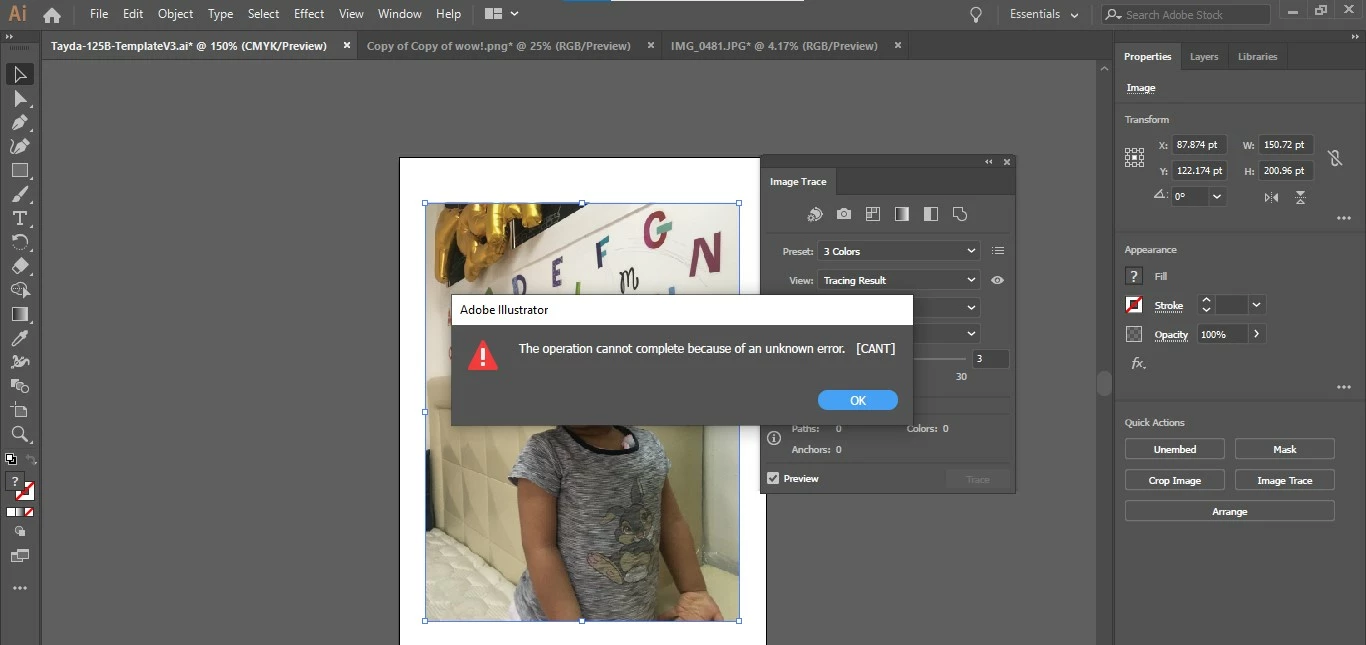
This topic has been closed for replies.
Correct answer lambiloon

Hi, Please follow following steps


Go to following locations and rename "extentions" to "extensions_old"
Windows:  Program files /common files /Adobe /UXP /extensions
MAC: /library > application support > Adobe > UXP > extensions.


Regards

2 replies

Monika Gause
Community Expert
Community Expert
December 7, 2020

How large is the image you are tracing?

(pixel dimensions might be too large)

lambiloon
Community Expert
lambiloonCommunity ExpertCorrect answer
Community Expert
December 7, 2020

Hi, Please follow following steps


Go to following locations and rename "extentions" to "extensions_old"
Windows:  Program files /common files /Adobe /UXP /extensions
MAC: /library > application support > Adobe > UXP > extensions.


Regards

Ali Sajjad / Graphic Design Trainer / Freelancer / Adobe Certified Professional
Participant
July 24, 2023

ok after UXP my only choice is PluginsStorage and then ILST or PHSP, please help i use this all day for my design patterns, thank you, Valerie


Ton Frederiks
Community Expert
Community Expert
July 24, 2023

Valerie, Image Trace has some problems in this version. You can go back to a previous version like 27.5 or earlier

In the CC app go to Apps > All Apps

Next to Illustrator you will see 3 dots

Click and select Other Versions

You can Uninstall Illustrator and install the previous version or leave the current Illustrator installed and install an additional previous version.