Inspiring
July 7, 2021
Answered

Image trace results different for Illustrator and PDF.

  • July 7, 2021
  • 1 reply
  • 537 views

Hi All,

I have a new issue that I have not run into before. In order to vector a signature, I...

1) Image Traced a tiff, then expanded it.

2) Made it a compound path

3) Filled with black

The image looks fine in illustrator, BUT if you open it in Acrobat (or preview it in the Finder) it displays ghosted, as if it is stroked (in some bizzare fashion) and not filled.

Below are some pics for reference. Any advice would be most appreciated.

Cheers,

Dennis


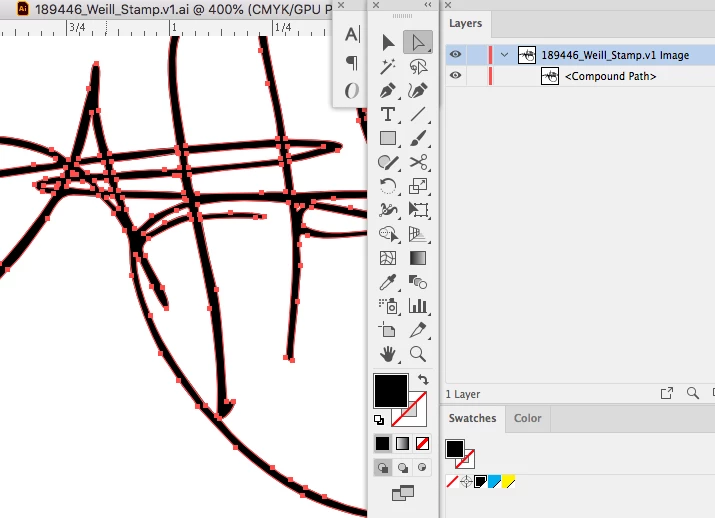
IMAGE 1: as seen in Illustrator
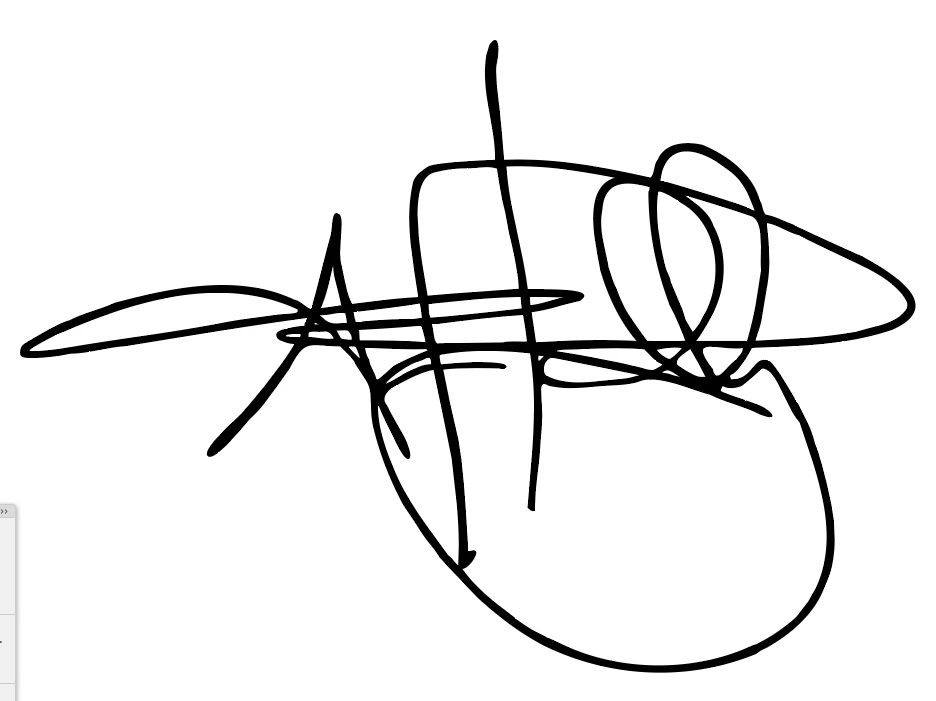
IMAGE 2: as seen in Acrobat
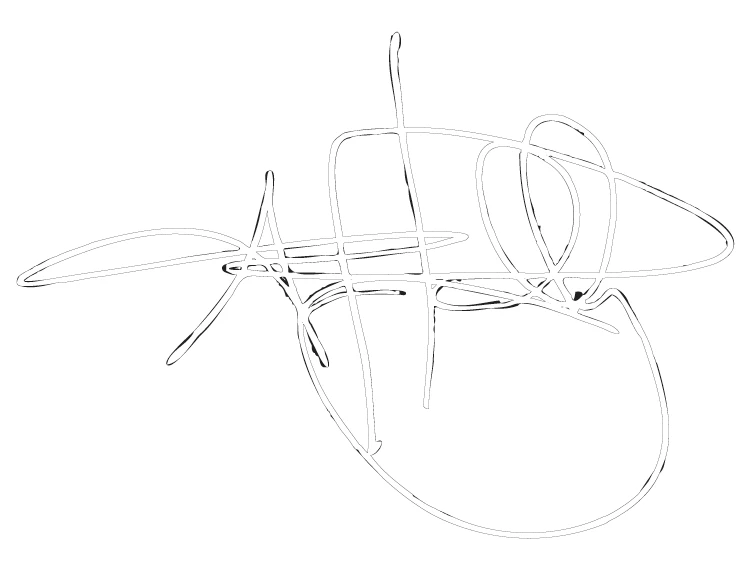
 

IMAGE 3: Illustrator showing fill and layer structure.
This topic has been closed for replies.
Correct answer dennisy42803903

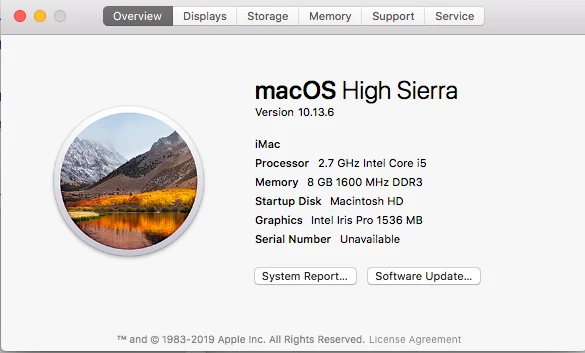
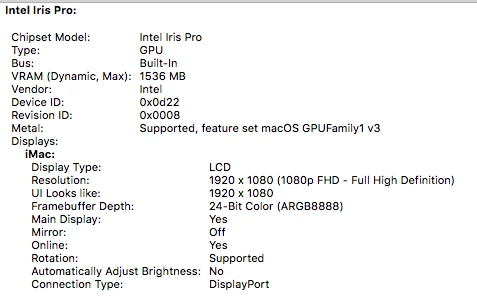
Thank you. That is completely inconspicious. So issues with the graphic card could be he cause. Can you tell us about your hardware setup?


Some more screenshots below. Thanks again for your time.

1 reply

Monika Gause
Community Expert
Community Expert
July 7, 2021

We need to see the appearance panel if there are special effects applied to it.


This could be some GPU rendering issue.

Inspiring
July 7, 2021

Thanks for the response, Monika. See appearance panel below.


Monika Gause
Community Expert
Community Expert
July 7, 2021

Thank you. That is completely inconspicious. So issues with the graphic card could be he cause. Can you tell us about your hardware setup?