Known Participant
July 11, 2026
Question

image trace reversing positive and negative

  • July 11, 2026
  • 4 replies
  • 460 views

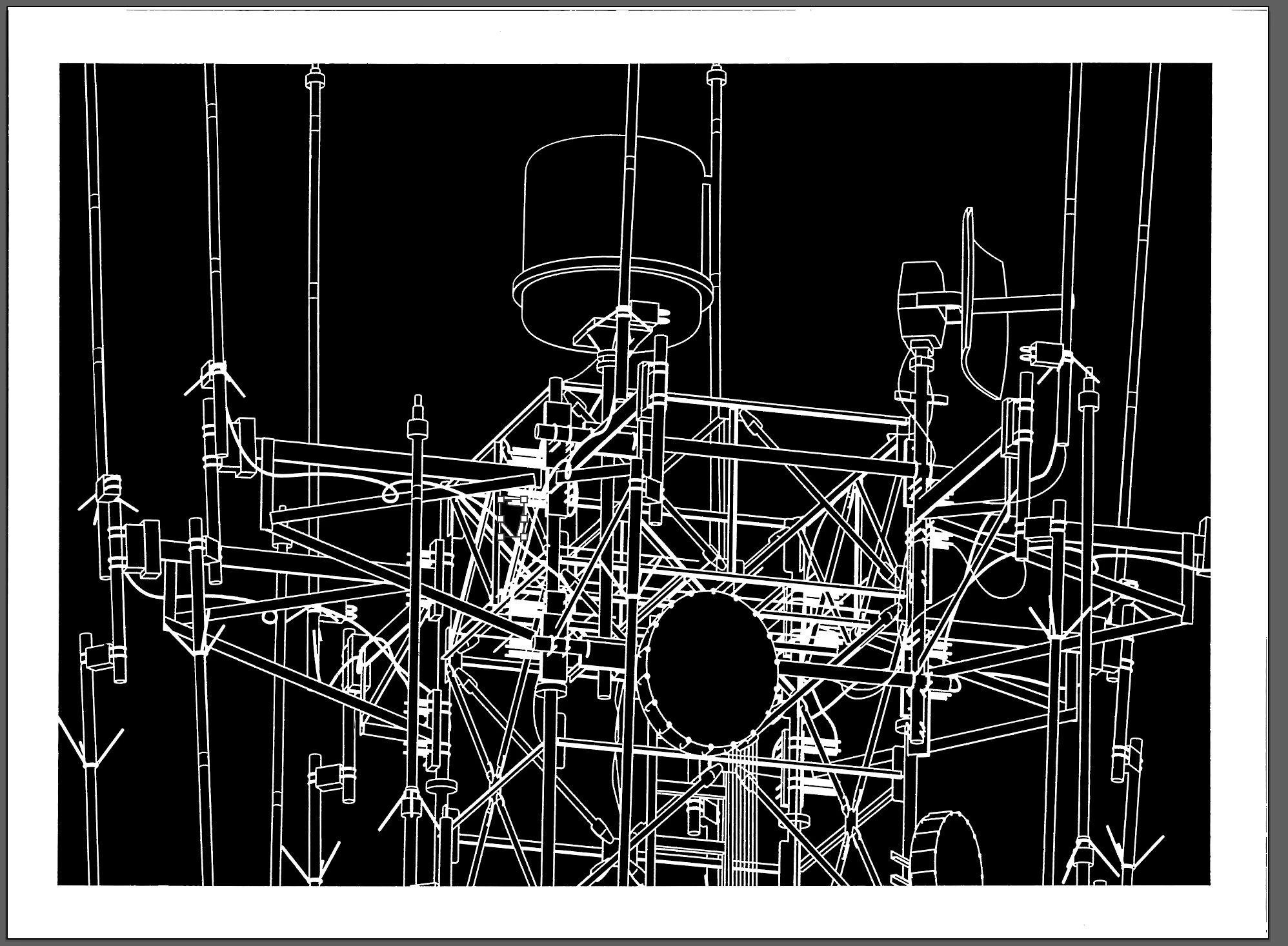
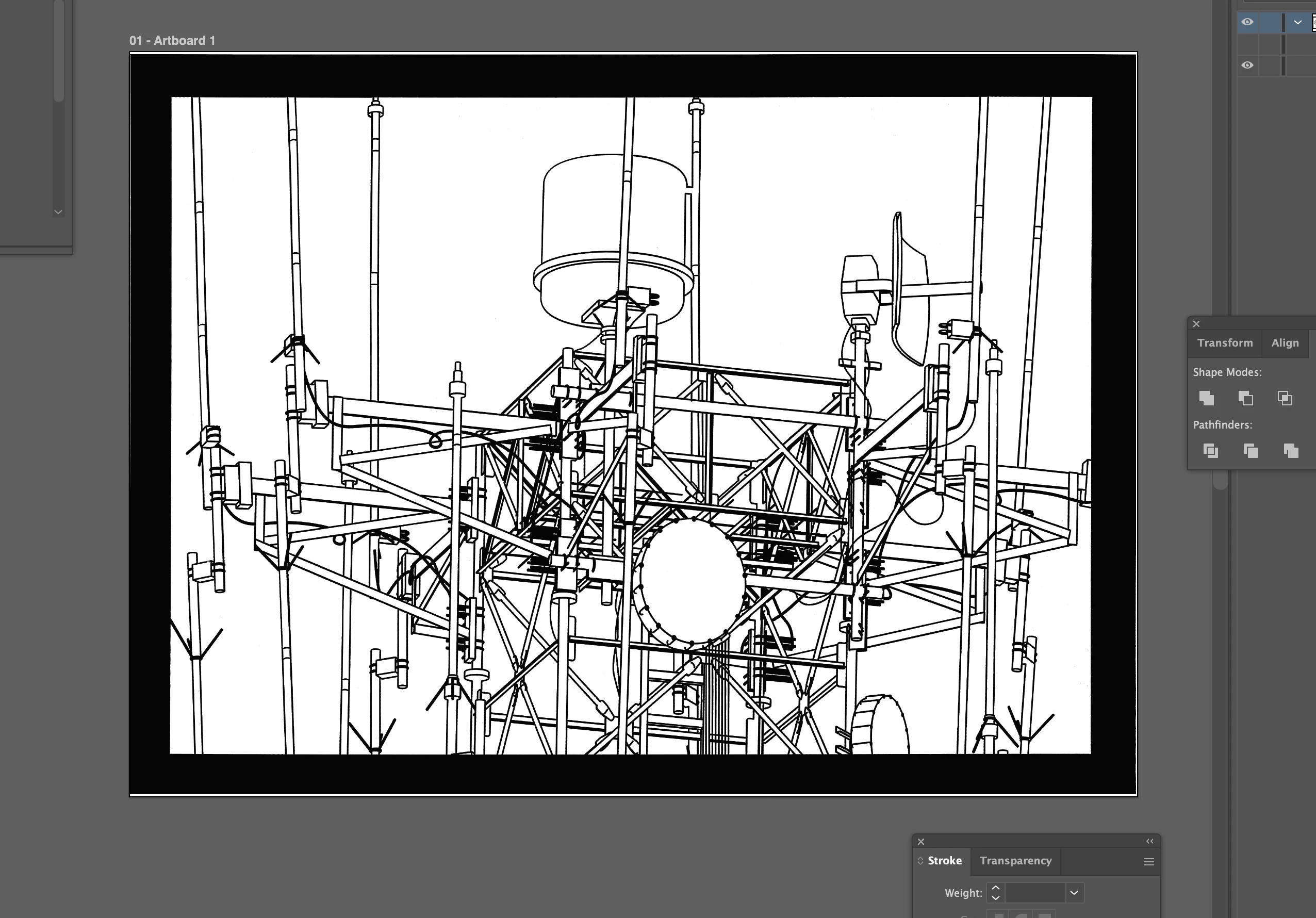
Hello, I am using image trace on a black and white source image.  The “line work in the original image are the “positive” and the white background is “negative”.  After trace, If I select all paths and apply a fill, it fills the background leaving the line work white.  Basically a reverse of what I need.  I also tried tracing an inverted image and got the same result.  Is there a workaround or a way to get the results I need?
 

    4 replies

    Participant
    July 12, 2026

    파일을 봐야알꺼같아요. 파일에 문제가 있을수도 있습니다.

    Dave Creamer of IDEAS
    Community Expert
    Community Expert
    July 12, 2026

    Agree. Please upload the original image AND the Illustrator file if you can. 

    David Creamer: Community Expert (ACI and ACE 1995-2023)
    Dave Creamer of IDEAS
    Community Expert
    Community Expert
    July 11, 2026

    What version of Illustrator are you using? There use to be an Invert checkbox on the Image Trace panel a few versions ago. 

    David Creamer: Community Expert (ACI and ACE 1995-2023)
    Known Participant
    July 12, 2026

    I’m on the newest version… invert would be PERFECT...

    Monika Gause
    Community Expert
    Community Expert
    July 11, 2026

    Did you delete the background object? Did you ignore white when tracing?

    Known Participant
    July 12, 2026

    thank you, you are absolutely on point, ignore white works perfectly in illustrator… The problem i’m having is illustrator does not image trace large images well.  I can trace a crpped section of my image and it hugs the image well.  If I trace the whole image, it does not follow the contours well.  This has me trying to image trace with other software, then bring it into illustrator to continue working with it.  Both corel and inkscape seem to adhere to my image better than illustrator.  I am not comfortable putting my work in AI vectorizers.  When I trace in Corel, it tries to let me ignore background white, but fails.  So I am in a conundrum.  Using Corel or inkscape or Affinity to trace but getting a reverse positive/negative in Illustrator. As for deleting background object, I turn that off in illustrator...help???

    Dave Creamer of IDEAS
    Community Expert
    Community Expert
    July 11, 2026

    What format is your image in? Try changing the color mode and/or format in Photoshop. 

    For example, if it is in bitmap mode, try grayscale; if it is PNG, try TIFF or JPEG.

    David Creamer: Community Expert (ACI and ACE 1995-2023)
    Known Participant
    July 11, 2026

    thank you for your response… I tried those things and am still getting a reverse negative positive...