


Participant
Aug 29, 2020 1:10 PM UTC
Answered

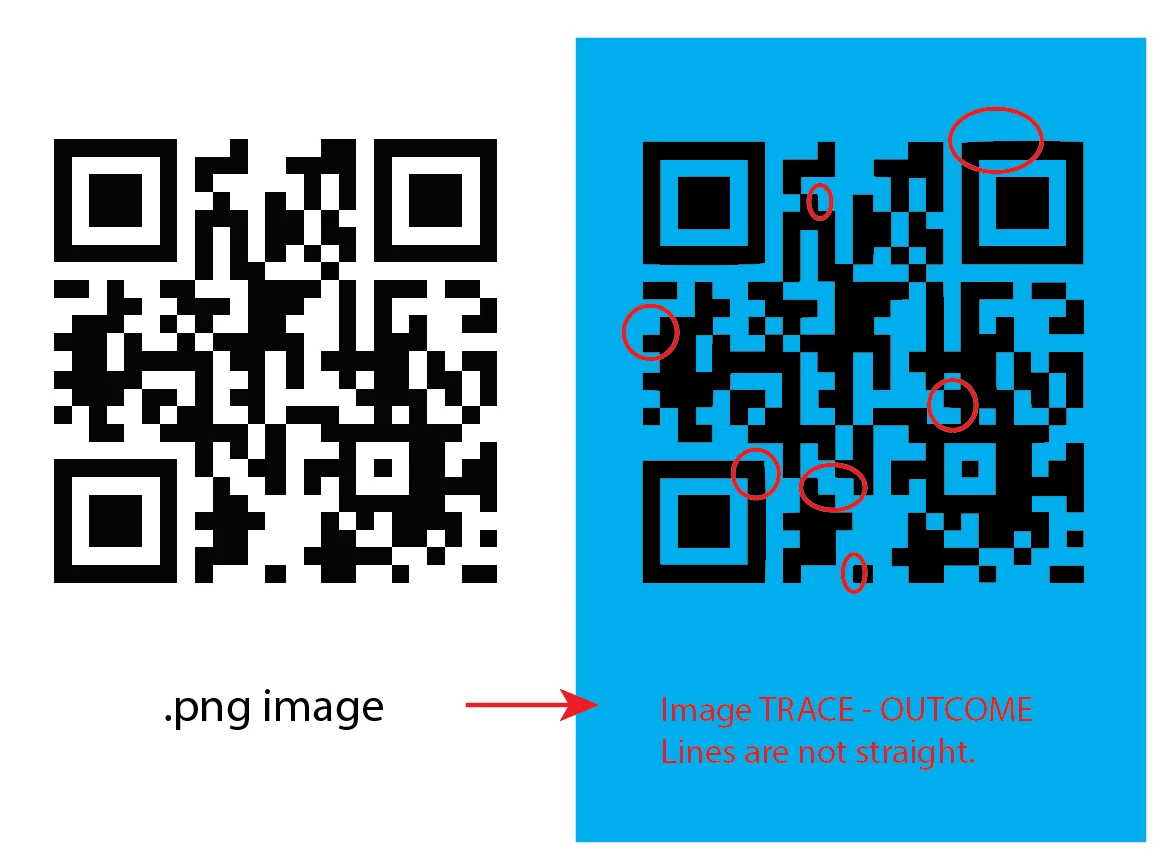
Image Trace settings needed to trace a QR code (.png) to vector ...

Would like to know how to use the Image Trace effectively in Illustrator 2020 version. I used to be able to do it effortlessly in Illustrator CS6. How do I image trace all straight lines, all right angles? Please help! Thanks!

 

Monika Gause
Monika GauseCorrect answer
Community Expert
Aug 29, 2020 5:16 PM UTC

Definitely use InDesign.


If it is not possible for any reason to re-create the code, use Object > Create Object Mosaic to vectorize it. You need to count the squares before launching it. It only works with embedded images.

7 replies

carlosgarro
Community Expert
Community Expert
Aug 29, 2020 3:56 PM UTC

Hi.

My advice is: use InDesign to generate a new QR code, copy and paste it into Illustrator.

Please check this quick video: QR from InDesign to Illustrator

Best Regards

Translate
Monika Gause
Community Expert
Monika GauseCommunity ExpertCorrect answer
Community Expert
Aug 29, 2020 5:16 PM UTC

Definitely use InDesign.


If it is not possible for any reason to re-create the code, use Object > Create Object Mosaic to vectorize it. You need to count the squares before launching it. It only works with embedded images.

Translate
Participant
Jan 21, 2022 6:42 PM UTC

Monika, you are definitely genious!

Translate
Anna Lander
Inspiring
Aug 29, 2020 2:06 PM UTC

try to use Black and White Logo mode and set the Path and Corners accuracy as 100%


Translate
JadeightAuthor
Participant
Aug 29, 2020 2:22 PM UTC
Yes, I did. But unable to get the precision 😞
Translate