
Participant
June 20, 2022
Answered

Image Tracing Detailed image - Illustrator AI

  • June 20, 2022
  • 1 reply
  • 259 views

Okay. So I have an greyscale image that I'm trying to vectorize. 

1. Image tracing is looking awful. I've tried so many combinations/editing all the variables in the advanced panel, tried color, black and white etc. It loses so so much detail and just does not look the same. 

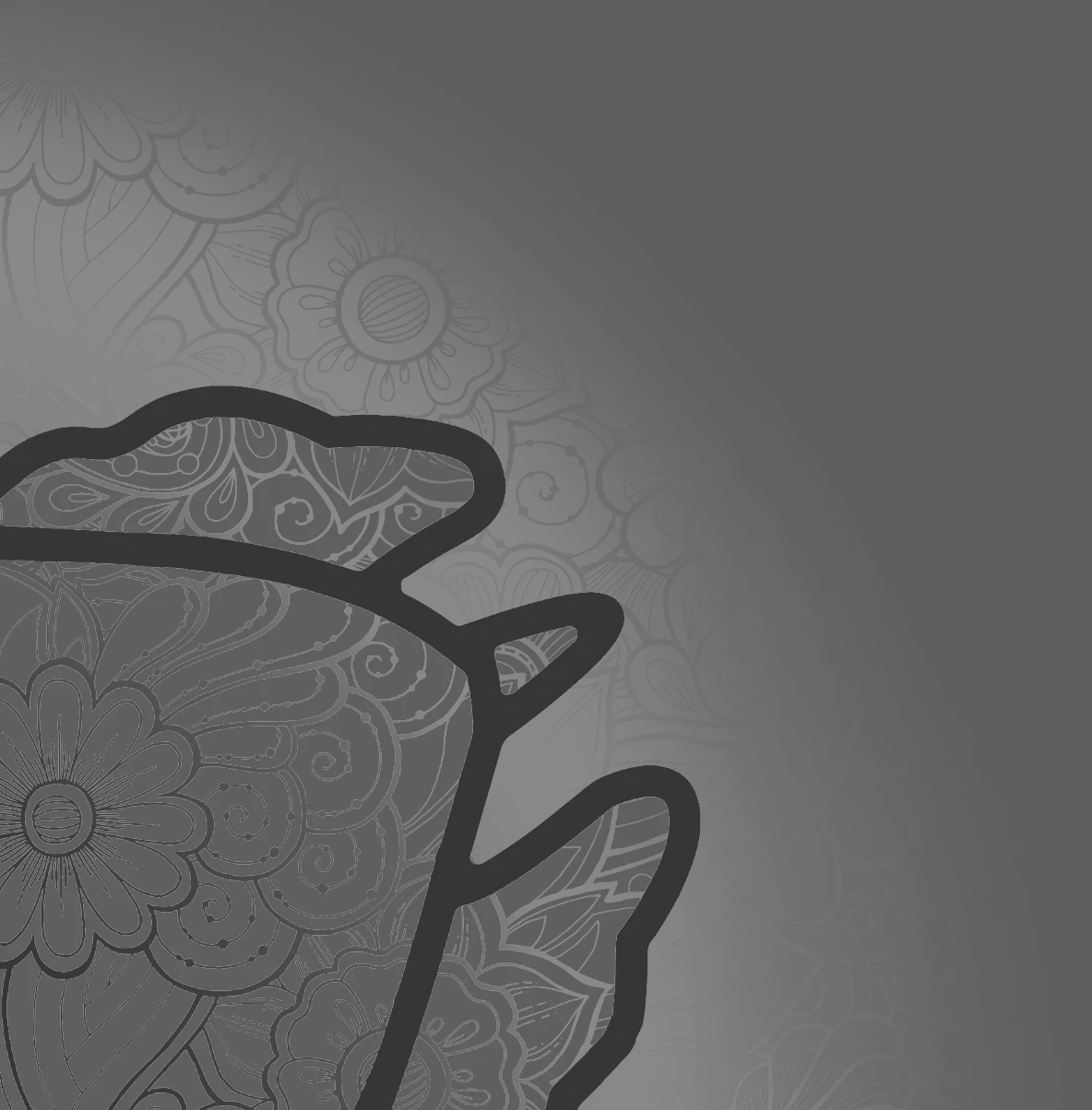
2. The image has a kind of radial gradient (so the edges are more transparent). I'm kind of at a loss at how to vectorize those sections because image trace is having a hard time picking them up. 

3. At this point the only way I can get good results is to go through the painfully slow process of using the content aware tracing tool / pen tool to create paths. 


Does anyone know how I can vectorize this image more easily??  This is a screenshot of the corner. 


This topic has been closed for replies.
Correct answer michelew83603738

Are you trying to get all the detail vectorized or just the black outline? The overall gradient makes this image very hard for AI to distinguish it into vectors. If you are trying to get all of this, I am afraid this is not something that Image Trace can handle. If you only want the dark outline, then if you have Photoshop, I would adjust first, then bring it into AI to get the outline. But ultimately, the pen tool is your best friend.

1 reply

michelew83603738
Community Expert
michelew83603738Community ExpertCorrect answer
Community Expert
June 20, 2022

Are you trying to get all the detail vectorized or just the black outline? The overall gradient makes this image very hard for AI to distinguish it into vectors. If you are trying to get all of this, I am afraid this is not something that Image Trace can handle. If you only want the dark outline, then if you have Photoshop, I would adjust first, then bring it into AI to get the outline. But ultimately, the pen tool is your best friend.