Participant
May 6, 2018
Answered

Images have random "scrapes" on Illustrator

  • May 6, 2018
  • 1 reply
  • 321 views

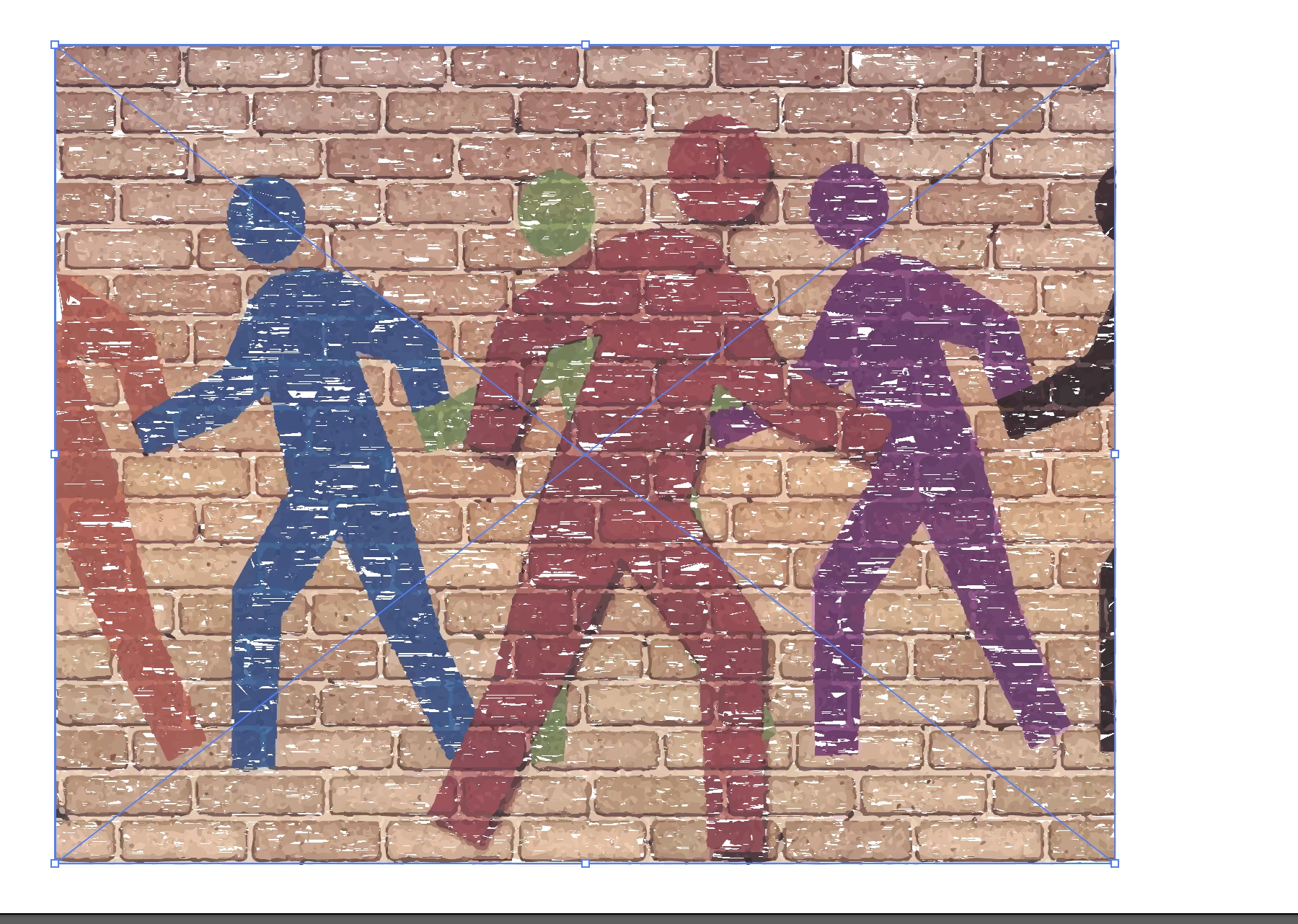
Can someone please explain why am I getting these weird/random scrape-looking things on my images? This is the second time it happens and this is only for after it is vectorized. Raster images don't have this. Is this normal?
This topic has been closed for replies.
Correct answer tromboniator

Press cmd/ctrl-E to switch from GPU to CPU preview. You can also click the rocket in the Application Bar to turn off GPU Performance in Preferences.

1 reply

tromboniator
Community Expert
tromboniatorCommunity ExpertCorrect answer
Community Expert
May 6, 2018

Press cmd/ctrl-E to switch from GPU to CPU preview. You can also click the rocket in the Application Bar to turn off GPU Performance in Preferences.

suziiiiiiAuthor
Participant
May 6, 2018

This worked, thank you!

tromboniator
Community Expert
Community Expert
May 6, 2018

I'm glad.

You're welcome!

Peter