



Question
Import a Line Graph from Excel into Adobe Illustrator
Hi folks --
I need to import a line graph from Excel (image A) into an existing Illustrator file (image B).
The new line graph will replace a line/curve in the existing Illustrator file (highlighted in yellow in image B) as shown in the image:
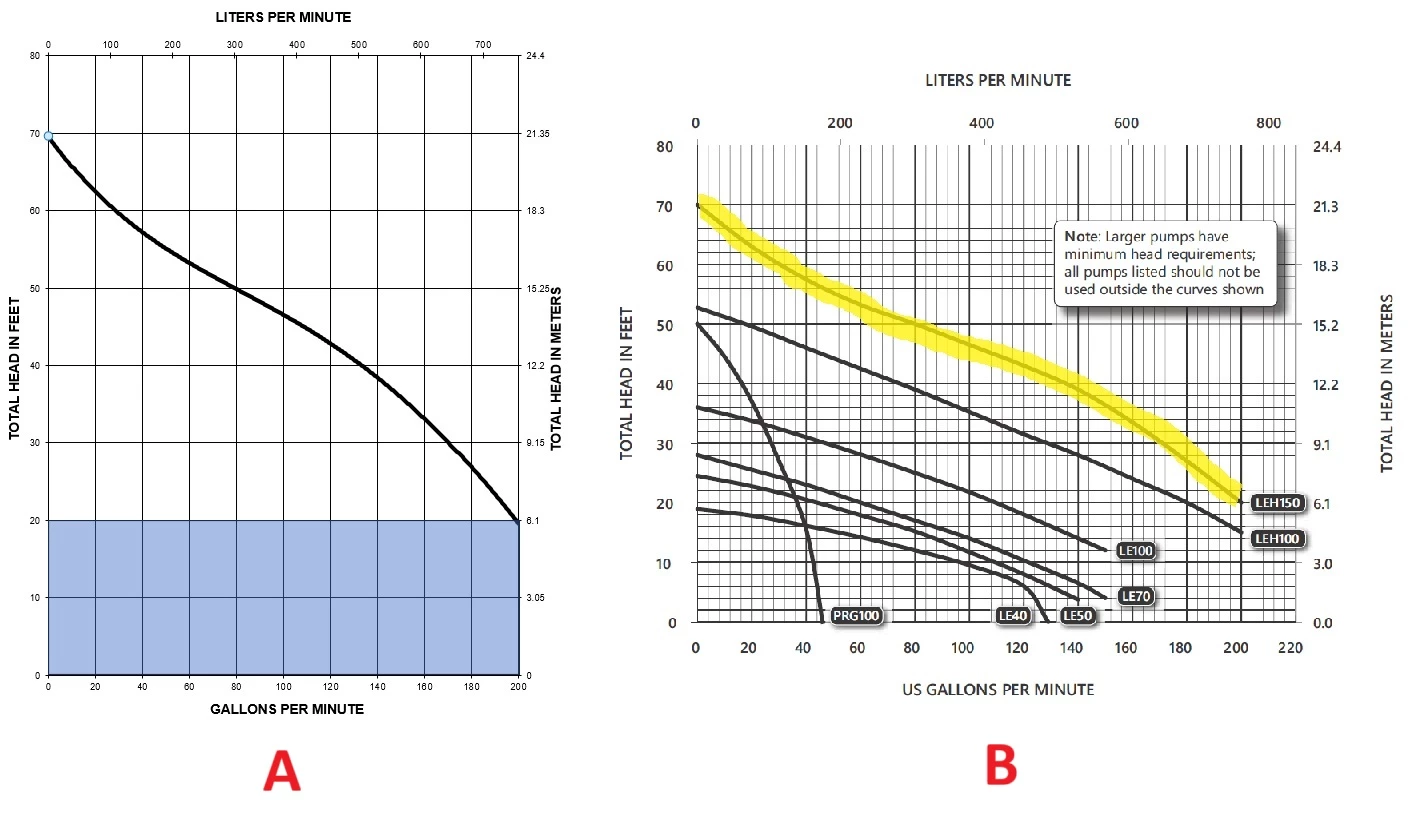
I have tried multiple methods to import this data—including copying and pasting the graph into Illustrator and saving the data as a comma-delimited file to recreate the graph in Illustrator.
After much trial-and-error, I cannot get the results I want. I would like the new line graph to exist on its own layer and maintain the scale in the original Illustrator file.
If anyone can point me to a solution or even a great online tutorial, I would appreciate it.
Thank you!
 AdChoices