Participant
September 16, 2021
Question

Import impossible de paramètres utilisateur

  • September 16, 2021
  • 3 replies
  • 226 views

Bonjour,

J'ai tenté d'importer les paramètres de mon imac vers mon macbookpro M1 mais j'ai un message d'erreur : 
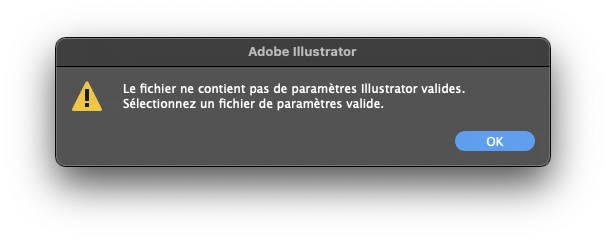
Savez-vous d'où peut venir ce problème ?
Je cherchais à exporter mon espace de travail.

Merci,

This topic has been closed for replies.

3 replies

Anshul_Saini
Community Manager
Community Manager
September 17, 2021

Hi @GeeK Reverse,


Sorry about the trouble you are facing. I am afraid sync/importing settings are no longer available in the current versions of Photoshop, Illustrator, and InDesign. For more details, you may check out this help article (https://helpx.adobe.com/creative-cloud/help/sync-settings.html).

However, you can copy the Workspaces folder manually from the following locations and paste it to the exact location on your other machine or another version of Illustrator installed on your device. I hope it helps!


macOS:

  • ~/Library/Preferences/Adobe Illustrator <version> Settings/en_GB/Workspaces
  • ~/Library/Preferences/Adobe Illustrator <version> Settings/en_GB/Modified Workspaces


Thanks & Regards,
Anshul Saini

Participant
September 16, 2021

How To Solve Problems In Open Any File To Show Newer Version 

Participant
September 16, 2021

Can you please elaborate your issue So I can give you best solution 

Participant
September 16, 2021

Macbook M1 have some bugs