

Jan28471859ipll
Participant
March 25, 2023
Answered

Importing a 3d Illustrator file into After Effects

  • March 25, 2023
  • 2 replies
  • 9781 views

Hi everyone, I would like to ask, how to import a 3d Ai file into AE? So basically, I made a vector shape and made it 3d through effects on illustrator, I wanted to make a rotating animation of it so my first thought was AE, but when I tried the way I do it (create vector outlines) it resulted in this:
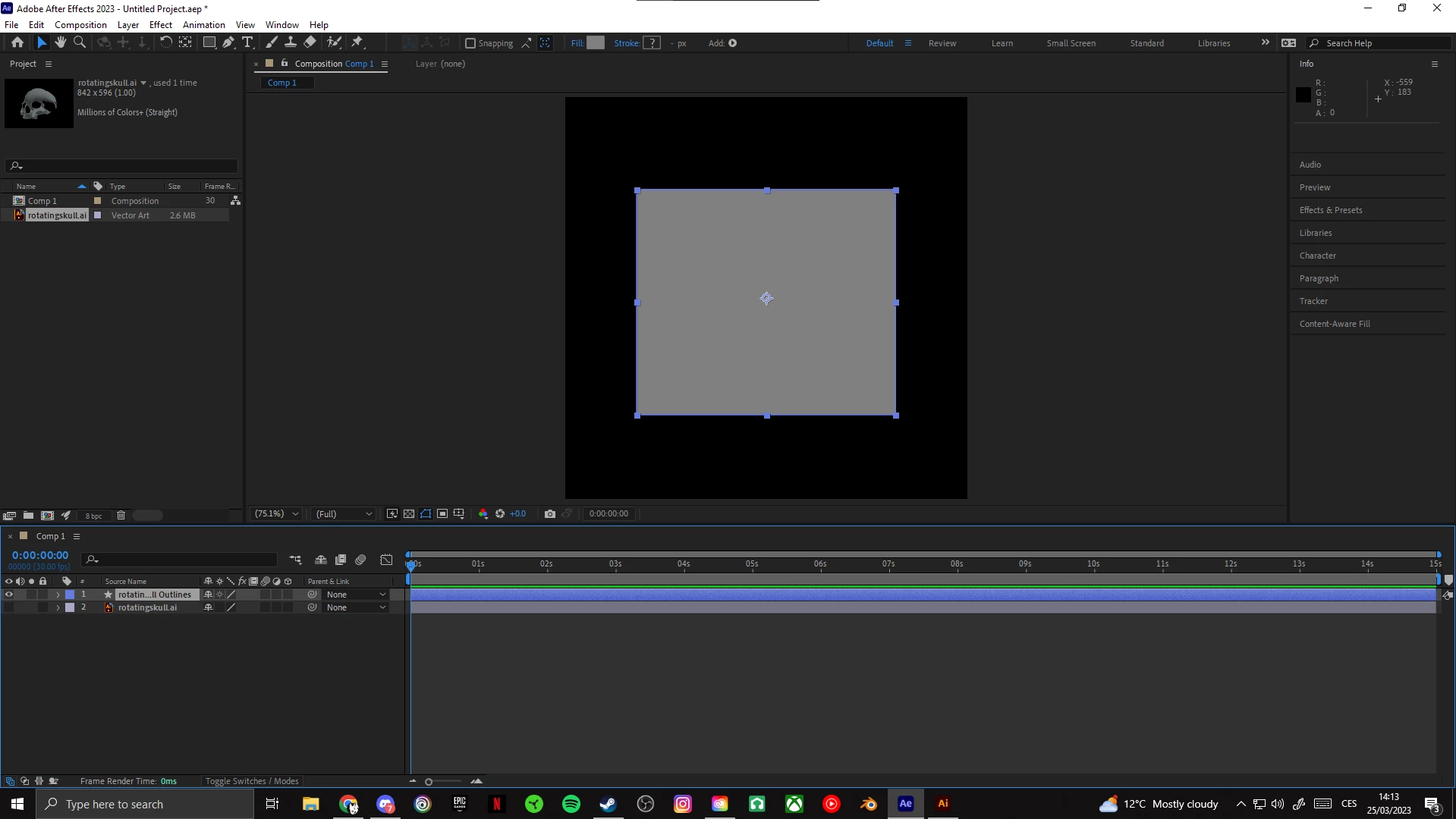
I have read somewhere that AE cannot process 3d Ai files, is there any other way around it?

Thank you for the replies in advance. ps: I have also created this thread in the After Effects forum.

J.K.

This topic has been closed for replies.
Correct answer Anubhav M

Hello @Jan28471859ipll,


Thanks for reaching out. Would you mind creating a 2D vector logo in Illustrator and then extruding it in After Effects to check if it helps? Here's a quick tutorial to get you started: (https://www.youtube.com/watch?v=TvCSGgAHoLk).


Looking forward to your response.


Thanks,

Anubhav


Note: Marking correct for visibility.

2 replies

Anubhav M
Community Manager
Anubhav MCommunity ManagerCorrect answer
Community Manager
March 29, 2023

Hello @Jan28471859ipll,


Thanks for reaching out. Would you mind creating a 2D vector logo in Illustrator and then extruding it in After Effects to check if it helps? Here's a quick tutorial to get you started: (https://www.youtube.com/watch?v=TvCSGgAHoLk).


Looking forward to your response.


Thanks,

Anubhav


Note: Marking correct for visibility.

Monika Gause
Community Expert
Community Expert
March 25, 2023

What kind of 3D files does After Effects import? Illustrator can export objects as OBJ, USDA, USDZ and GLTF. They won't have material, just color.