
Participant
June 21, 2021
Answered

Importing PDF to Illustrator, fonts displayed as boxes with and X

  • June 21, 2021
  • 11 replies
  • 25227 views

When I import certain PDFs in illustrator i get a cant't find text error and all the text displays like the picture below. i have tried adding the fonts to illustrator but that did not work
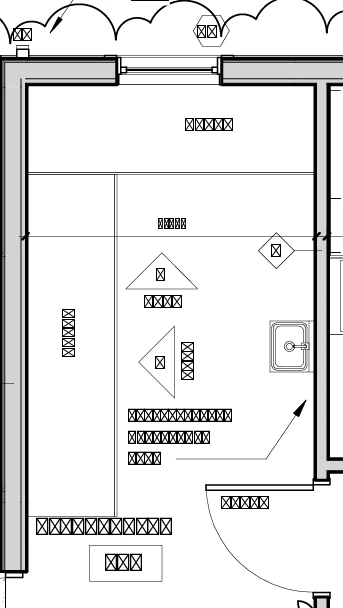


Correct answer VIJAY31886376ivs5

1. open file in adobe acrobat pdf reader

2. go to MENU>Doucment Properties>Fonts

you will see what are the fonts used in it, and install all those fonts

and then open the pdf in Illustrator

11 replies

Larry G. Schneider
Community Expert
Community Expert
June 21, 2021

What font is it supposed to be? On what OS was the PDF generated? 

Participating Frequently
December 27, 2021

I'm having this same problem. The PDF was generated by a company in Germany in Windows and is based on a CAD .dwg file. The fonts are supposed to be Myriad and Minion, both of which are enabled in Illustrator. I can get the fonts to display if I 'Place' the file, but then I cannot select individual elements.

Monika Gause
Community Expert
Community Expert
December 27, 2021

What happens when you turn on the Missing glyphs protection in the Illustrator preferences before opening the PDF?