Participant
March 22, 2024
Question

impossible d'ouvrir fichier illustrator - adobe creative cloud

  • March 22, 2024
  • 3 replies
  • 4191 views

Bonjour, depuis quelques jours je reçoi ce message lorsque j'ouvre des fichiers illustrator à partir des bibliothèques CC (peu importe lequel): «cet élément ne peut pas être modifié dans illustrator, mais il peut être importé dans un document. pour importer un élément, faites-le glisser dans un document ouvert.» Ça ne m'avait pas causé de problème jusqu'à maintenant et n'avait pas trouvé quoi faire avec ce message: 
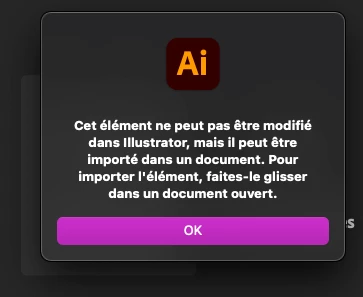
 

J'ai créer un fichier ai hier, travaillé dedans et l'ai enregistré dans une bibli CC. Ce matin j'essaie de l'ouvrir, ça ne fonctionne pas. Le même message apparaît, mais rien ne se passe. L'image (l'icône) du fichier est noir.
 

Je suis allé voir sur Adobe en ligne, le fichier est noté comme «introuvable» ou «chargement impossible».
.    


Y a-t-il une façon que je puisse récupérer mon fichier sans devoir tout recommencer? Et surtout, comment faire pour ne plus que ça recommence?


Note: il n'est pas possible d'enregistrer une copie sur mon ordinateur, ou de voir l'historique des versions.

Merci!

This topic has been closed for replies.

3 replies

Monika Gause
Community Expert
Community Expert
March 22, 2024

So these have been files that you saved to Creative Cloud (AIC files)?

Or Illustrator files that you dragged into a library?

Or Illustrator assets that you dragged into a library?

Or something else?

Participant
March 25, 2024

illustrator files that I dragged into a CC library, and don't seem to be able to create and save an Ai file in the CC libraries, I have to create it on my computer first.

michelew83603738
Community Expert
Community Expert
March 22, 2024

I would first try to troubleshoot by signing out and then into the Creative Cloud. And what happens if you do drag it into an AI file, is it then editable?

Participant
March 22, 2024

Hello, I tried both solutions (deconnect from CC, reboot the computer, drag the file into another Ai file...) nothing works sadly.

michelew83603738
Community Expert
Community Expert
March 23, 2024

Can you tell me your process of saving?

kglad
Community Expert
Community Expert
March 22, 2024

in the future, to find the best place to post your message, use the list here, https://community.adobe.com/

p.s. i don't think the adobe website, and forums in particular, are easy to navigate, so don't spend a lot of time searching that forum list. do your best and we'll move the post (like this one has already been moved) if it helps you get responses.


<"moved from cc services">