Participant
August 25, 2022
Answered

Inaccurate export size when artboard position is not integer

  • August 25, 2022
  • 3 replies
  • 389 views

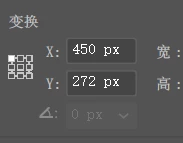
When export an artboard, the image size could be 1 px larger if the artboard is not positioned with integer(topleft).
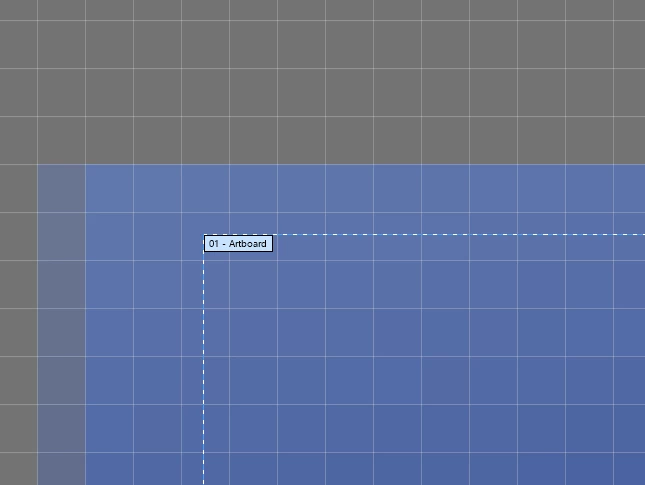
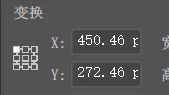
 

The image will be 1 px larger than artboard in this case 
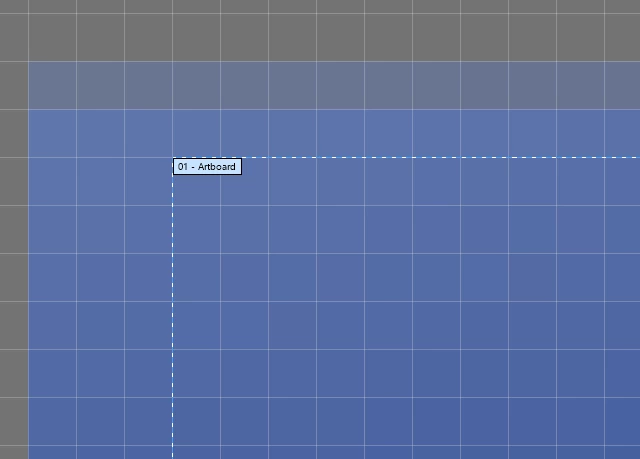
 

The exported image can be exact size as the artboard position is integer.


The exported image should be exactly the same size with the artboard, regardless the position

This topic has been closed for replies.
Correct answer Ton Frederiks

Looks like you understand the problem and the solution.

But if you want the artboard always to export at the artboard size (which should not contain fractions), you may want to do a feature request (or search for a excisting request) here: https://illustrator.uservoice.com/

3 replies

cgbrown-mos
Participant
February 29, 2024

If anyone is coming across this post looking for a solution to asset or artboard exports being off by 1 pixel, Adobe is looking into the issue.

You can vote for a feature request to fix this issue here: 

https://illustrator.uservoice.com/forums/333657-illustrator-desktop-feature-requests/suggestions/30992416-wrong-exported-image-size-extra-pixel-added-if-a

And you can vote for a bug fix to this issue here: 

https://illustrator.uservoice.com/forums/601447-illustrator-desktop-bugs/suggestions/48077885-variation-in-exported-image-size-based-on-coordina

Ton Frederiks
Community Expert
Ton FrederiksCommunity ExpertCorrect answer
Community Expert
August 25, 2022

Looks like you understand the problem and the solution.

But if you want the artboard always to export at the artboard size (which should not contain fractions), you may want to do a feature request (or search for a excisting request) here: https://illustrator.uservoice.com/

Anubhav M
Community Manager
Community Manager
August 25, 2022

Hello dks1981,


Sorry to hear about this experience. If the dimensions of your artwork contain fractional pixel values, Illustrator will round them to create an additional pixel. I would request you try the suggestions shared in this community post (https://community.adobe.com/t5/illustrator-discussions/the-solution-to-the-extra-pixel-problem/td-p/9274343) and share your observations.


Looking forward to your response.


Thanks,

Anubhav