
Incorrect colors in software preview (GPU)
Recently I found there has been a color gap between software preview and pictures it exported when I used my desktop. Colors is correct in exported png, but inside the software it isn't.
Here is a comparsion between my desktop and 2015 macbook pro with same file:
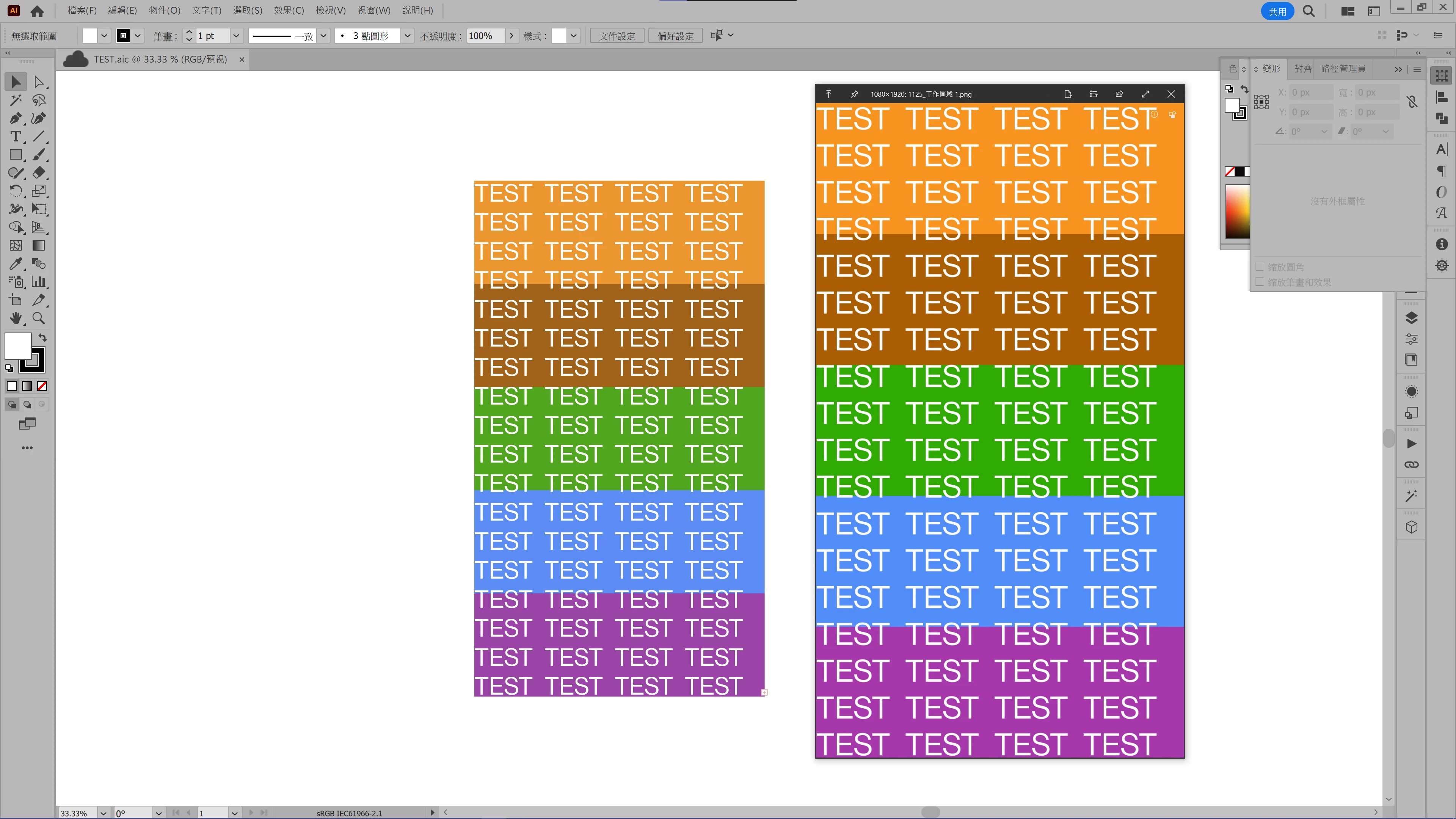
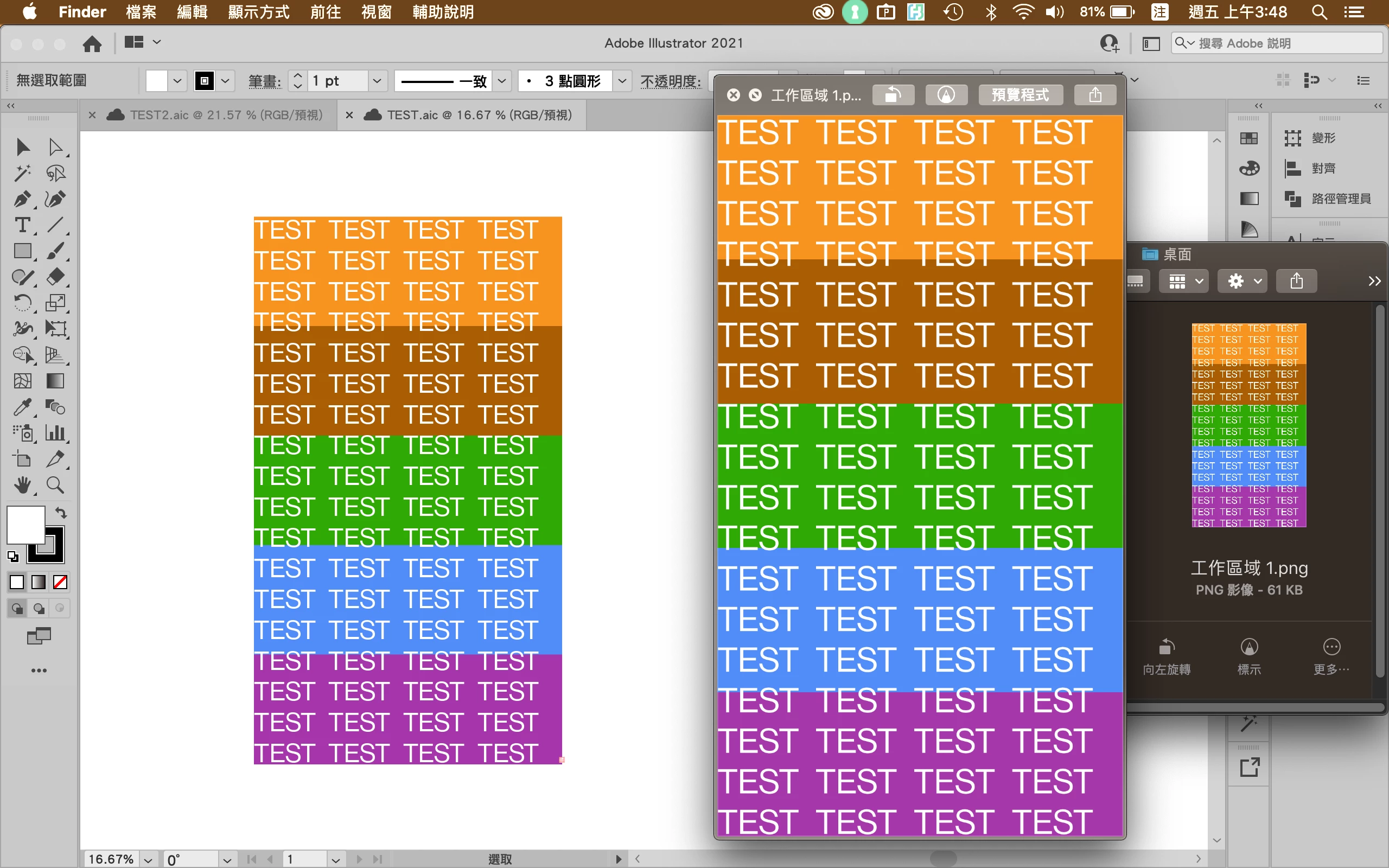
Desktop version software showed less saturated colors, when Macbook version software showed colors exactly the same as png.
It happened whether color is CMYK or RGB mode, and the same problem has been also on Photoshop and Indesign.
I read some discussion saying it was caused by GPU preview, but I can't solve the problem by turning to CPU preview or downgrading Photoshop version.
My desktop: Ryzen 5 5600X + RTX 3060 Ti / Windows 10 / Illustrator 27.0.1
My aptop: Macbook Pro 2015 2.7GHz Intel Core i5 + Intel Iris Graphics 6100 / OSX 10.14.3 / Illustrator 25.4.1
Hope someone can figure it out. Thanks.
 AdChoices