Participant
January 25, 2019
Answered

Increase opacity of only a specific area of an image

  • January 25, 2019
  • 2 replies
  • 332 views

I've got a satellite image world map (greyscale) which is set on and blended into a background landscape photo by simply lowering its opacity and feathering the edges.

The effect is really nice, but now I'd like to highlight a region of the map by increasing the opacity in that specific area.

Many thanks in advance for any advice on how to achieve this.

Nic
    This topic has been closed for replies.
    Correct answer Doug A Roberts

    Use an opacity mask. You can use any number of objects in one as long as they're grouped. Thus:

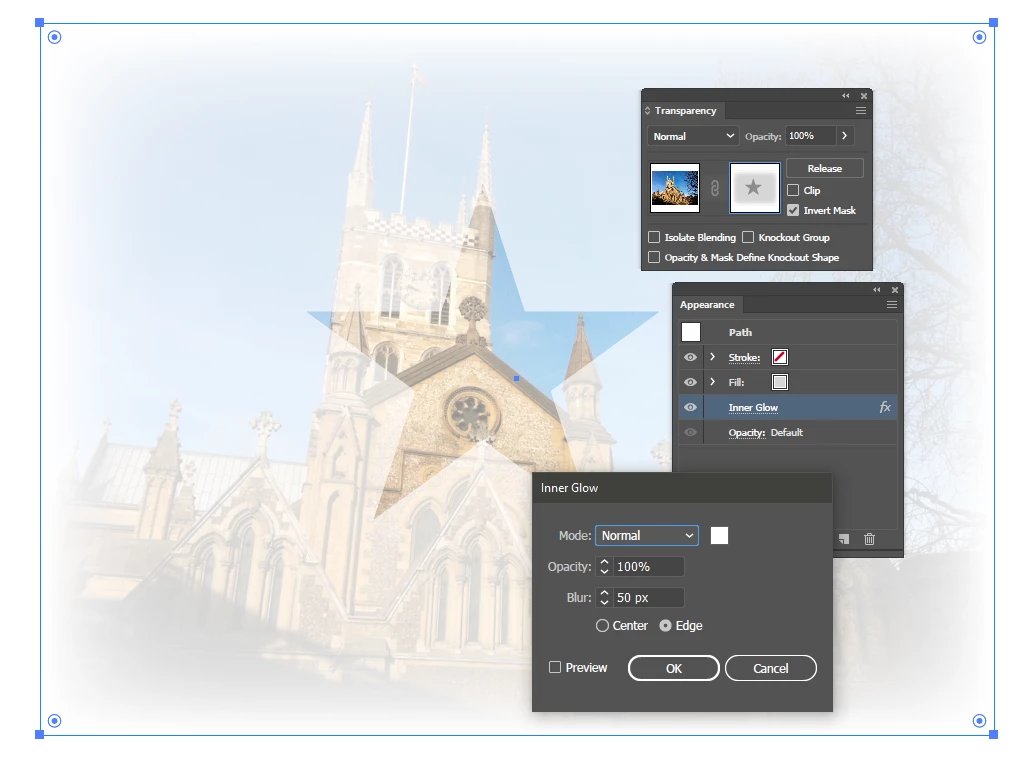
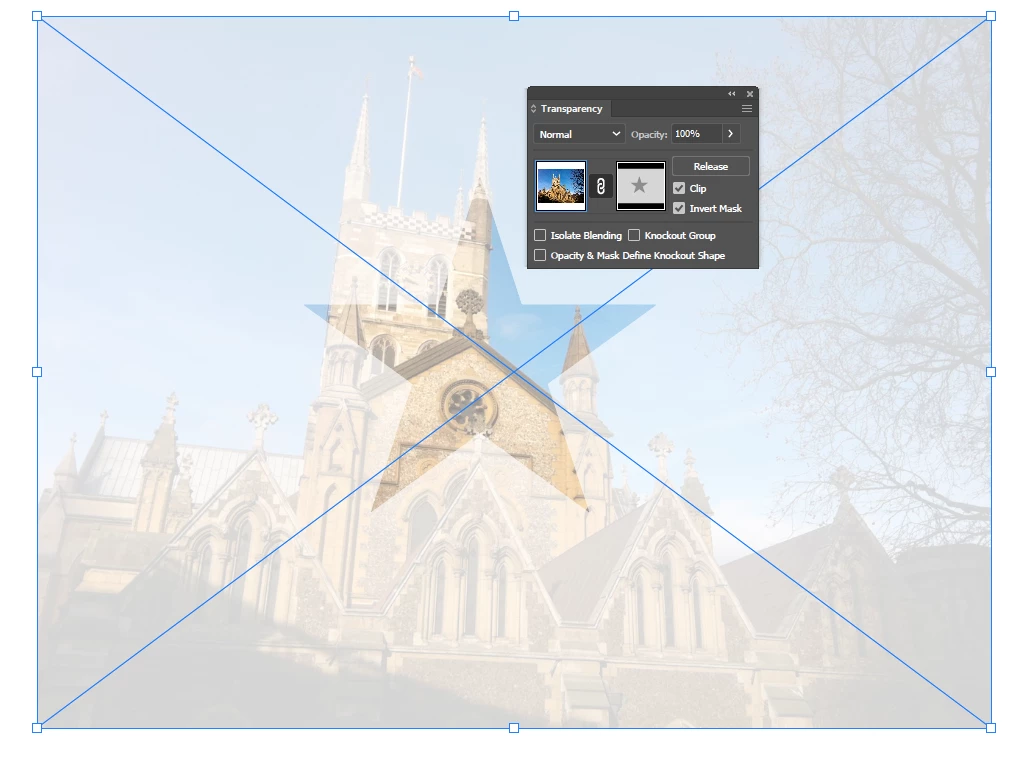
    The mask is made up of two objects: a light grey rectangle the same size as my photo, and a star in a darker grey. The tone of the shape determines the opacity of the mask. Group the two objects, then select the group and the image, then click 'Make Mask' in the Transparency panel.

    If you want to edit the objects in the mask, click on the right-hand thumbnail. In your case if you want feathered edges you might use an inner glow effect:

    2 replies

    Doug A Roberts
    Community Expert
    Doug A RobertsCommunity ExpertCorrect answer
    Community Expert
    January 25, 2019

    Use an opacity mask. You can use any number of objects in one as long as they're grouped. Thus:

    The mask is made up of two objects: a light grey rectangle the same size as my photo, and a star in a darker grey. The tone of the shape determines the opacity of the mask. Group the two objects, then select the group and the image, then click 'Make Mask' in the Transparency panel.

    If you want to edit the objects in the mask, click on the right-hand thumbnail. In your case if you want feathered edges you might use an inner glow effect:

    Ton Frederiks
    Community Expert
    Community Expert
    January 25, 2019

    Instead of lowering the opacity and feathering you could use an Opacity mask.

    An Opacity mask works with greys that make the underlying object more or less transparent. So a blurred brush could be used to highlight someting or a feather/blurred object.The possibilityies are endless.

    See: Control visibility with opacity masks |