

December 15, 2025
Question

Inner Glow Bug

  • December 15, 2025
  • 3 replies
  • 576 views

Illustrator v30.1 on macOS Tahoe 26.1


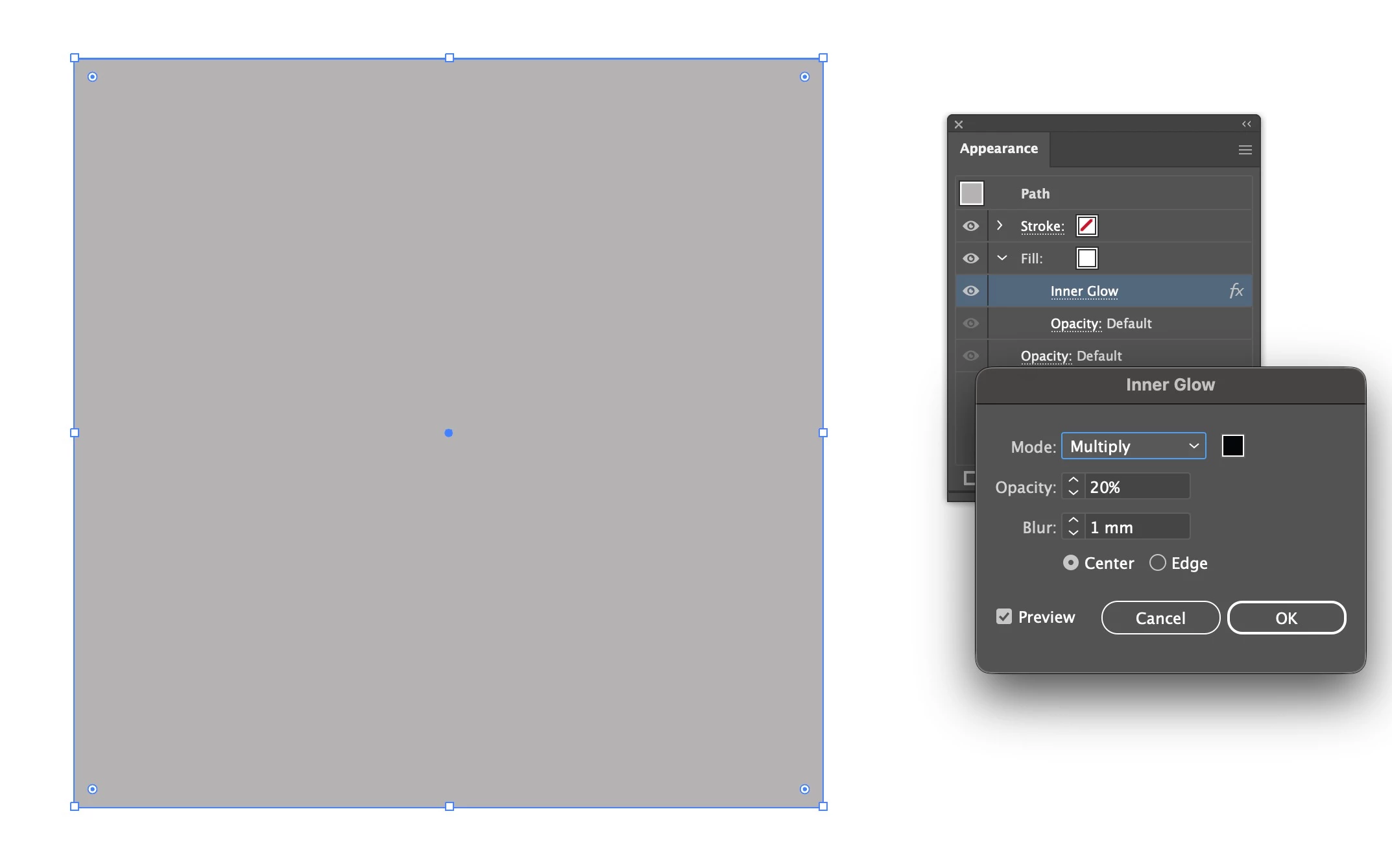
When the Inner Glow effect is nested into the Fill, it does not appear correct.. 
 

869735iAE5387C926CA1771.jpg

3 replies

Bill Silbert
Community Expert
Community Expert
December 15, 2025

Since as Abhishek has pointed out this does not appear to be a global user problem it may be a good idea to consider that it is the result of program corruption on your computer. Try resetting your Illustrator preferences. This will restore the program to its defaults and, hopefully fix the issue.

To reset preferences on a Mac:

The User Library folder in which Illustrator’s preferences are stored is hidden by default on most Macintoshes. To access it make sure that Illustrator is closed and click on the desktop to launch a Finder Window (Command-N).With this window in column view follow the path User>Home folder (it’s the folder with an icon that looks like a house—it may have the user’s name rather than “Home”) and click on the Home folder. With the Option Key pressed choose Library from the Finder Go Menu. “Library” will now appear within the Home folder. Within the Library folder find the folder called Preferences and within it find the folder called “Adobe Illustrator <Version #> Settings” (earlier versions of Illustrator might just say “Adobe Illustrator”) and the file called “com.adobe.Illustrator.plist” and delete both that folder and that file. When Illustrator is next launched it will create new preference files and the program will be restored to its defaults. 

The advantage of manually deleting preference files in this manner is that after you’ve reset up the program (make sure that no document window is open) to your liking, you can create copies of your personalized “mint” preference files (make sure that you quit the program before copying them—that finalizes your customization) and use them in the future to replace any corrupt versions you may need to delete.

December 16, 2025

I have reset the preferences for Illustrator v30, but the problem still persists. 

See the screenshot below (the left is v30 and the right is v29)

The inner glow effect is supposed to appear like v29, but it's not visible on v30.

869920iE98717CF6A6C2217.jpg

December 16, 2025

To add on more details, I applied a black Inner Glow into the grey "Fill" on the Appearance panel. The grey box is supposed to appear like the one on the right (which is v29), but instead it fills the grey box with solid black with no glow effect visible.

Abhishek Rao
Community Manager
Community Manager
December 15, 2025

Hi @NH 08 Cecilia,


Thanks for sharing this. I tested the same Inner Glow setup on both Windows and macOS, and the effect rendered correctly on my side, so the behavior you're seeing doesn't seem to happen universally. To help me understand what's different in your workflow, could you please share a short screen recording showing the exact steps you're taking from selecting the object to applying the effect? That will help me see where things diverge and allow me to report it accurately for further investigation.


Looking forward to your update.

Abhishek

Monika Gause
Community Expert
Community Expert
December 15, 2025

I could reproduce it. The difference is pretty tiny, but exists.

Monika Gause
Community Expert
Community Expert
December 15, 2025

Please report this on illustrator.uservoice.com
