Answered
Invert shapes? How to create shapes from the background
Is there an efficient way to invert shapes or make shapes from the area surrounding other shapes? The goal is to be able to fill the "background" shapes with different colors.
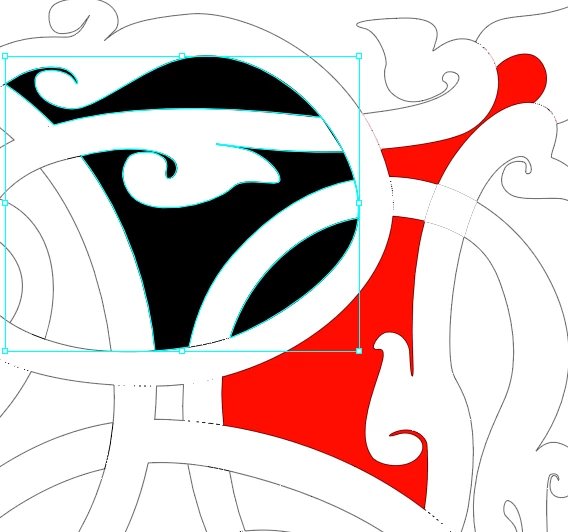
I used Divide Objects Below, but I wasn't able to separate some of the resulting shapes. In the image pasted below, the shapes with the red fill worked perfectly, but the three shapes in the selection with the black fill are one compound path and I don't know how to separate them.
 AdChoices