
Participating Frequently
March 14, 2024
Answered

Invisible mouse cursor problem (Never seen before)

  • March 14, 2024
  • 5 replies
  • 4359 views

Hi community,


I updated my windows 11 today, I'm using Windows 11 home insider preview, and currently updated to Build 26080.ge_release.240308-1400

Illustrator was working perfectly until this morning. Today, I formatted my computer because of an error that I have never encountered anywhere before or on the internet. Just reinstalled all programs on creative cloud, but Illustrator is same. THERE IS NO MOUSE CURSOR ON WORKING AREA. Also, when I move the cursor to clickable areas on the home page, the cursor suddenly disappears. I tried all recovery options. System restore, installing another version of Illustrator, resetting preferences, finally resetting Windows. Currently the cursor disappears in Illustrator. Do I have to wait for a new windows update? Other programs do not have this problem. 

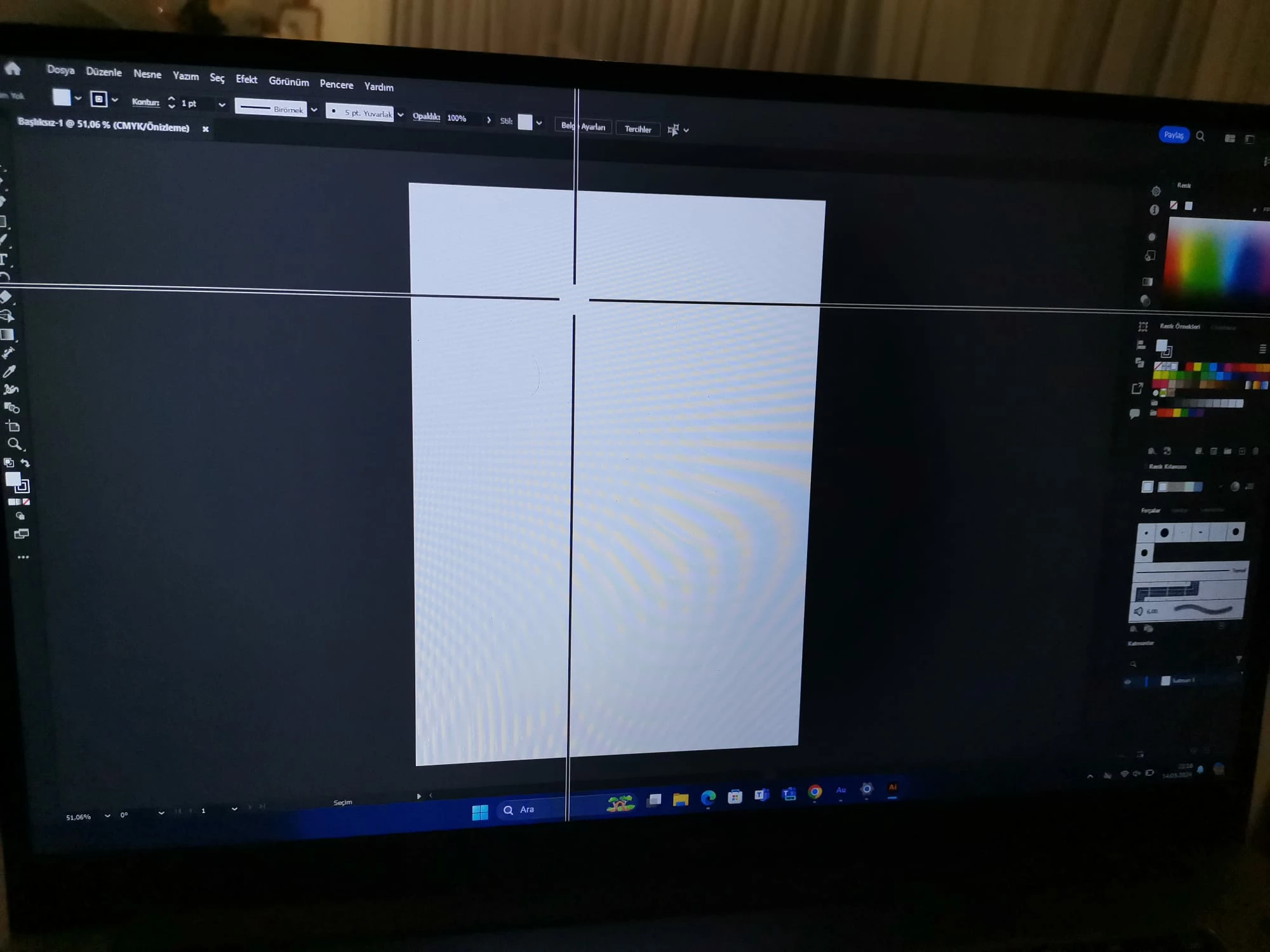
This is how I currently use the computer to see where the cursor is. It's really annoying.
This topic has been closed for replies.
Correct answer Doug A Roberts

Windows 11 Insider Preview 26085.1 fixed it.

5 replies

Participant
March 26, 2024

Adobe pushed some updates over the weekend and the cursor is working again in Illustrator / Photoshop / other affected apps. 👏

Doug A Roberts
Community Expert
Doug A RobertsCommunity ExpertCorrect answer
Community Expert
March 26, 2024

Windows 11 Insider Preview 26085.1 fixed it.

Participant
March 26, 2024

Even better! I updated my Adobe apps this morning and the cursors were these so I thought Adobe might have addressed it as well. Thanks!

Participant
March 18, 2024

I have the same issue.  Makes the program absolutely useless!!!  Have you found a solution to the problem?

ReyJ45Author
Participating Frequently
March 18, 2024

Of course not, we have to wait new windows update. But, there is some hack about it. You can use the program with a little crosshair. Just install Powertoys and create a crosshair on your mouse cursor. In the Illustrator, mouse cursor will be invisible again, but you can do your work with a crosshair 🙂

Doug A Roberts
Community Expert
Community Expert
March 15, 2024
There is a uservoice issue raised for this here:
Unfortunately we don't have answers yet, but it would be helpful if you added your vote and post any system or Illustrator version information there.
Anubhav M
Community Manager
Community Manager
March 15, 2024

Hello @ReyJ45, @IaMMaI,

We understand that encountering technical issues can be frustrating. The Windows 11 26080 build is a Canary/Dev build (https://adobe.ly/49U7PPA), and these builds can be unstable and are released with limited to no documentation (https://adobe.ly/3IEKvcI).


To get off the Canary or Dev Channel, a clean install of Windows 11 will be required.

If the problem persists, kindly share more details, like the System Info (Help>System Info) from Illustrator, the Microsoft System Information report (https://adobe.ly/3v47gUh) or macOS System Report (https://support.apple.com/en-in/guide/mac-help/syspr35536/mac#:~:text=View%20a%20system%20report), and a screen recording of the problem, so we can investigate this further.

Looking forward to hearing from you.

Thanks,

Anubhav

ReyJ45Author
Participating Frequently
March 18, 2024

I made a clean install, but it set up 26080 version as default. So, nothing changed. Now I'm using a little crosshair from Powertoys until the next windows update.

Participating Frequently
March 14, 2024

I updated windows 11 to build 26080.1100 and I have this problem too. bug confirm.

Participating Frequently
March 14, 2024

Now I use powertoy mouse pointer crosshair with small cross hair setting for Illustrator. wait for the solution.

Monika Gause
Community Expert
Community Expert
March 14, 2024

So you have a special setting for your mouse or even a system plugin?


Can you set that to normal? Does it still happen?

Monika Gause
Community Expert
Community Expert
March 14, 2024

And this started happening after you formatted the disk?

ReyJ45Author
Participating Frequently
March 15, 2024

No. Before, and after. I formatted the computer as a last solution. Everything is same. All of my settings gone. Nothing changed. c I can't use Illustrator right now.