
Participant
January 7, 2023
Answered

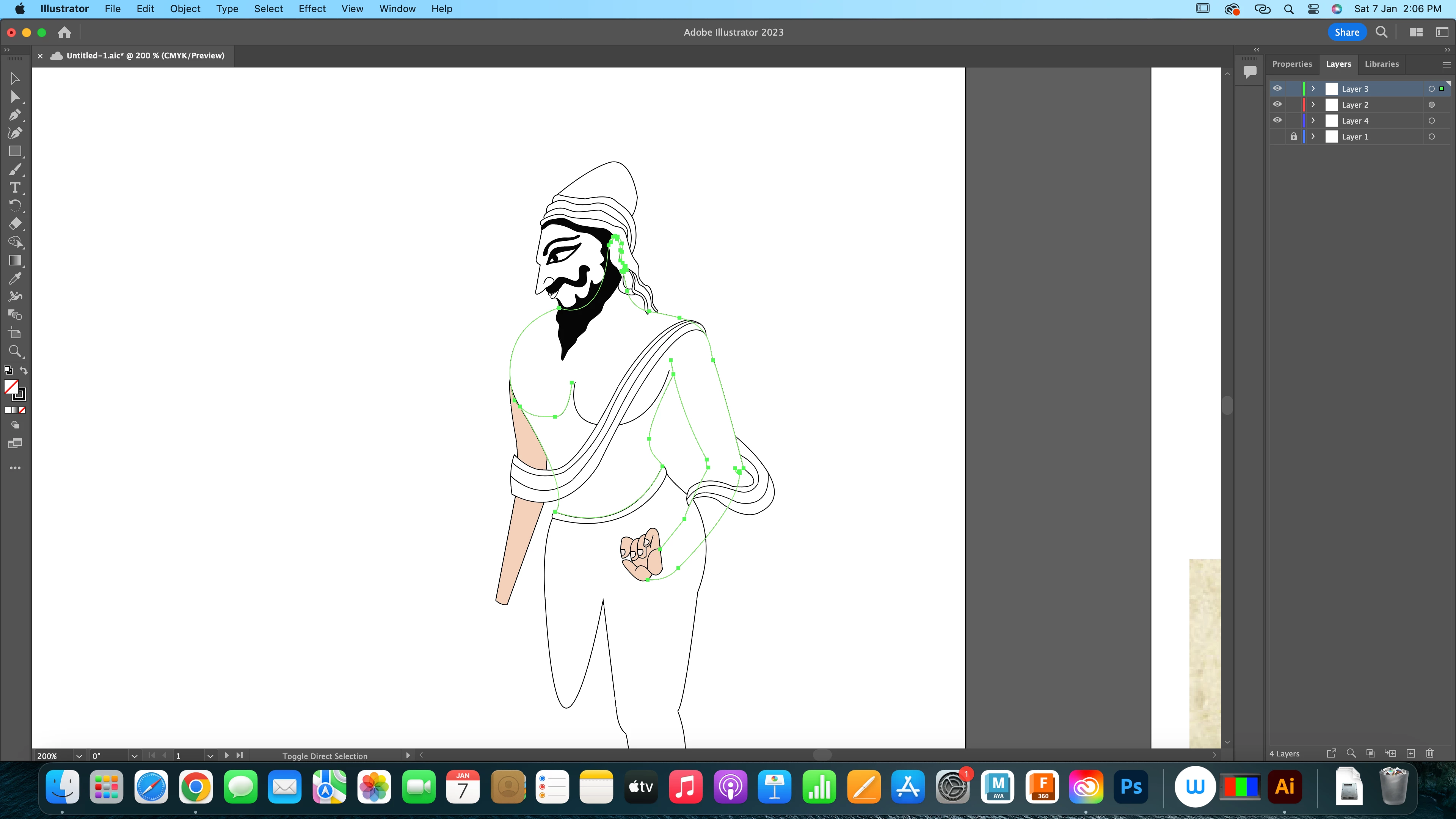
irrespective of having a closed shape i cant fill it with color and to add i can't access layers
  • January 7, 2023
  • 2 replies
  • 167 views

irrespective of having a closed shape i cant fill it with color and to add i can't access layers, have even tried uninstalling and reinstalling.

Kindly guide what can be done?


This topic has been closed for replies.
Correct answer Monika Gause

To learn how filling objects work, please read: https://helpx.adobe.com/illustrator/using/painting-fills-strokes.html

In order to open your layers, click on the little arrow to the left of the  layer name.If it still doesn't work, go to the layer settings and turn off "Show only layers"

The live paint tool has some options, so if you still cannot fill anything with it, please refer to this: https://helpx.adobe.com/illustrator/using/live-paint-groups.html

2 replies

Monika Gause
Community Expert
Monika GauseCommunity ExpertCorrect answer
Community Expert
January 7, 2023

To learn how filling objects work, please read: https://helpx.adobe.com/illustrator/using/painting-fills-strokes.html

In order to open your layers, click on the little arrow to the left of the  layer name.If it still doesn't work, go to the layer settings and turn off "Show only layers"

The live paint tool has some options, so if you still cannot fill anything with it, please refer to this: https://helpx.adobe.com/illustrator/using/live-paint-groups.html

Mylenium
Legend
January 7, 2023

Your layers are not closed, so no, there's nothing wrong. A simple fill won't work. You are misunderstanding how this works. The only way to fill your artwork in this state would be to convert it to a Live Paint group and use the Live Paint bucket. As for the layers it's unclear what you mean, but have you actually tried to twirl open the layer structure?


Mylenium