

Justin Taylor-Hyper Brew
Community Expert
Community Expert
December 17, 2024
Question

Is it possible to get Object Position updates while dragging an object in Illustrator?

  • December 17, 2024
  • 3 replies
  • 2474 views

I'm trying to find if there is a way to get position data from an object while it's being dragged / repositioned by the user, but I'm not finding a way to get values updated until after the drop has completed.
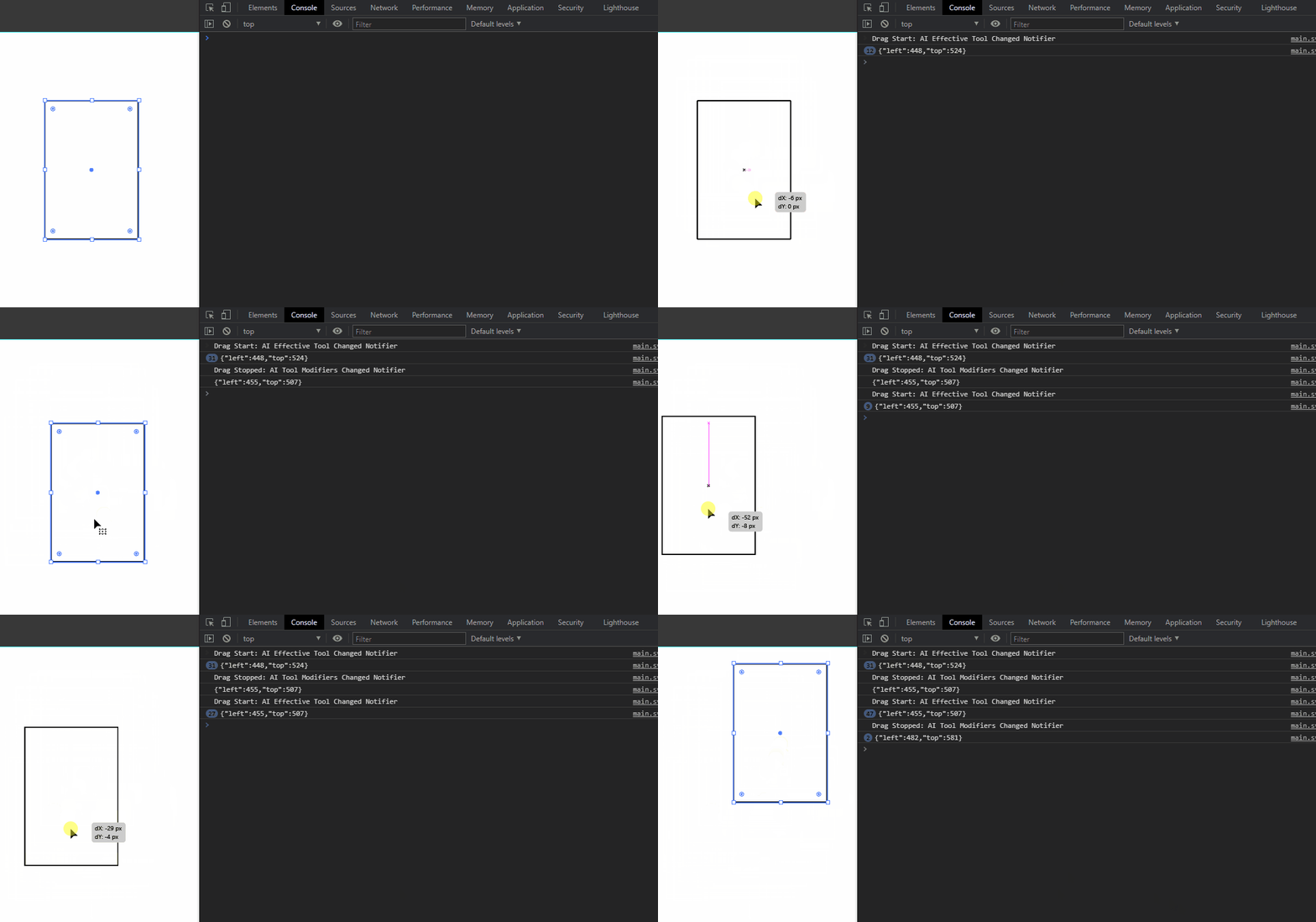


For context, I've tried events with AIHostAdapter as well as native events in the C++ SDK directly, but neither seem to have any events for dragging position updates, their events only seem to be before and after dragging objects, so I'm resorting to polling.


Currently I can poll an object's left/top position during dragging, however the results are the original position until the drag is completed, it's only updated after drop.


Have tried polling:


app.activeDocument.selection[0].left;
app.activeDocument.selection[0].top;


As well as: 
app.activeDocument.selection[0].geometricBounds[0];
app.activeDocument.selection[0].geometricBounds[1];
 
But neither seem to update until after the drag is complete.
This topic has been closed for replies.

3 replies

Kurt Gold
Community Expert
Community Expert
December 18, 2024

Perhaps I'm overlooking something about your request, but Illustrator's built-in Info panel does provide that live info while dragging objects (based on mouse cursor position).


Wouldn't that suit your purpose?

Justin Taylor-Hyper Brew
Community Expert
Community Expert
December 18, 2024

Yes the Info panel's X/Y/W/H values do update in realtime. Do you know of a way to access them via the API?

Kurt Gold
Community Expert
Community Expert
December 18, 2024

No, unfortunately I don't know that.

Legend
December 18, 2024

I am not familiar with it, so I can't help you. However, note that such a large number of property accesses in Illustrator's ExtendScript will cause “MRAP” error and Illustrator will freeze, so this is not a good direction to go on.


The “Annotator” in the Illustrator SDK may be close.

Justin Taylor-Hyper Brew
Community Expert
Community Expert
December 18, 2024

Thank you! I checked out the Annotator sample and while it has some promising features like real-time position updates for the mouse and objects with Mouse Drag events and such, it looks like this info is only available to the plugin if the user has your custom tool selected, not by using a default  tool like the Selection tool. 


Does that limitation sound correct or are you aware of any ways to get MouseDrag info on the built-in tools?

Legend
December 19, 2024

It depends on what you want to create, but it seems sufficient to me to get start and end positions, because often I combine many such events into one by debouncing them.

m1b
Community Expert
Community Expert
December 18, 2024

@Dirk Becker any ideas?

Legend
December 19, 2024

Sorry. My only Illustrator plug-in implements an own font+text scripting similar to InDesign's, and works around the worst ScriptUI oddities (that BridgeTalk thing). I have not even touched any kind of notifications beyond my menu item.

m1b
Community Expert
Community Expert
December 19, 2024

No worries Dirk, thanks for replying. 🙂