timothyc77716502
Participant
March 1, 2023
Answered

Is it possible to record an action that only changes the Stroke Width and nothing else?
  • March 1, 2023
  • 2 replies
  • 521 views


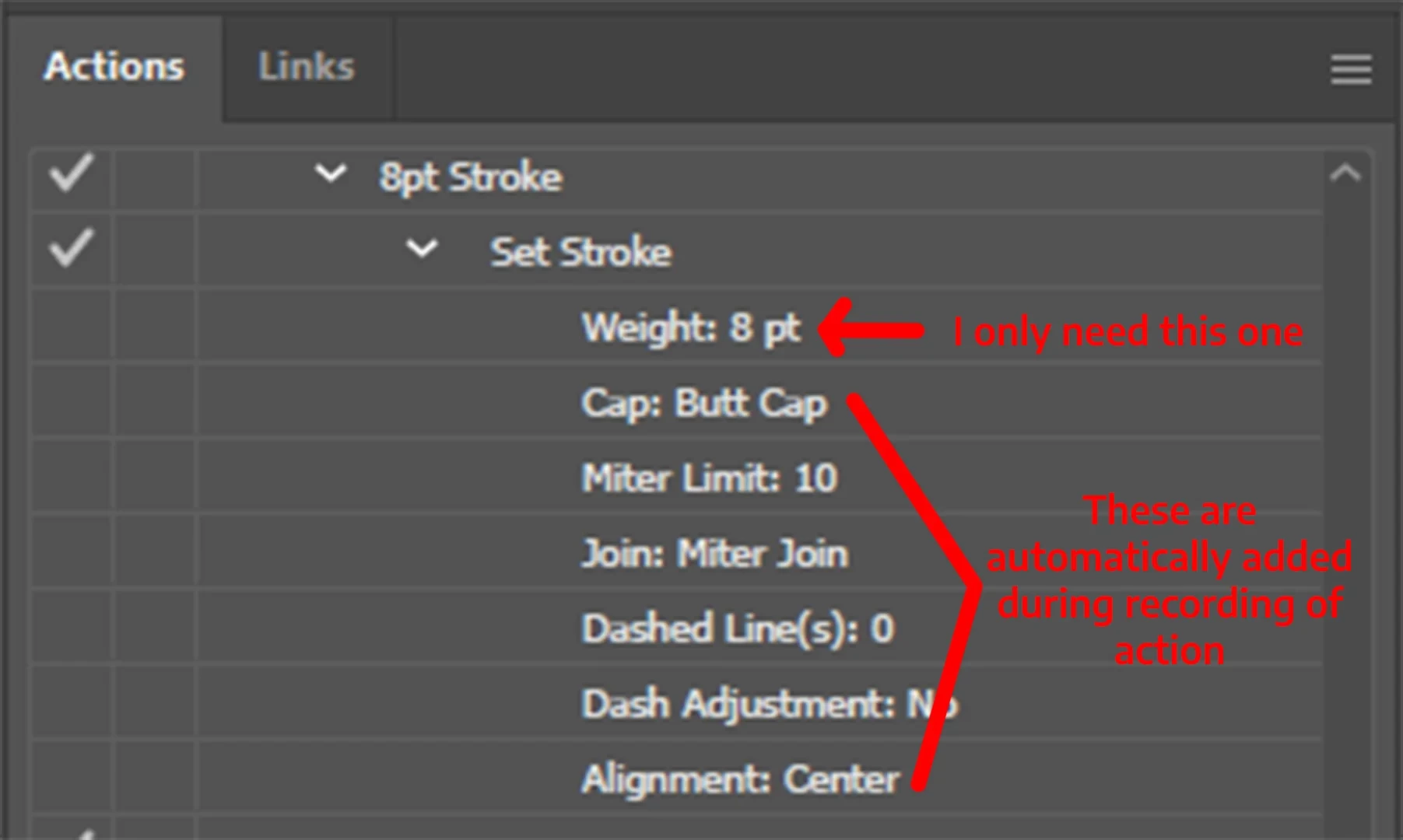
I am currently recording actions for stuff that I do very frequently. One of the things I do a lot is changing the stroke width and changing the stroke alignment. However, when I record an action to set the stroke weight, the action also records the attributes for other things like Alignment and Cap style.


Is it possible to record only the changing of stroke width and leave everything else alone? I really need everything else to stay the same, especially the alignment


I tried selecting and deleting them on the actions tab but nothing happens

Thanks in advance!

This topic has been closed for replies.
Correct answer timothyc77716502

Thanks for pointing me to the right direction! I don't know how to write scripts but I found a few scripts online that incrementally increases/decreases stroke weights. I just edited the values on the code to fit my needs (then binded the script to my macro keyboard)


2 replies

Kurt Gold
Community Expert
Community Expert
March 1, 2023

It's possible to set up an action that includes only the stroke weight attribute (you have to remove some entries in the action code).


However, it's a waste of effort because it doesn't work reliably (some of the unwanted attributes are still being applied and different stroke alignments get reset to centre alignment).


Monika Gause
Community Expert
Community Expert
March 1, 2023

Probably that can be done with a script, that you can then include in an action.

Can you tag your post with scripting, because that will alert the scripters to it.

timothyc77716502
timothyc77716502AuthorCorrect answer
Participant
March 1, 2023

Thanks for pointing me to the right direction! I don't know how to write scripts but I found a few scripts online that incrementally increases/decreases stroke weights. I just edited the values on the code to fit my needs (then binded the script to my macro keyboard)