



Answered
Is it possible to Reorganize the SWATCHES WINDOW to be able to see ALL colour values?
Many os us (designers) don't have a huge screen to be able to spread all windows/tools allover thus, my request is regarding the way the colours names are displayed in the swatches window (specially in Illustrator and InDesign). I can’t see all values!!!
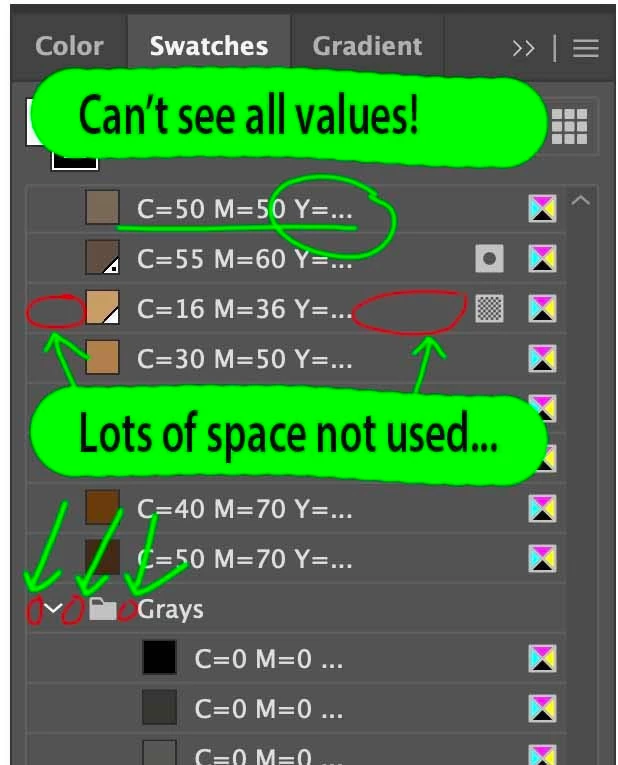
For a high-end detailed work my screen is set for maximum pixels, thus the letter size is quite small.
Even using the "small list view", all values can't been seen (this is what I see now: C=30 M=60 Y=4...) unless the swatches window is really wide... using too much space out of my screen.
Maybe a quick solution could be using C30 M60 Y40 K10 instead of C=30 M=60 Y=40 K=10
There are also many space “not used”, but still the total full colour value can’t be seen.

 AdChoices