
Inspiring
December 21, 2024
Answered

Is it Possible to Toggle 'Hide Edges' in Illustrator via Script?

  • December 21, 2024
  • 2 replies
  • 703 views

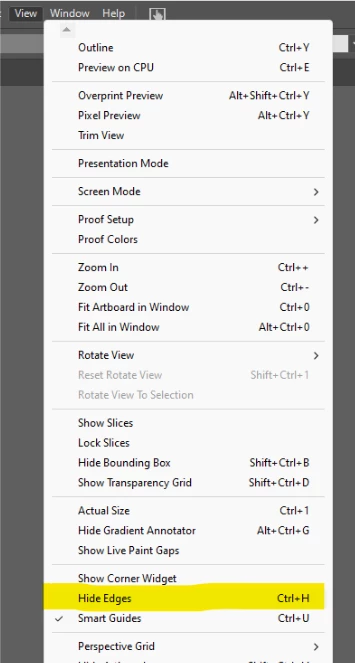
Hi everyone, I'm trying to create a Extention in Adobe Illustrator and I want to use  toggle the 'Hide Edges' option available under the **View** menu (Ctrl+H). I have tried the following commands:

app.executeMenuCommand("previewEdges"); app.executeMenuCommand("showEdges");

Both commands work individually, but I need a way to toggle between showing and hiding edges, just like the manual Ctrl+H shortcut.

Is there a method or a specific script to achieve this toggle behavior? Or is there another command I'm missing?

Any insights or examples would be greatly appreciated!

Attached is a screenshot of the menu option I'm referring to.

Thank you 


This topic has been closed for replies.
Correct answer ismailelmakh

Thank you for clarifying that; I appreciate your suggestion about using AppleScript; I'll look into it.


I found this complete list for MenuCommand:
https://ten-artai.com/illustrator-ccver-22-menu-commands-list

2 replies

Legend
December 22, 2024

This was.

app.executeMenuCommand('edge') ;
Inspiring
December 22, 2024

Thank you so much.

This is exactly what I was looking for. I really appreciate your help.

One more thing if you don't mind—do you know if there's a way to force 'Hide Edges' instead of toggling it?

That would be really helpful.


Legend
December 22, 2024

Probably not possible with ExtendScript; it can be achieved by using AppleScript or similar and checking the current menu state.

Kurt Gold
Community Expert
Community Expert
December 21, 2024

You may record an action that uses the Insert Menu Item command to include the toggle command. Then call that action in your script.


Note that by using the Insert Menu Item command the action always shows the "Show Edges" command, but it will serve as a toggle, no matter what state is currently turned on in the View menu.

Inspiring
December 22, 2024

Thank you for the detailed explanation.
I've used this method before, but now I want to integrate it directly into my script without recording any action.