

Participant
May 7, 2021
Question

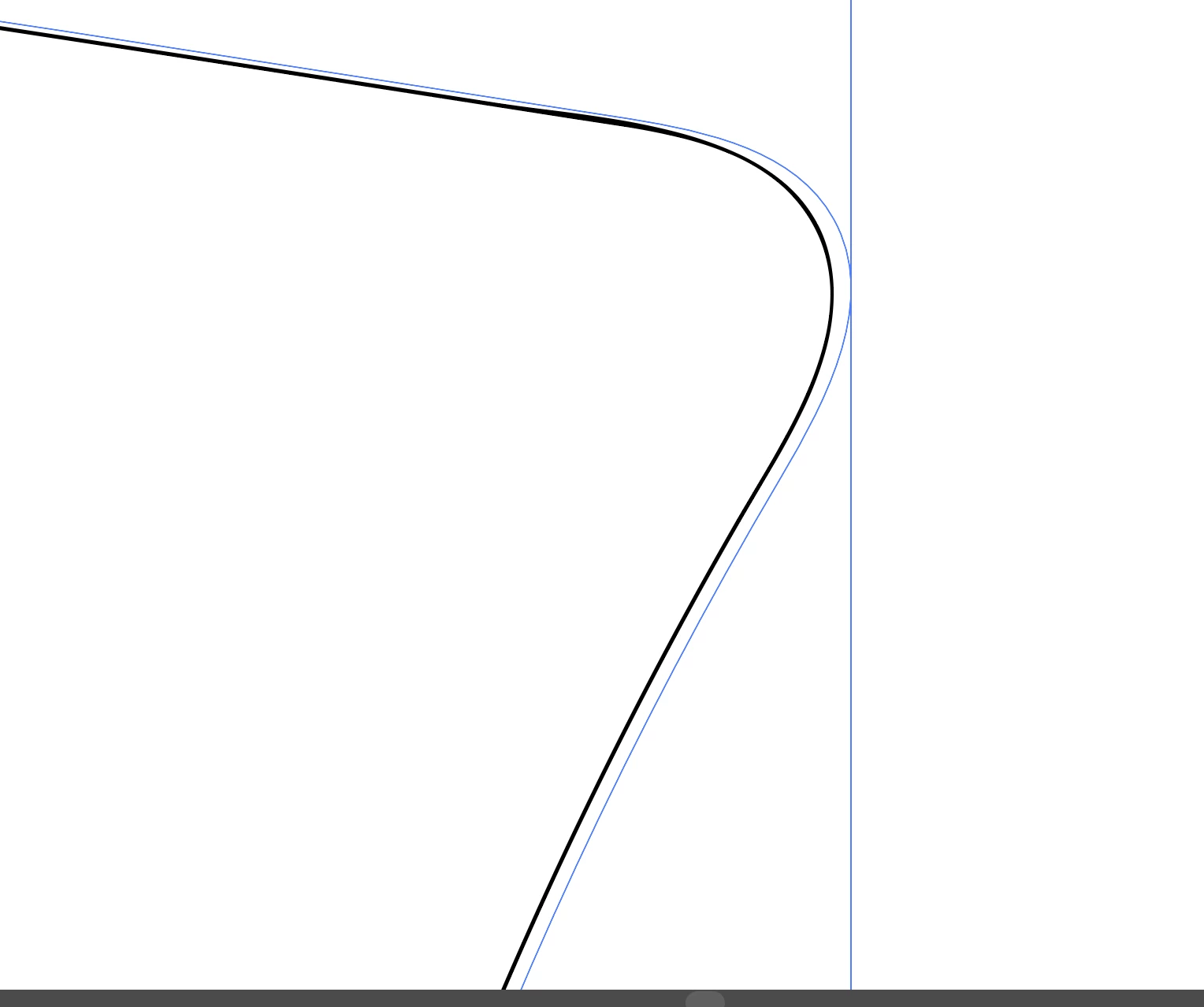
Is stroke on path offsetting for anybody else? Is it a glitch?

I have tried restarting my mac, created a new document and still the same. It's all up to date as well.

 

This topic is closed to new replies. Start a new post to keep the conversation going.

5 replies

tromboniator
Community Expert
Community Expert
May 8, 2021

Check the Appearance panel. It looks like a Transform Effect > Move.


Peter


Edit: Although that shouldn't happen in a new document after a restart. But it can't hurt to check.

Translate
Ton Frederiks
Community Expert
Community Expert
May 7, 2021

How large is your document? The "large Canvas Size" documents have this problem.

But I see you already found this:

https://illustrator.uservoice.com/forums/601447-illustrator-desktop-bugs/suggestions/42062074-art-brushes-offset-in-large-canvas-documents?tracking_code=3d76554c3b317daefe0a94711d0ac414


Translate
Participant
May 7, 2021

Have tried cpu preview as well. Did just discover the problem seems to occur only in large canvas sizes.

Translate
Kurt Gold
Community Expert
Community Expert
May 7, 2021

Does it look better if you turn on the CPU preview in the View menu?


Translate
Participant
May 7, 2021

No still the same.

Translate