
Participant
July 27, 2022
Question

Is there any way for swatch color changes to be consistent?

  • July 27, 2022
  • 1 reply
  • 238 views

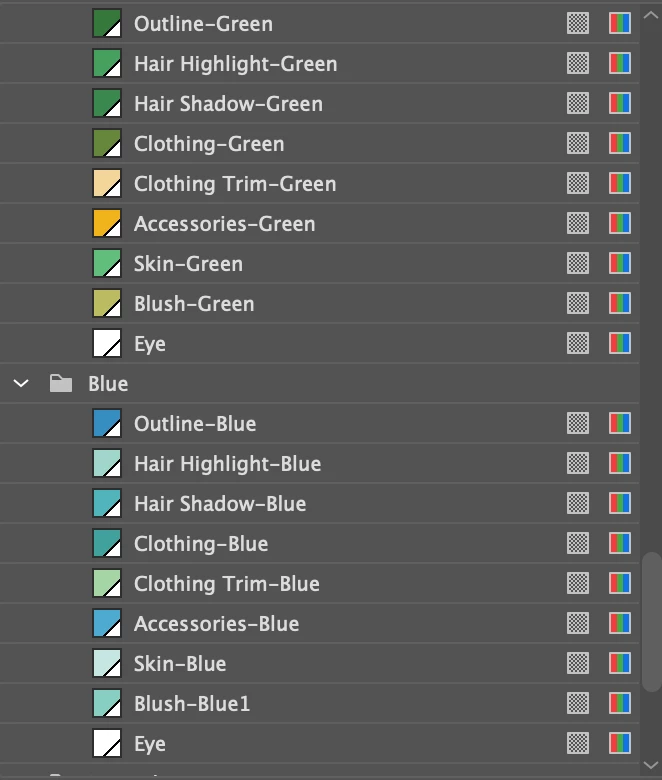
I have this character I made where a each color in a swatch group correlates to a body feature (green is hair, light green is skin, dark green is the outline, etc..), but I want to be able to switch to a seperate swatch group, and back and forth and have the colors changes be pre-determined and CONSISTENT. So green becomes blue, light green becomes light blue, etc... and vice versa.
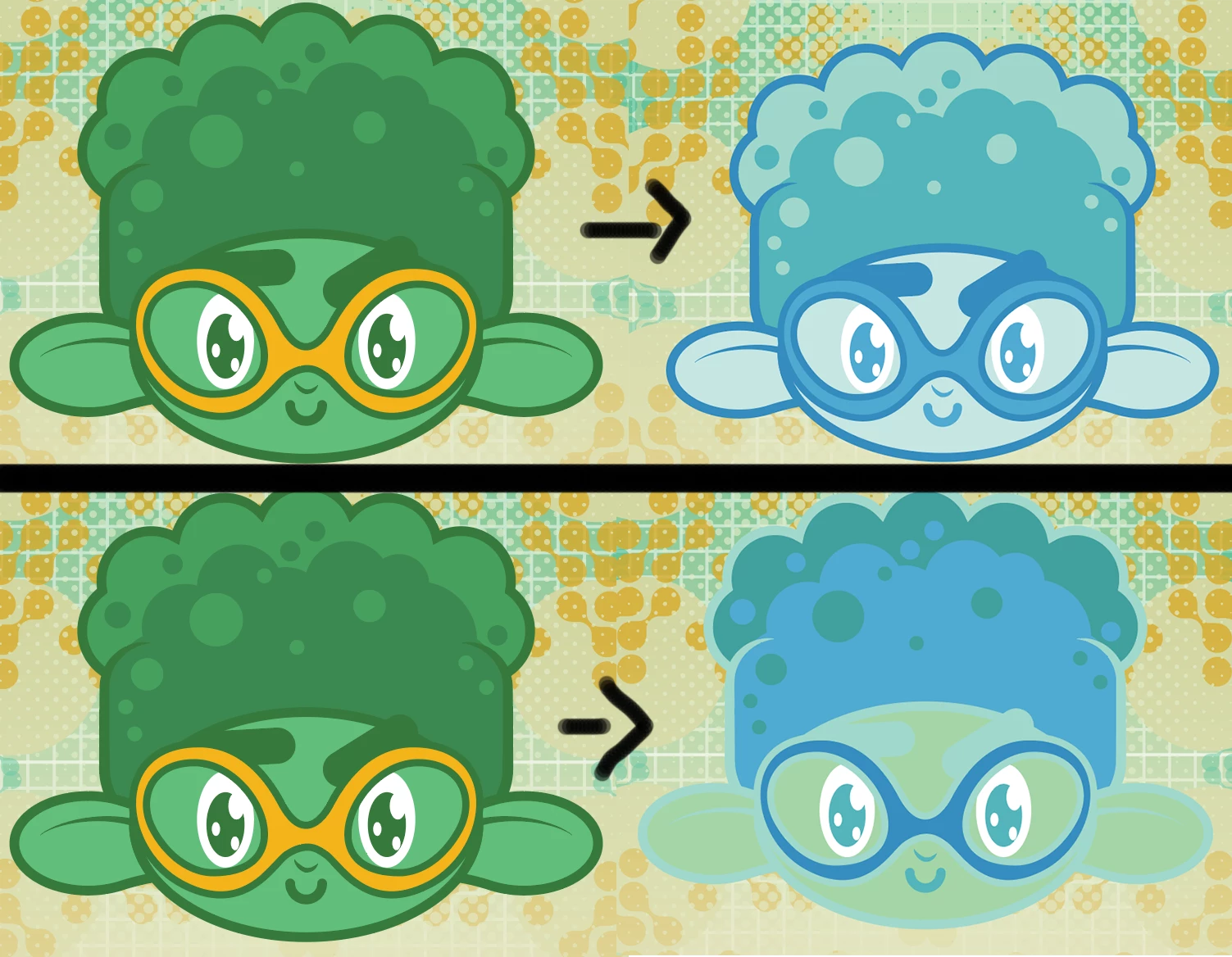
 

The top of this example is what I want to happen, but the bottom is what I get, and it's random everytime I switch between them. My swatch groups are labeled and ordered in the same way. If having consistent color swaps is not a thing, it should definitely be a feature added in the future.
This topic has been closed for replies.

1 reply

Monika Gause
Community Expert
Community Expert
July 27, 2022

In Edit > Edit colors > Recolor artwork you can set up rules for the order of the old colors and the new colors, which will then determine the rules for converting between them. But if this doesn't work for you, then you could try if it could be made in an action or if that doesn't work, you need a script.

JvillaAuthor
Participant
July 28, 2022

Hmm it seems the rules for converting them never stick, I assign the colors and the next time I try and swap swatches it's as if I had never assigned them at all. 🤔 🤔

JvillaAuthor
Participant
July 28, 2022

 Too bad there's literally no way to save the "custom preset".