
Inspiring
November 1, 2020
Answered

Is there something wrong with the tool Transparent? After using 40% transparent, does it not work to

  • November 1, 2020
  • 1 reply
  • 755 views

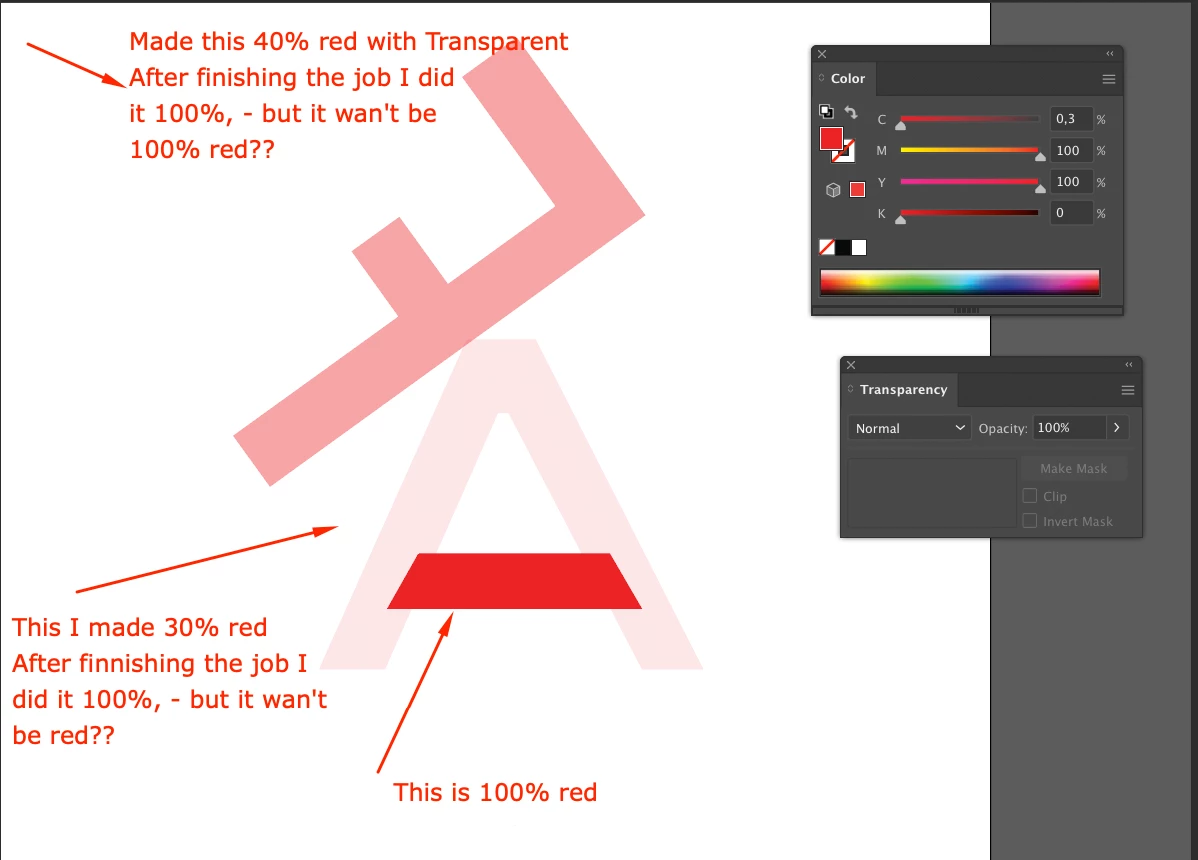
I have been working on some layout and made these 2 objects (see picture) approx. 40% transparent of red while I worked. But now when I do these 2 objects up to 100% again,  - then it does not work? now the color remains light red, instead of 100% red. Why? Does the tool Transparent don't work??
This topic has been closed for replies.
Correct answer barbara_a7746676

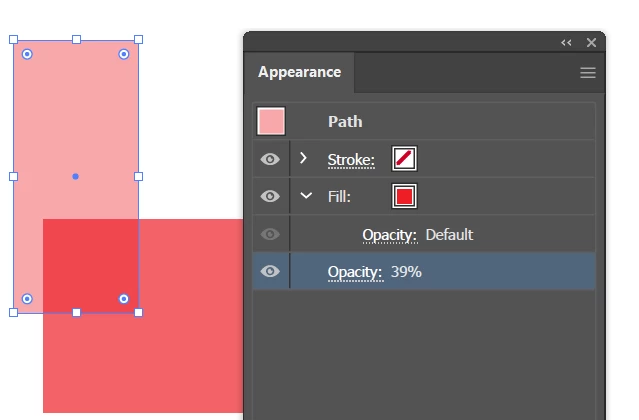
Are you selecting both objects at the same time? If so, select just one of them and change the transparency.

You could also check the Appearance panel and change the transparency setting in there.

1 reply

barbara_a7746676
Community Expert
barbara_a7746676Community ExpertCorrect answer
Community Expert
November 2, 2020

Are you selecting both objects at the same time? If so, select just one of them and change the transparency.

You could also check the Appearance panel and change the transparency setting in there.

haneadinoAuthor
Inspiring
November 2, 2020
barbara_a7746676
Community Expert
Community Expert
November 2, 2020

Have you tried changing the transparency by accessing the Transparency panel by clicking it in the Appearance panel? Perhaps you already tried this, but I didn't see it in the video.