j.khakase
Inspiring
September 5, 2023
Answered

is there way to Place artboard name at respective text layer by script?

  • September 5, 2023
  • 2 replies
  • 514 views

Hello Friends,

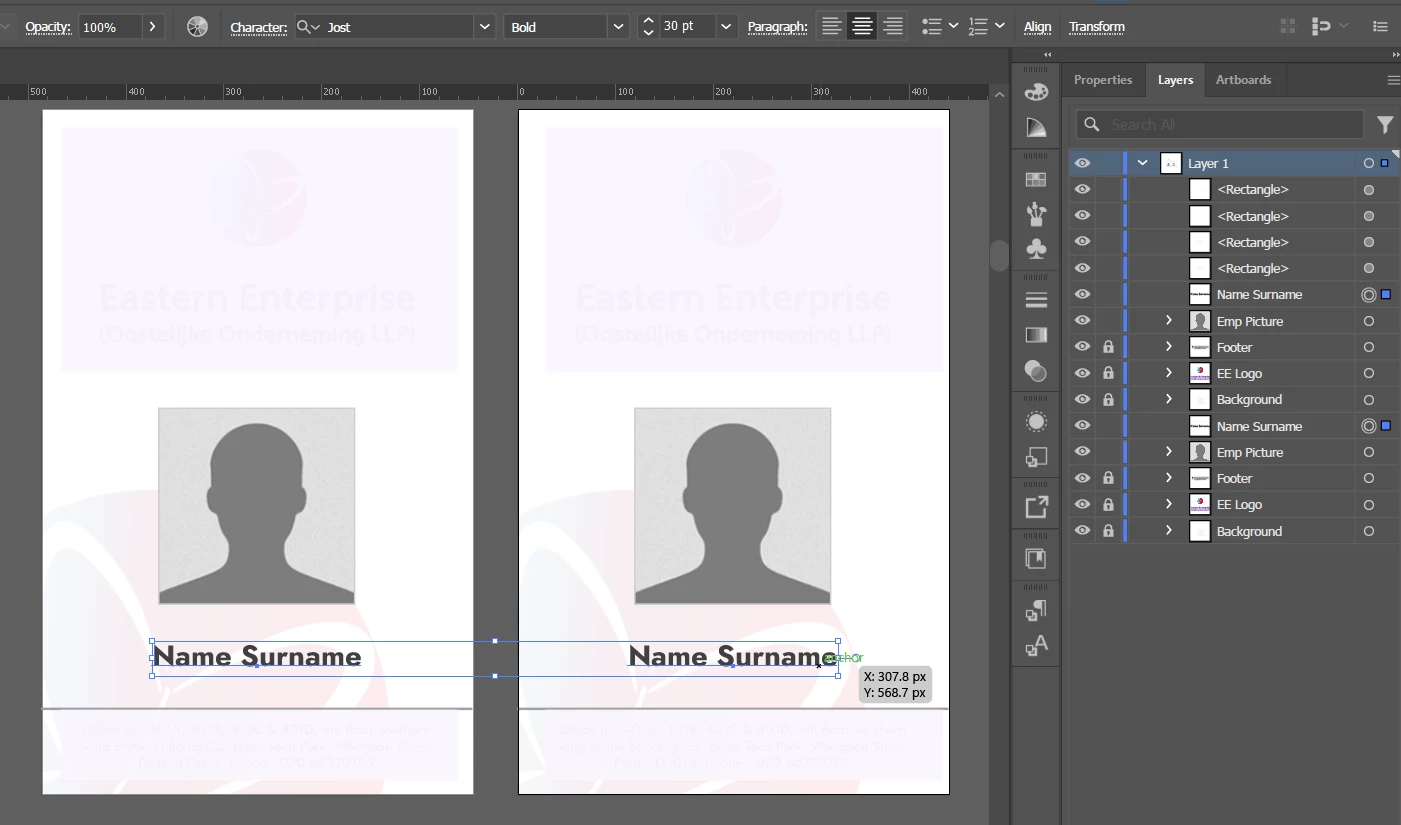
I am into makeing many ID cards, and I renamed all Artobards based on Placed pictures on it. all the Artbords name I want to place at repective text layer(which have its own text style) on each resepective artboard


This topic has been closed for replies.
Correct answer Sergey Osokin

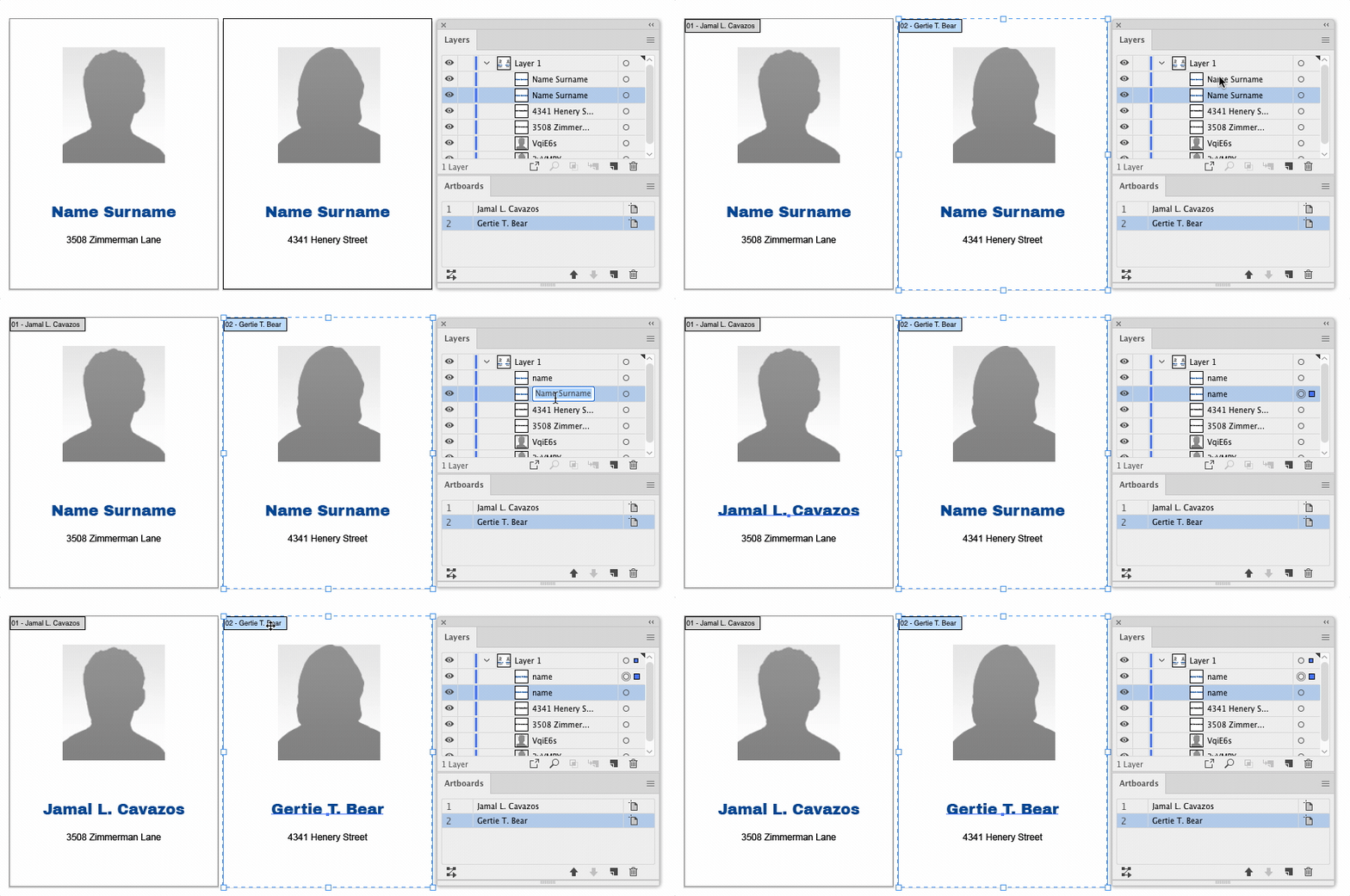
Then you need to give the text frame a unique name so that the script can find it.

main();

function main() {
  var tfName = 'name'; // Your text frame name
  if (!documents.length) return;
  var doc = app.activeDocument;
  for (var i = 0, len = doc.artboards.length; i < len; i++) {
    doc.artboards.setActiveArtboardIndex(i);
    replaceTextFrame(doc.artboards[i], tfName);
  }
}

function replaceTextFrame(ab, tfName) {
  app.activeDocument.selectObjectsOnActiveArtboard();
  for (var i = 0, len = app.selection.length; i < len; i++) {
    var item = app.selection[i];
    if (item.name === tfName && item.typename === 'TextFrame') {
      item.contents = ab.name;
    }
  }
  app.selection = null;
}

 

2 replies

Sergey Osokin
Inspiring
September 7, 2023

This is a thread about Adobe Illustrator. OP is working with artboards in AI.

j.khakase
j.khakaseAuthor
Inspiring
September 7, 2023

Perfect!, Thank you so much @Sergey Osokin I was looking the same. you saved my many clicks.

Sergey Osokin
Inspiring
September 6, 2023

Not all the details are clear from the screenshot. You have artboards that already have names and you want to replace Name Surname with the name of the artboard? Does the artboard have other text frames, or does the artboard contain a single text frame that needs to be replaced?

j.khakase
j.khakaseAuthor
Inspiring
September 7, 2023

Each artboards can have multiple text frames, but I want showcase artboard names at only selected resepective text field, where I can apply my custom text style to define their look

Sergey Osokin
Sergey OsokinCorrect answer
Inspiring
September 7, 2023

Then you need to give the text frame a unique name so that the script can find it.

main();

function main() {
  var tfName = 'name'; // Your text frame name
  if (!documents.length) return;
  var doc = app.activeDocument;
  for (var i = 0, len = doc.artboards.length; i < len; i++) {
    doc.artboards.setActiveArtboardIndex(i);
    replaceTextFrame(doc.artboards[i], tfName);
  }
}

function replaceTextFrame(ab, tfName) {
  app.activeDocument.selectObjectsOnActiveArtboard();
  for (var i = 0, len = app.selection.length; i < len; i++) {
    var item = app.selection[i];
    if (item.name === tfName && item.typename === 'TextFrame') {
      item.contents = ab.name;
    }
  }
  app.selection = null;
}