
Inspiring
October 27, 2022
Answered

Issue - Can't Press Enter/Return When Inputting Colour Percentages

  • October 27, 2022
  • 3 replies
  • 300 views

When inputting a percentage into the colour mixer, I'm unable to press enter or return to confirm the required percentage. I can only confirm by clicking away from the input box. This issue has arisen since the most recent v27.0 update.
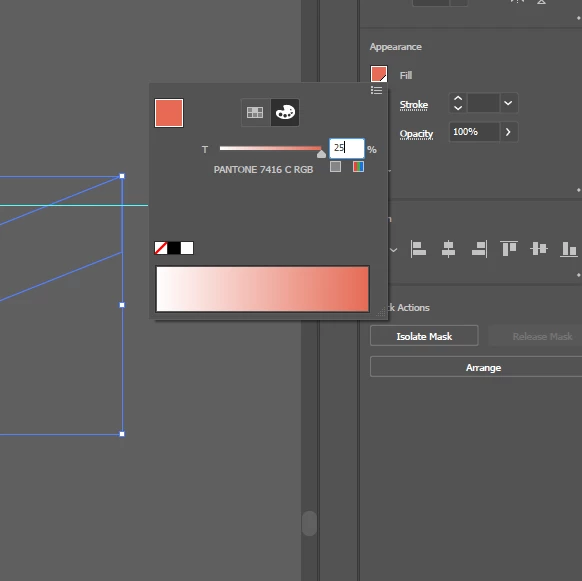
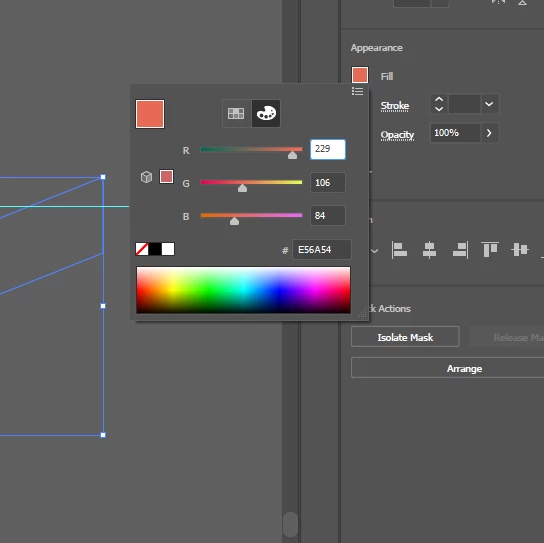


This topic has been closed for replies.
Correct answer AndyLCB

Posted up the issue here: Issue - Can't Press Enter/Return When Inputting Colour Percentages – Adobe Illustrator (uservoice.com)


Please upvote if you are experiencing it.

3 replies

AndyLCBAuthorCorrect answer
Inspiring
October 27, 2022

Posted up the issue here: Issue - Can't Press Enter/Return When Inputting Colour Percentages – Adobe Illustrator (uservoice.com)


Please upvote if you are experiencing it.

Doug A Roberts
Community Expert
Community Expert
October 27, 2022

Great -- there are a few similar issues already there (plus I just had a read of the thread on Slack), so hopefully should be a quick fix.

Monika Gause
Community Expert
Community Expert
October 27, 2022

I have seen that mentioned in Slack yesterday - it happens in all panels and there is a bug report: https://illustrator.uservoice.com/forums/601447/suggestions/45861172

Doug A Roberts
Community Expert
Community Expert
October 27, 2022

I see the same thing, but only when using the Properties panel. Works fine in version 26.5.

Perhaps you could submit a bug report. If you aren't able I may have time later:


https://illustrator.uservoice.com/