Admakr
Participating Frequently
January 11, 2024
Question

issue opening files

  • January 11, 2024
  • 1 reply
  • 882 views

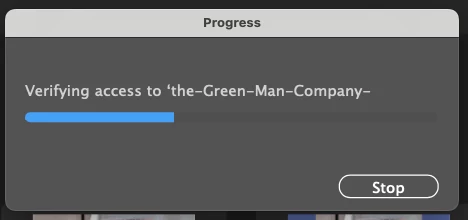
Illustrator files previously created will not open. I get a progress bar and wheel of death saying, "Verifying access to [file name]." It completes the progress bar and starts over and over. And it never opens.

Help?
 

This topic has been closed for replies.

1 reply

Community Expert
January 11, 2024

Is this a cloud-based Illustrator file? If so, try downloading a copy of the file to your computer and then open the file from local storage. Do this by opening your Creative Cloud folder and open the Cloud Documents shortcut. That should launch a web browser window showing the documents saved in cloud storage. The file you're trying to open should be listed there. You can select the file and click the three dots icon at the bottom of the tool bar on the right edge of the window to get a "Download" option. If the file won't display in the web browser window or won't download the file could be corrupted.

Admakr
AdmakrAuthor
Participating Frequently
January 12, 2024

Thx Bobby. It worked! Thx for your wisdom!

Community Expert
January 12, 2024

You're welcome. I'm glad the trick worked.
