
Participant
February 3, 2021
Answered

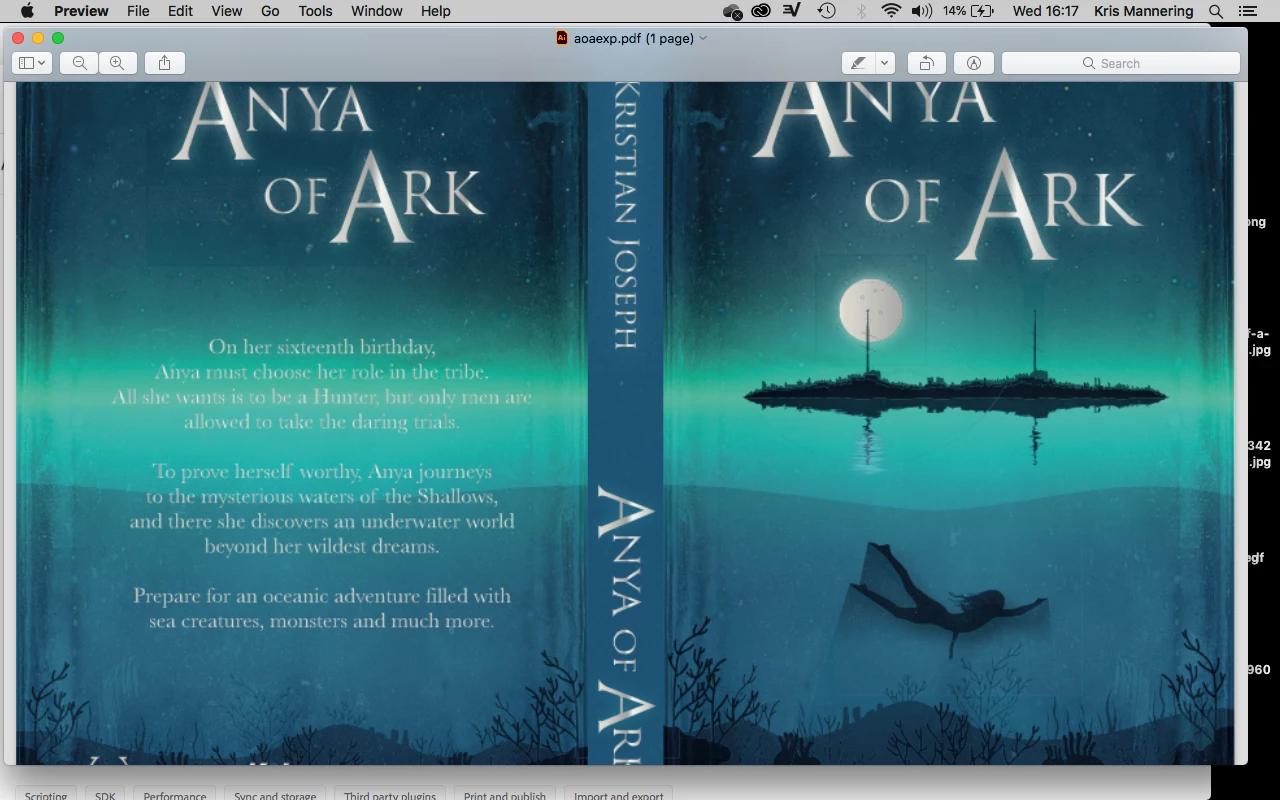
Issue when exporting to print for KDP/PDF/a book cover

  • February 3, 2021
  • 1 reply
  • 1524 views

Hi all, 

I'm just finishing off an update to my book cover, which Amazon have accepted to put on the store, but there are hairline transparencies around the moon and other objects. I've tried everything to eliminate them, I'm exporting in PDFX1. I know these don't necessarily affect print, but the preview of my book cover on the Amazon store is affected by this!


Any help you may have would be amazin 🙂
This topic has been closed for replies.
Correct answer Monika Gause

You could try and separate the pure vector stuff (small type and probably the headline without the outer glow) from the pixel stuff (all the images, the glow and shadow and other effects and whatnot).

Then convert all the pixelbased artwork to a raster image with sufficient resolution (probably around 400 ppi or even more)

And then export it as a PDF/X-1

So it will leave you with  one raster image and then the text on top, but no further flattening.

1 reply

Monika Gause
Community Expert
Monika GauseCommunity ExpertCorrect answer
Community Expert
February 3, 2021

You could try and separate the pure vector stuff (small type and probably the headline without the outer glow) from the pixel stuff (all the images, the glow and shadow and other effects and whatnot).

Then convert all the pixelbased artwork to a raster image with sufficient resolution (probably around 400 ppi or even more)

And then export it as a PDF/X-1

So it will leave you with  one raster image and then the text on top, but no further flattening.

Participant
February 4, 2021

Hi Monika,

Thanks for the quick and very helpful response, I've done exactly as you suggested and it worked perfectly.

Kris

Monika Gause
Community Expert
Community Expert
February 4, 2021

Good to hear that it worked!