Inspiring
October 3, 2024
Question

Issue with dashed line at edges of object

  • October 3, 2024
  • 1 reply
  • 787 views

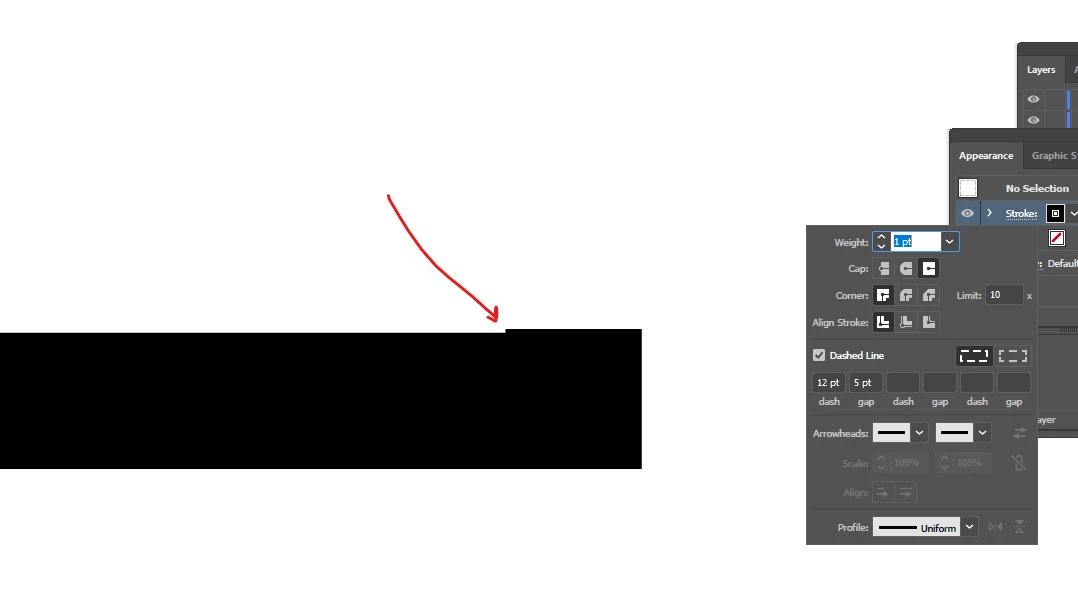
This is rectangle on which it is applied dash option [at images below].

Question why at edges we do not have here full width/stroke of line [first image below]?

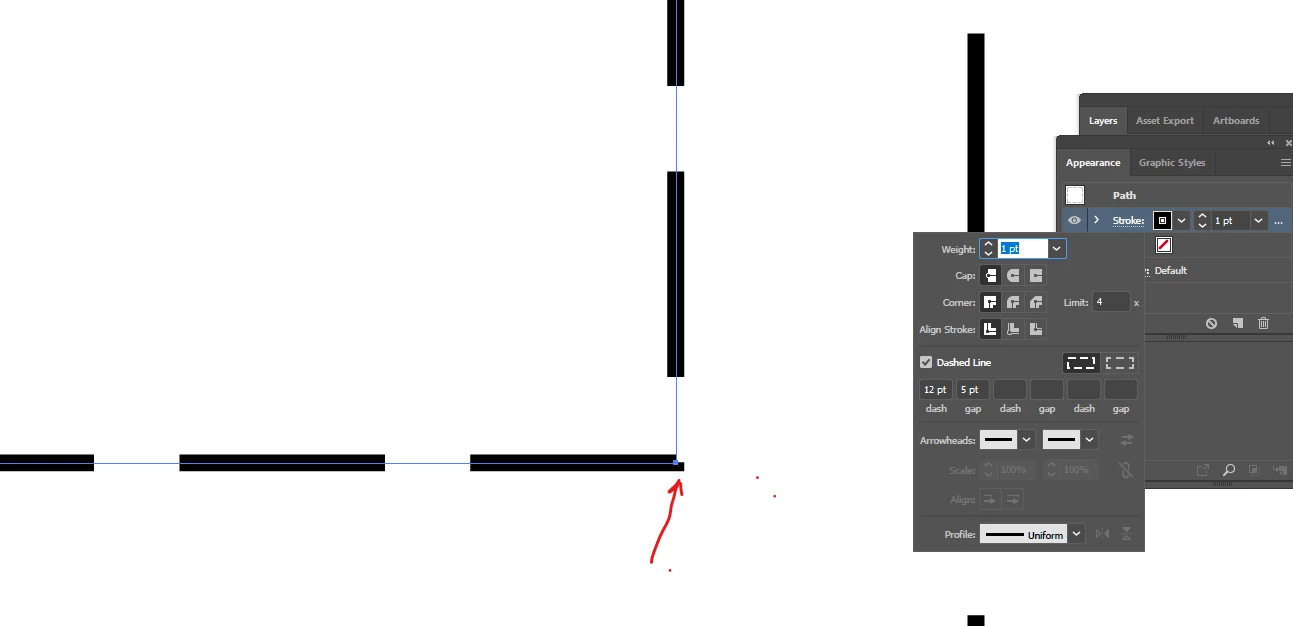
When I select projecting cap it goes with full width but also little more above [second image below]?


I noticed this through scripting  but anyone can answer this questoion.

app.selection[0].strokeDashes = [12, 5]
This topic has been closed for replies.

1 reply

creative explorer
Community Expert
Community Expert
October 3, 2024

@livl17017666 it preserves the exact dash and gaps of the lengths.
Instead, you want to select the icon beside that one, to give you a better styling.


m
Inspiring
October 4, 2024

@creative explorer 

I need to keep exact length of dash and length (except maybe one line as depending on length of whole object maybe it is not possible to fit all dashed line in that dimension, so that last dash could be different that is fine)

This is why I selected this left option "Preserve exact dash..".


But question was not about length, length on images above was fine.

Question was about right end of line why it has this step like end, why it does not ends like other lines? And how to remove this behave?


Thank you.

Monika Gause
Community Expert
Community Expert
October 4, 2024

It has that step, because you chose not to optimizes the length for the edges. You can have either - or.


To optimizes it, you could 

- cut the path at the corner

- outline the path and edit.