
Robf123
Inspiring
March 24, 2021
Answered

Issue with Pantone Colour book

  • March 24, 2021
  • 4 replies
  • 2098 views

Hi all, 


I have recently noticed that when applying Pantone spots from my 'Solid Coated v4' book they do not automatically apply as lab/spots (with the black dot). They apply as process/cmyk (without the black dot). I can then change them manually to lab/spot and they look like the real deal, but this makes me paranoid that they are not accurate to the spot colours + the process is less efficient. I'd prefer that I'd be able to be simply apply the spot directly as I have always done in the past


When looking at my open colour books. Comparing 'Solid Coated v4' to 'Solid Uncoated v4',  I can see that in Coated (the one I am having issue with) none of the colours have the black dot, whilst Uncoated, they all do. (see image attachments). 


I've never experienced this happen before. Is there some random setting that I have engaged that drops the black dot from the book so that they apply as cmyk, or is this more likely an issue/error with the book? 


Any help or advice would be most appreciated.

Many thanks,

Rob
This topic has been closed for replies.
Correct answer Robf123

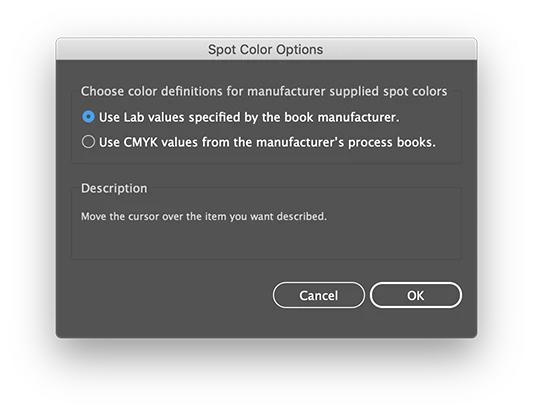
There is a option in the Swatch panel about spot colours, it does not seem to make a difference for me, but maybe it does for you.

And maybe a simple reset of the preferences will do the trick.


Thanks for this, Ton. Appreciate the help.


Was fully expecting mine to be on the CMYK selection but nope, was on lab. 


I have actually solved this since. Pantone got back to me and suggested that I hadn't exported the book in lab to Illustrator. I had but, what I hadn't realised is that the book export had failed. Colour Manager's notification of a failed export is quite well hidden. Still a bit confused as I swear this was working after the last time I updated my books and then switched to CMYK values recently - so a little confused. But to cut a long story short, after re-exporting the lab values from Colour Manager to Illustrator, I have solved the problem.


Seems quite an obvious thing to try now. 


Thanks for all the help @Ton Frederiks and @Mike_Gondek10189183 


4 replies

Ton Frederiks
Community Expert
Community Expert
March 29, 2021

Good to hear that solved it.

Ton Frederiks
Community Expert
Community Expert
March 25, 2021

The emulate Illustrator 6 problem is caused by the latest Photoshop update. If you are seeing this bug, revert to the previous Photoshop version using the CC app and edit your color settings after that.

You may also try to update your color books using Pantone Connect:

https://www.pantone.com/articles/product-spotlight/introducing-pantone-connect

Robf123
Robf123Author
Inspiring
March 25, 2021

Thanks Ton,


I haven't yet updated to the latest Photoshop, only Illustrator. From what has been described regarding the 'emulate Illustrator 6' issue, it seems as if this is not related to my issue. 


I have been using Pantone Colour Manager to update my books. This should still work, right? Or is this already obsolete?

Ton Frederiks
Community Expert
Community Expert
March 25, 2021

Looks like it is (or will be) replaced by Pantone Connect.

Robf123
Robf123Author
Inspiring
March 25, 2021

Hi Mike, thanks for the reply. 


I am currently using 25.2.1, however I updated from a previous version that I was also experiencing the same issue with, in the hope that the update would solve the problem. I couldn't say which version I was using previously apart from it being a 2020 version updated in the last four months (unless there's a way to identify previous version installs?). 


Thanks for the link. Are you suggesting that the 'emulate illustrator 6.0' issue could be causing my issue, or that this is a place for me to report the possible bug? I don't seem to be experiencing the issue described in the link, however I will update if it does end up looking this way.


Thanks for the help, 

Rob

Robf123
Robf123Author
Inspiring
March 24, 2021

Here are the image references to save having to download them...