


Participant
September 12, 2025
Answered

Issue with scrolling on side panels

  • September 12, 2025
  • 2 replies
  • 196 views

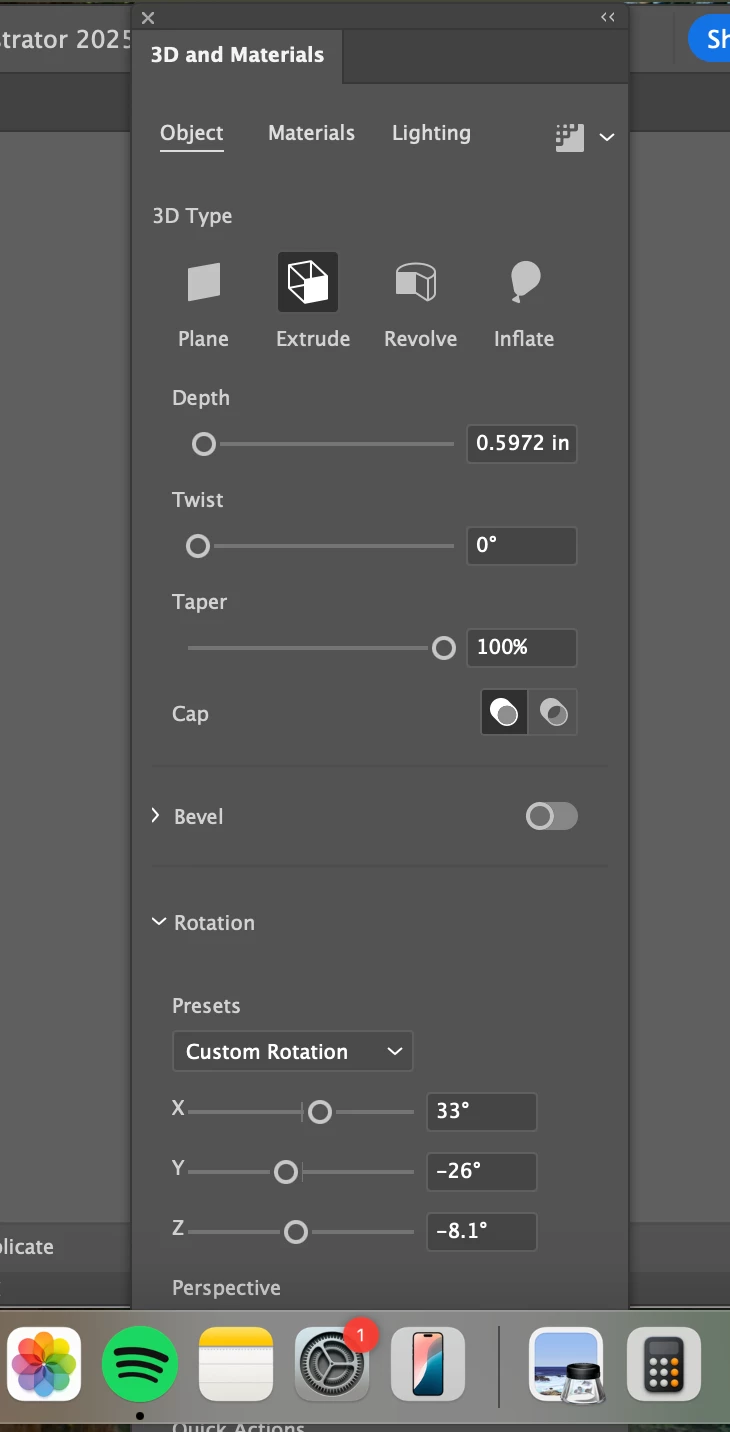
I'm new to Illustrator and am having issues scrolling on side panels. As you can see in the attached photo, part of the panel hides under my desktop bar and I can't scroll up or down to reveal the whole panel. This happens with generative recolor as well. Any ideas on how to fix this issue? Thanks!

Correct answer Ton Frederiks

I have this from time to time,  Window > Workspace > Reset does the trick for me.

2 replies

Participating Frequently
September 12, 2025

One trick to deal with this issue is to drag the too-long palette into a smaller palette to dock the two. When you drag it back out, it will usually (maybe always?) be resized to fit on the screen. See attached screen video.

Ton Frederiks
Community Expert
Ton FrederiksCommunity ExpertCorrect answer
Community Expert
September 12, 2025

I have this from time to time,  Window > Workspace > Reset does the trick for me.

Participant
September 14, 2025

This worked! Thank you for the help!

Ton Frederiks
Community Expert
Community Expert
September 14, 2025

Good to hear that helped.