Question
Issue with separating vector images
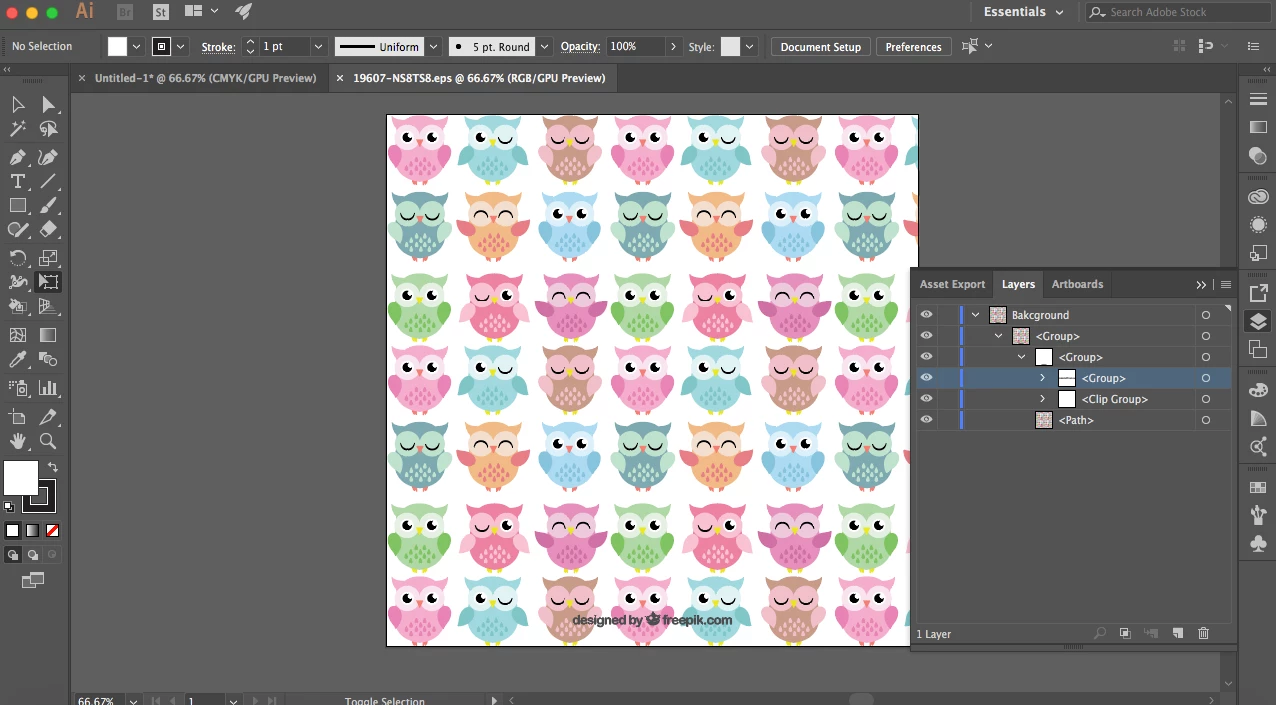
I am trying to select just one particular owl out of this vector. I downloaded the vector and it comes in a JPEG, AI and EPS file.
I have gone into my documents and opened each one up into Illustrator cc. I have tried to select 1 particular owl and it only selects the whole document.
I have taken a screen shot (above) of what the layers look like (this is the EPS file). I have checked the following
- clipping mask not on
- its not locked
- its not grouped
- 'edit original' option is blanked out
- I have tried using the selection tool AND the direct selection tool.
none of this is working!! 
Does anyone know what I can do to separate these images??
 AdChoices