dzgnr89
Inspiring
Jan 1, 2020 5:49 AM UTC
Question

Issue with times new roman font on pdf import

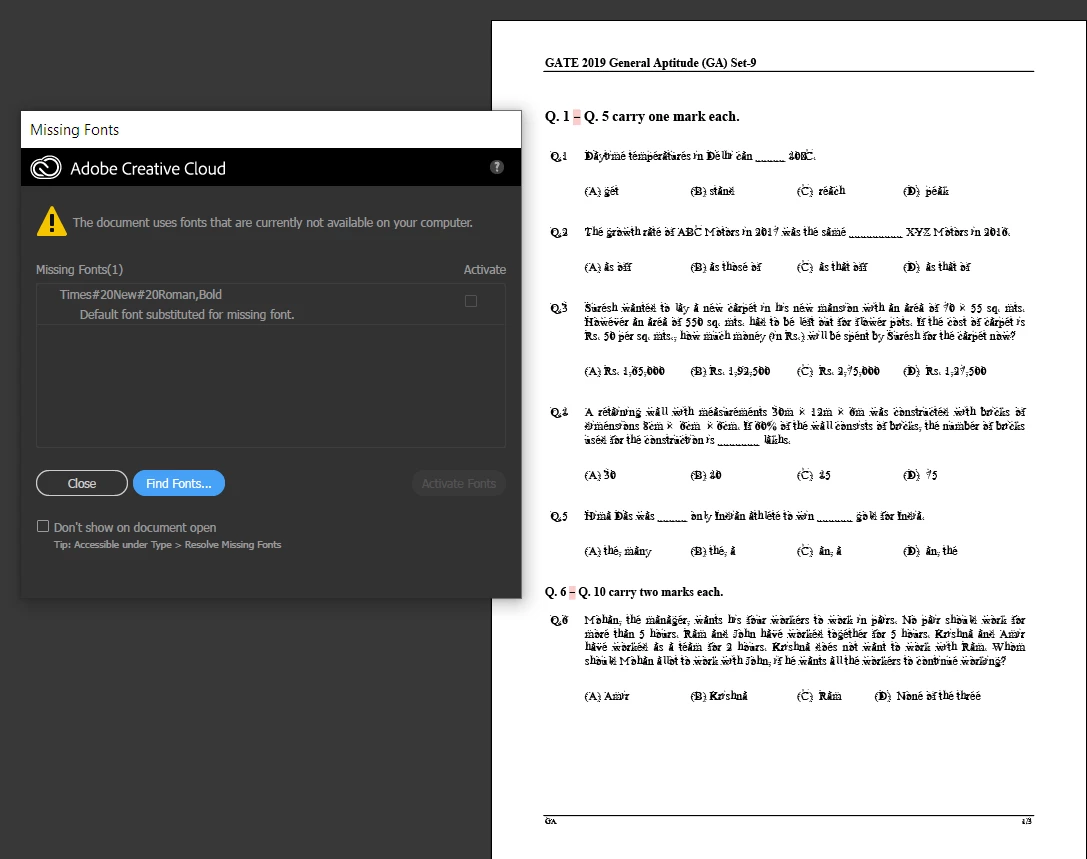
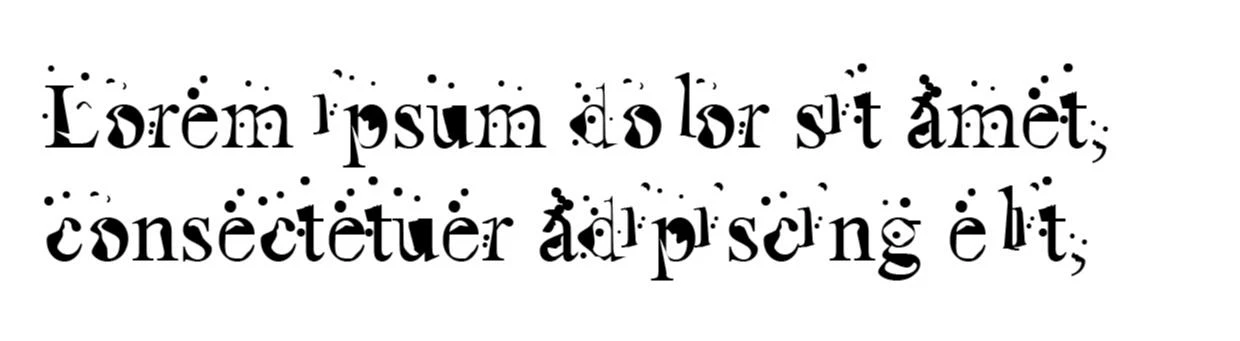
This font has taken over times new roman (regular) in my Adobe Illustrator when I choose times new roman.


However, in Microsoft word, times new roman functions totally fine. 


I am attaching the pdf document that I downloaded from the internet. Times new roman gets messed up when I import it in Illustrator. I want the pdf to have editable text instead of outline. 


Here's the pdf file. 

https://www.dropbox.com/s/isq9lwjsxus7xsg/ce2019%20_%20forums.pdf?dl=0


This topic is closed to new replies. Start a new post to keep the conversation going.

18 replies

Legend
Jan 2, 2020 8:09 AM UTC

I haven't tested your file, just read your message. This all seems normal. You import the PDF, and then you fix the font if needed. The Find Fonts button may help since you surely have a Times font of some kind.


I also refer you to a message you did not acknowledge, and emphasise this point: "Illustrator is not a general purpose PDF editor and PDF was never meant for editing."

Translate
dzgnr89
dzgnr89Author
Inspiring
Jan 2, 2020 1:46 PM UTC

Okay

Translate
Participant
Oct 27, 2020 1:09 PM UTC

Hello, well this is the exact same problem I am facing now. I have a PDF document with heavy text, tables, and formulas. No way in this world can I manually choose the missing Times Font and replace it! I still haven't got the answer to this. In case you have, will be grateful if you can post!

Translate
Legend
Jan 1, 2020 6:38 PM UTC

The message seems to say the opposite of what you suggest. It says you haven't got Times#20New#20Roman,Bold. This is not surprising, this mangled name exists only inside a PDF, it is no real font. The message says your default font will be used. So the problem surely is that your default font is this weird thing. So, nobody else is going to see this problem!

Translate
dzgnr89
dzgnr89Author
Inspiring
Jan 2, 2020 5:51 AM UTC

Which default font is your machine using for Times#20New#20Roman,Bold when you import the pdf ?   Please share a screenshot. 


How can I change the default font that Illustrator uses automatically for replacement? Of course, I can manually do it by going to the type menu, then finding the replacement. Is there a default setting that I can change?

Translate
Monika Gause
Community Expert
Community Expert
Jan 2, 2020 11:08 AM UTC
Ton Frederiks
Community Expert
Community Expert
Jan 1, 2020 1:23 PM UTC

You can try Type > Find Font... and replace the substituted fonts by Times Roman

Translate
dzgnr89
dzgnr89Author
Inspiring
Jan 1, 2020 1:56 PM UTC

That's what I immediately did after I posted. Forgot to update in the original post. Can you please test the pdf in your system ?

I'd know whether it's my laptop that's troubling or the document is bad. 

Translate
Monika Gause
Community Expert
Community Expert
Jan 1, 2020 1:59 PM UTC

I can open that PDF without issues in CC 2017 as well as in version 2020. Have tested just the 1st page.


Text is separated in a gazillion of text objects of course.

Translate
Monika Gause
Community Expert
Community Expert
Jan 1, 2020 1:10 PM UTC

Illustrator is not a general purpose PDF editor and PDF was never meant for editing.

Translate