


Participant
February 25, 2025
Question

Jagged edges on images images when exporting from Illustrator

  • February 25, 2025
  • 3 replies
  • 405 views

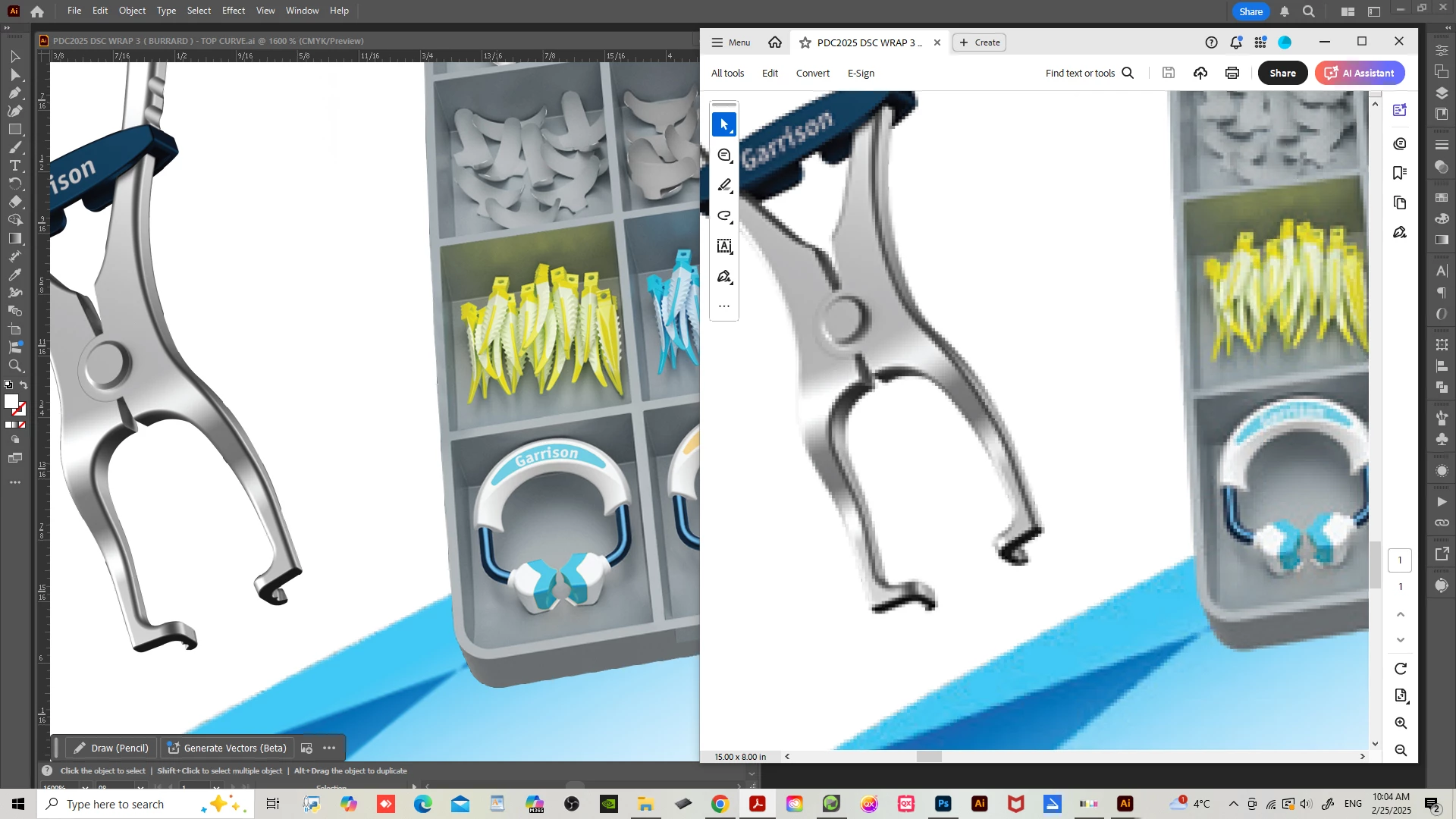
Hello all, I've been experiencing some odd outcone after converting a file from Illustrator to PDF. The file has multiple images in high res but only this one set of three images get jagged edges after exporting. I tried everything and still the results aren't any good. I put attached an image of the illustrator file on the left and the PDF result on the right. I'm probably doing something wrong when exporting but I tried exporting in all possible PDF Presets, changed image compression many times in different presets, renamed the png files, converted in all types of png's, downloaded the files again... you name it. What is intriguing is why only three pictures are pixalated while all the others are good? Any advise would be tremendously appreciated. 
3 replies

Ton Frederiks
Community Expert
Community Expert
March 12, 2025

Uncompressed they look good in PDF, but 2629 PPI is a very high res for the lower left image.

Illustrator is always giving the wrong resolution for rotated images: in this case 4580x1509 ppi

But somehow after compression the resulting resolution is different for width and height: 311.693/300.988 ppi. Maybe the combination of rotation, compression and Illustrators calculation of the resolution is causing this. But even the downsampled version does look much better on my Mac  than on your screendump (if you do not zoom in too much)

.

Srishti Bali
Community Manager
Community Manager
March 11, 2025

Hi @Plinio33938331gdcz


Thanks for reaching out! I agree with the suggestions shared by Ton and hope you were able to resolve the issue.  If not, could you share the image with us? I’d be happy to try exporting it on my end and see what happens. Let me know how you'd like to proceed!


Regards,

Srishti

Participant
March 11, 2025

Hi Srishti, thank you so much for reaching out. I've prepared a package downloadable on WeTransfer with everything you need. I would be mostly glad to learn what the problem was, which is still a mystery to me. Thank you for your time. 


https://we.tl/t-PpBfkNMOQH


Cheers,

Plinio

Ton Frederiks
Community Expert
Community Expert
February 25, 2025

Are you using a Large Canvas Document? What is the effective resolution of these images?

Can you change the PDF settings to not downsample images?

Participant
February 26, 2025

Hey Tom, thank you for the feedback.   

I'm using a 16 x 8 in. document which is pretty normal. The image in question is 2800 x 1600 px @ 350dpi. I tried to export not downsampling images and got the same results as before. Is really weird, I've been doing this for over 30 years and never got a subject "unsolved" but this one is cracking my head. And again, keep in mind that all other images have have good resolution after exporting to PDF, exept for those ones.