austinw62923913
Participating Frequently
Nov 16, 2022 11:17 PM UTC
Answered

Jagged Edges using Warp Tool

Hello, 


I have been trying to use the warp tool to ripple some type. But I want the type to still remain clean on the edges. When I do the effect, it seems to produce these uneven edges. I am not sure how to fix this. I played with the individual settings on the warp tool, but nothing produced a more smooth edge. What should I do? (I also tried using the wave/flag tool to produce a similar effect, but it didn't quite match what I wanted)


This topic is closed to new replies. Start a new post to keep the conversation going.
Rene Andritsch
Rene AndritschCorrect answer
Community Expert
Nov 17, 2022 10:35 PM UTC

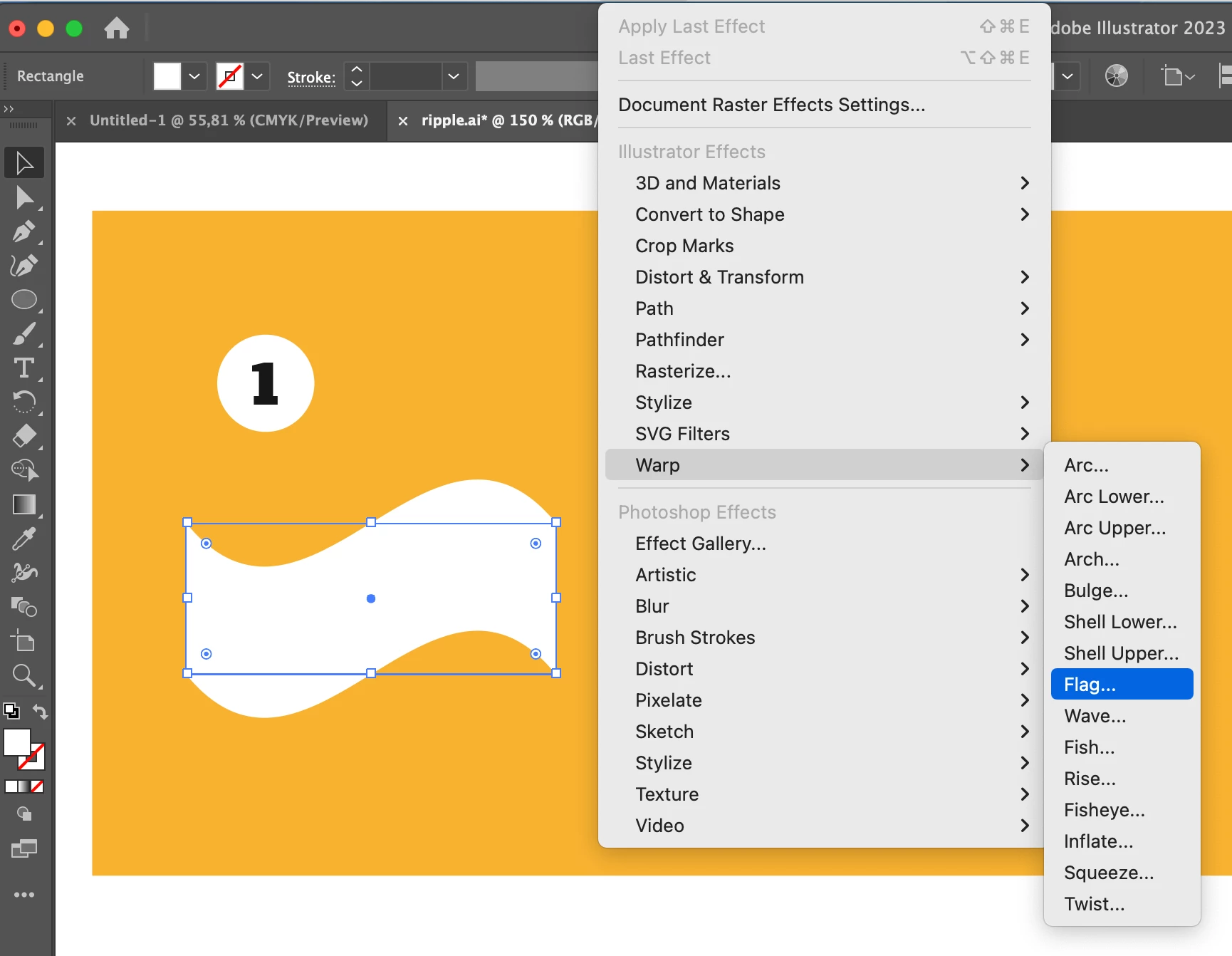
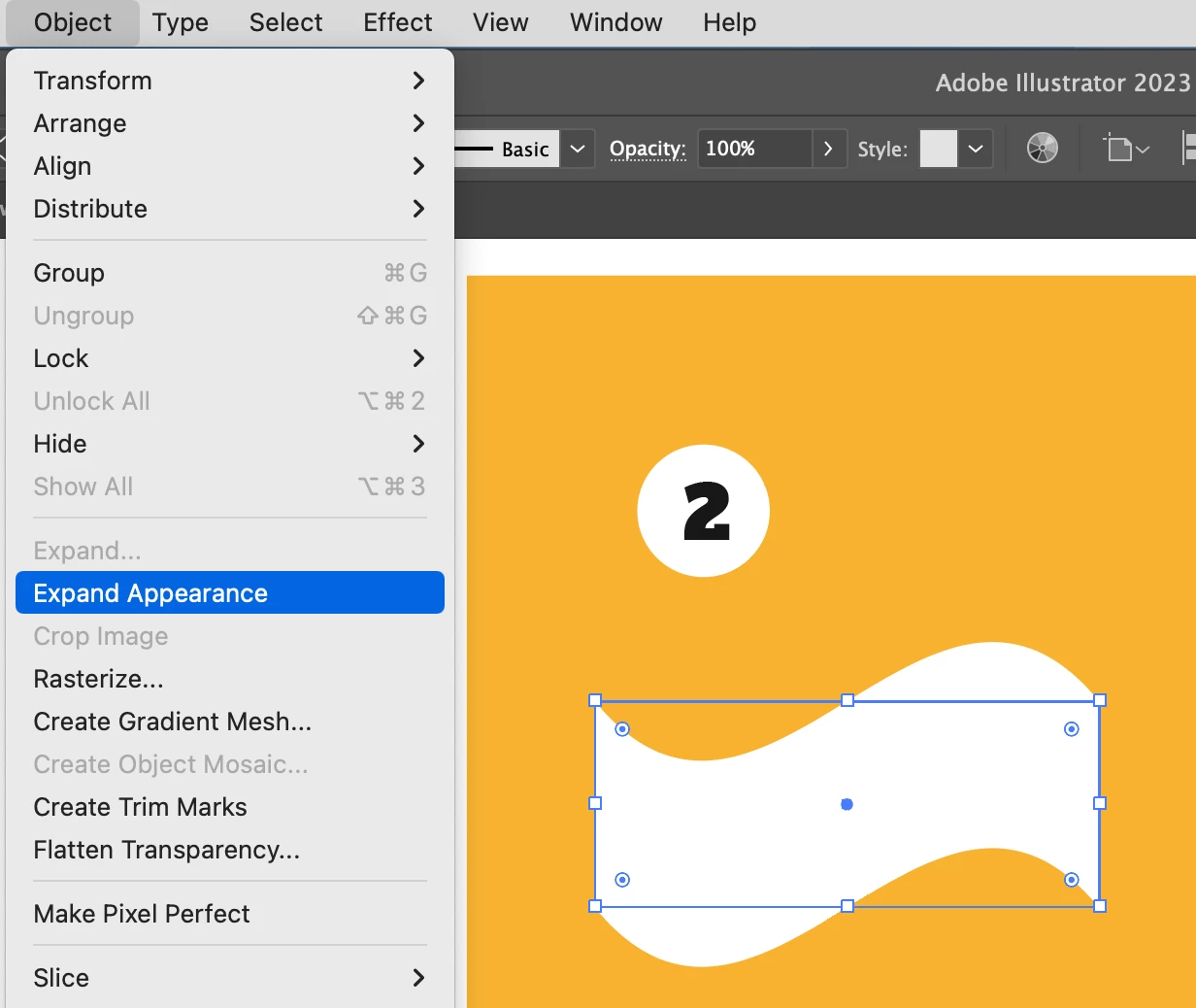
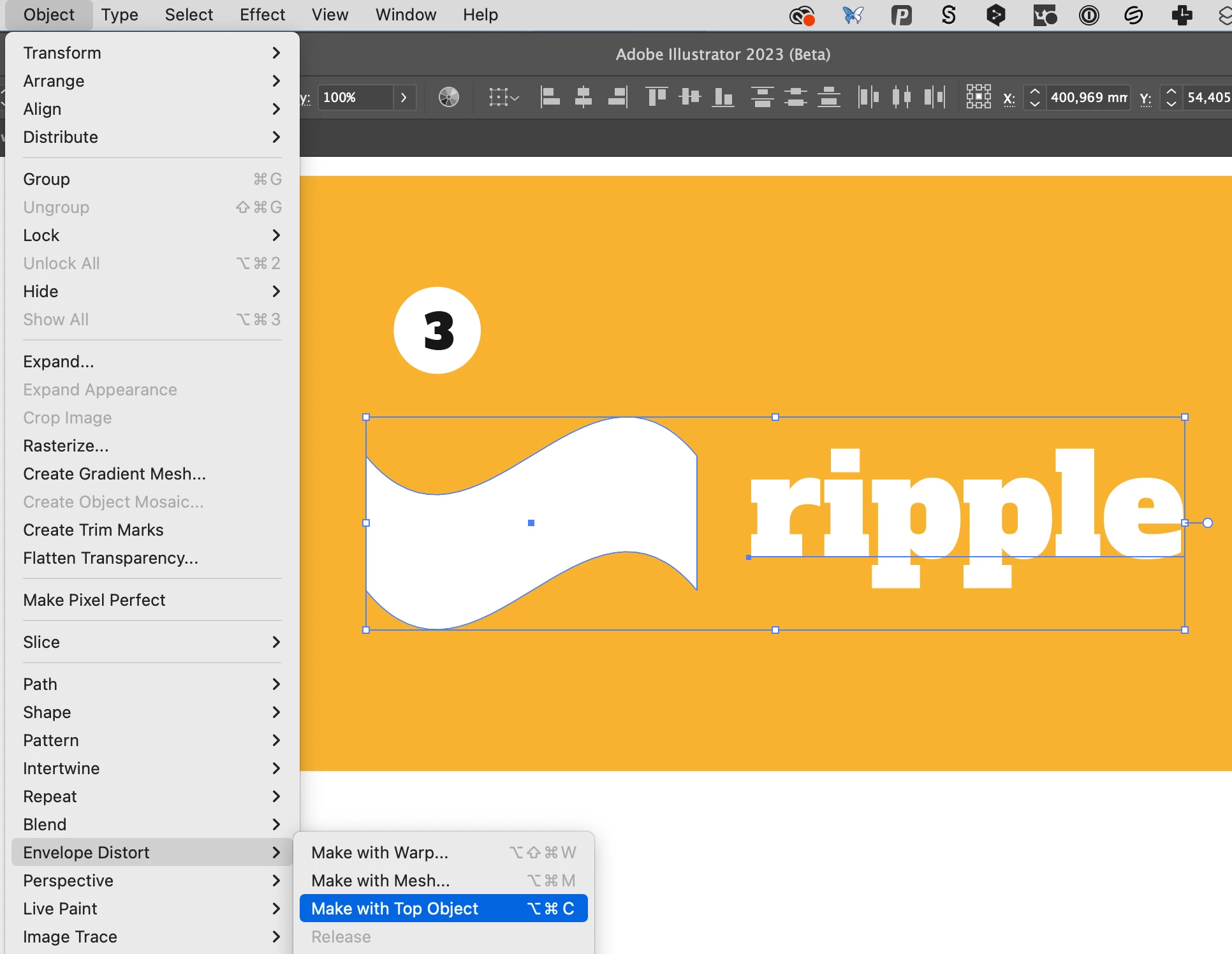
Hi for this example I used the flag effect on a simple rectangle first (not directly on the type). Then I expanded the appearance of the distorted rectangle and used this as the envelope to distort the live type. This keeps the edges much nicer.

11 replies

Rene Andritsch
Community Expert
Community Expert
Nov 16, 2022 11:27 PM UTC

Do you mean a result like this?

Translate
austinw62923913
Participating Frequently
Nov 17, 2022 4:47 PM UTC

Hey there, yeah something like that. I wanted a bit more control over the warping of the type, so I was using the warp tool. But I know that you can do something similar with the wave/flag effects. What did you do here for this type? Do you think I should just stick to the mesh tool? Would that decrease the uneven edges on the type better? 

Translate
Rene Andritsch
Community Expert
Rene AndritschCommunity ExpertCorrect answer
Community Expert
Nov 17, 2022 10:35 PM UTC

Hi for this example I used the flag effect on a simple rectangle first (not directly on the type). Then I expanded the appearance of the distorted rectangle and used this as the envelope to distort the live type. This keeps the edges much nicer.

Translate
Monika Gause
Community Expert
Community Expert
Nov 16, 2022 11:25 PM UTC

Does it still look like this when you go into CPU preview?

Does it still look like this when you expand it?


Can you please show the mesh you used as well as the font?

Translate
austinw62923913
Participating Frequently
Nov 17, 2022 4:42 PM UTC

Hey, this was coming up when I exported it as a png, as well as it was showing up in the illustrator file. It looks the same when expanded, and the font is Balgin! Thanks for the response! 


Translate