


join tool - strange behavior
Hello, illustrator community!
Join tool make strange behavior.
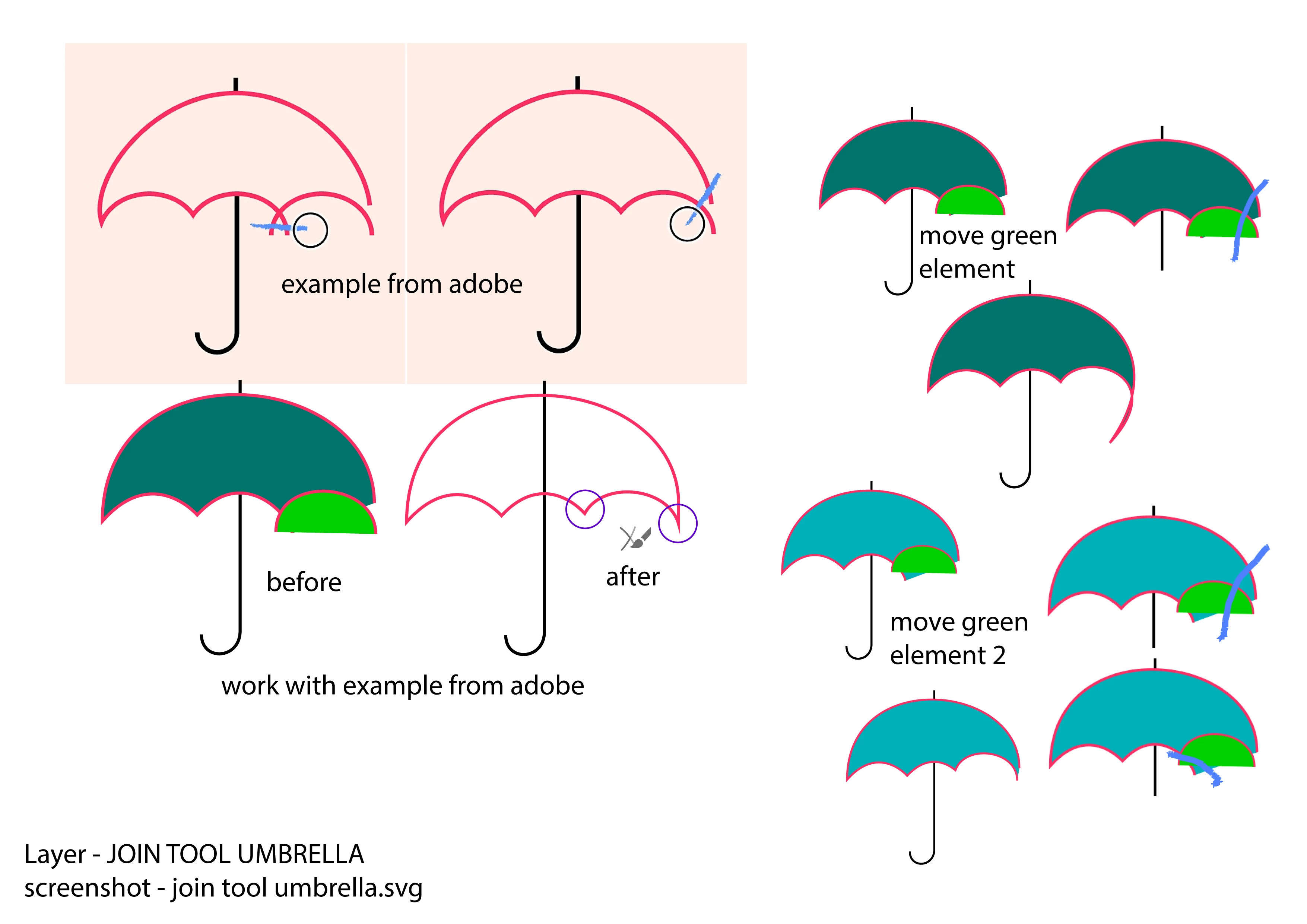
I took a ready-made example with an umbrella from a pink outline.
https://helpx.adobe.com/illustrator/using/tool-techniques/join-tool.html
I used the join tool as in the example, everything is fine (it connected the intersecting outlines and the overlapping ones too).
Then I moved the green element a little and the join tool started to behave strangely.
Example on the top right (dark turquoise umbrella).
The intersecting outlines worked well.
But the overlapping ones - I did some nonsense, I got a loooong tail.
I also moved the green element and it also looked strange.
Example on the bottom right (blue umbrella).
The intersecting outlines worked well.
But it doesn't connect the overlapping ones at all, although they are located close to each other.
Adobe Illustrator 24.0.1 from 2019 year
Link to Ai file "join tool.ai" https://vk.com/wall-226891554_6
Best regards !

 AdChoices