Inspiring
February 12, 2021
Answered

Joining & Merging Paths

  • February 12, 2021
  • 2 replies
  • 1174 views

Hi,

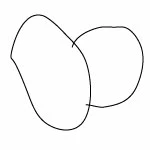
I have a series of overlapping paths that I would like to join, so that I can click inside each one and colorize it. I have tried using Pathfinder, but no luck. They're just simple paths created using the pencil, pen, or curvature tools. I've included a sample. 


Thanks for any help you can provide.


Mark
This topic has been closed for replies.
Correct answer Anna Lander

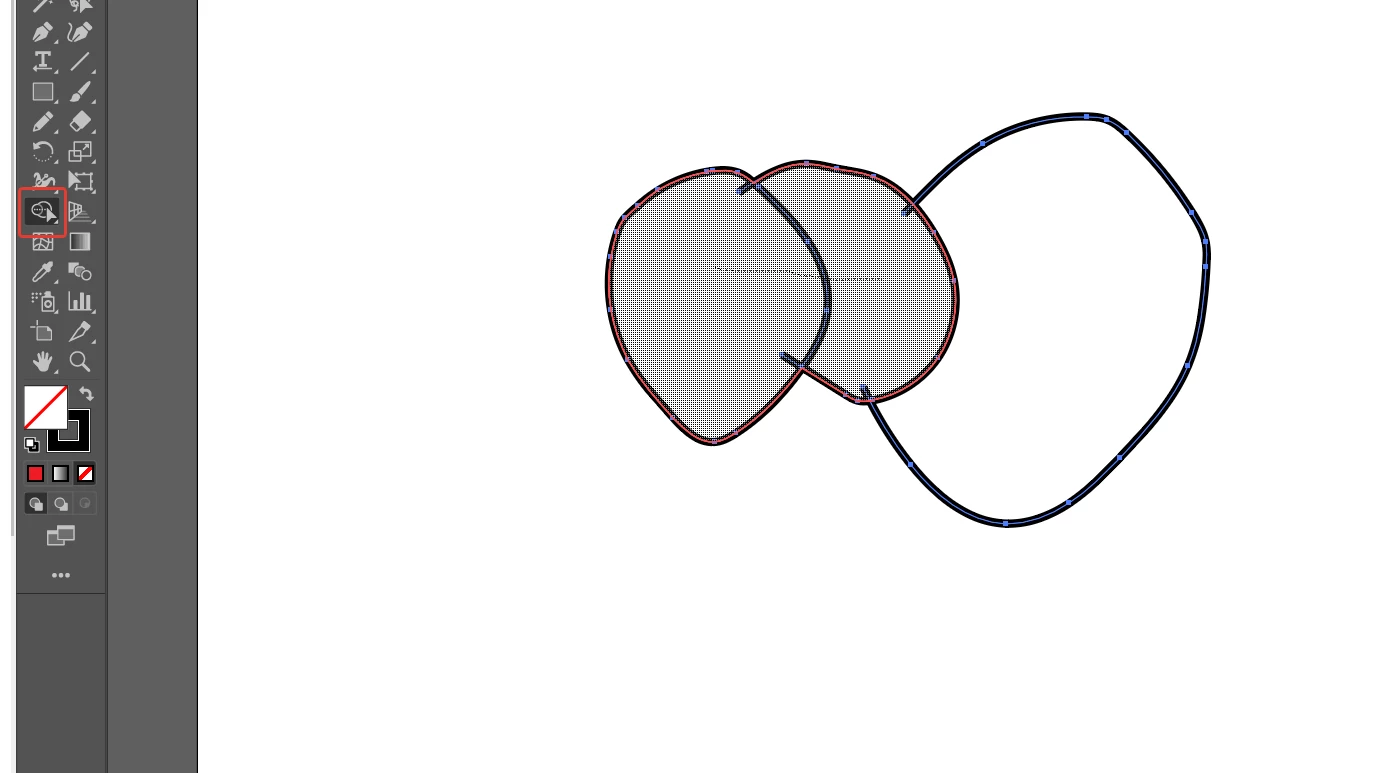
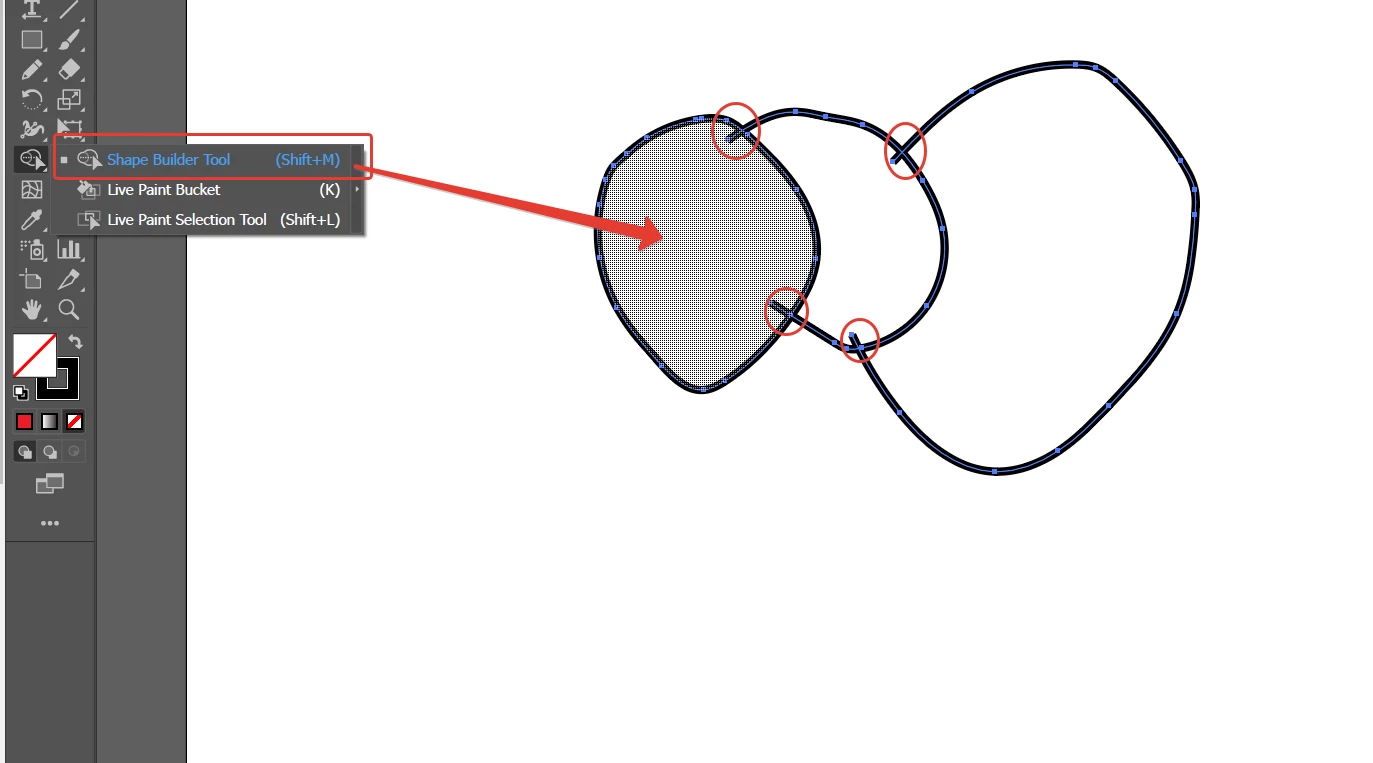
If you make sure to cross the edges, you can use Shape Builder:

It converts the closed areas to objects.

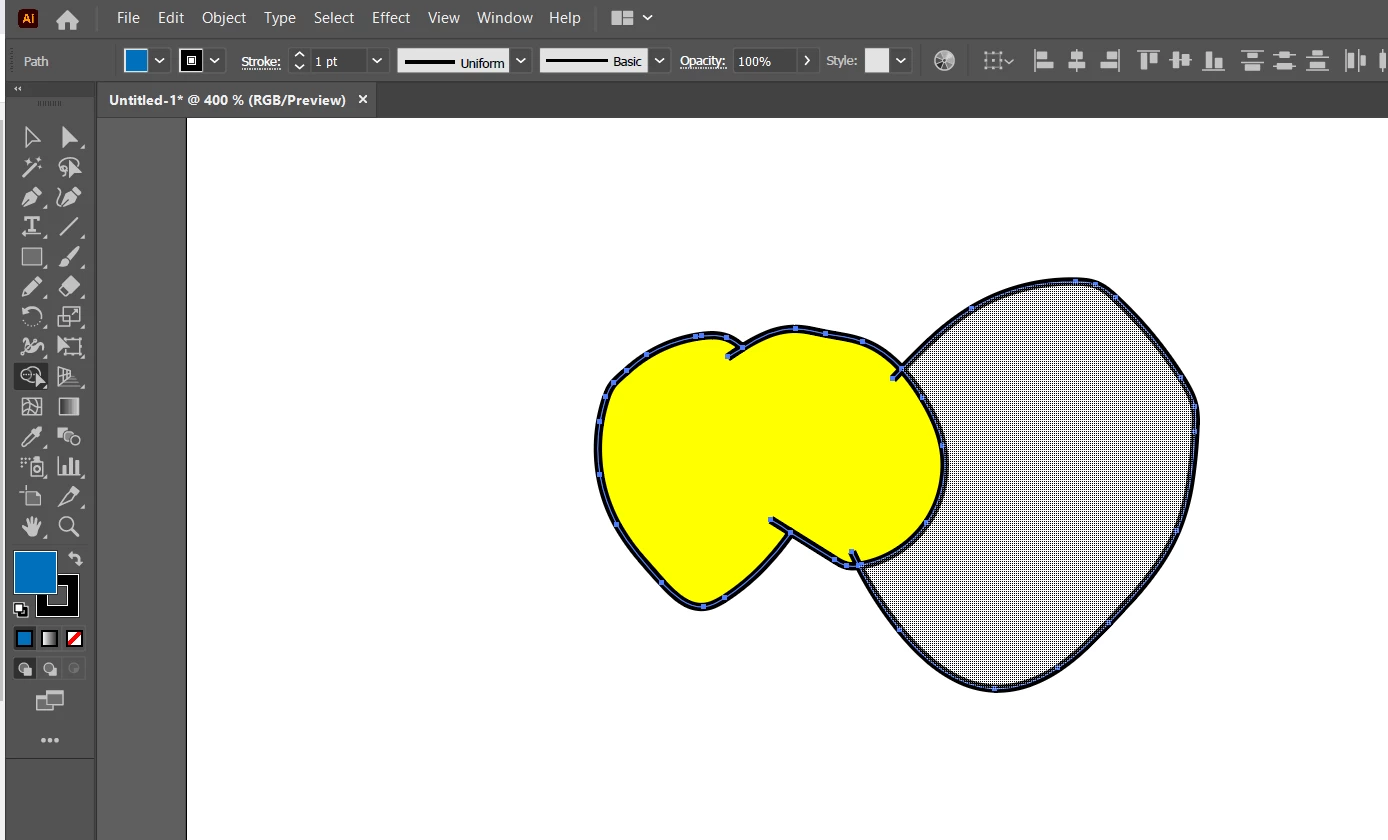
You can unite some areas dragging the tool through the selection:

or click on each area to convert it into object:

these small crossing lines will keep separate, you can delete them like any other objects at the end of the work.

2 replies

Anna Lander
Anna LanderCorrect answer
Inspiring
February 12, 2021

If you make sure to cross the edges, you can use Shape Builder:

It converts the closed areas to objects.

You can unite some areas dragging the tool through the selection:

or click on each area to convert it into object:

these small crossing lines will keep separate, you can delete them like any other objects at the end of the work.

Inspiring
February 13, 2021

Thanks so much for your help. The shape builder tool worked just fine, the key is to make sure the lines are crossing. It leaves the paths editable, which is also a bit help.


Kind regards,

Mark

michelew83603738
Community Expert
Community Expert
February 12, 2021

Perfect use of Live Paint.

Inspiring
February 12, 2021

Hi,


Thanks for your help. I was able to get it to work, but it doesn't function as needed. When trying to adjust transparency, it effects all the paths simultaneously. I was unable to isolate just one of them. I know there's a way to do it because I've done it before (see sample). I want to join/merge all the paths where they overlap, so that each area becomes a unique path that and can be styled.


Mark 

Monika Gause
Community Expert
Community Expert
February 12, 2021

Just expand the live trace. And ungroup.