

Joining Paths at Intersections?
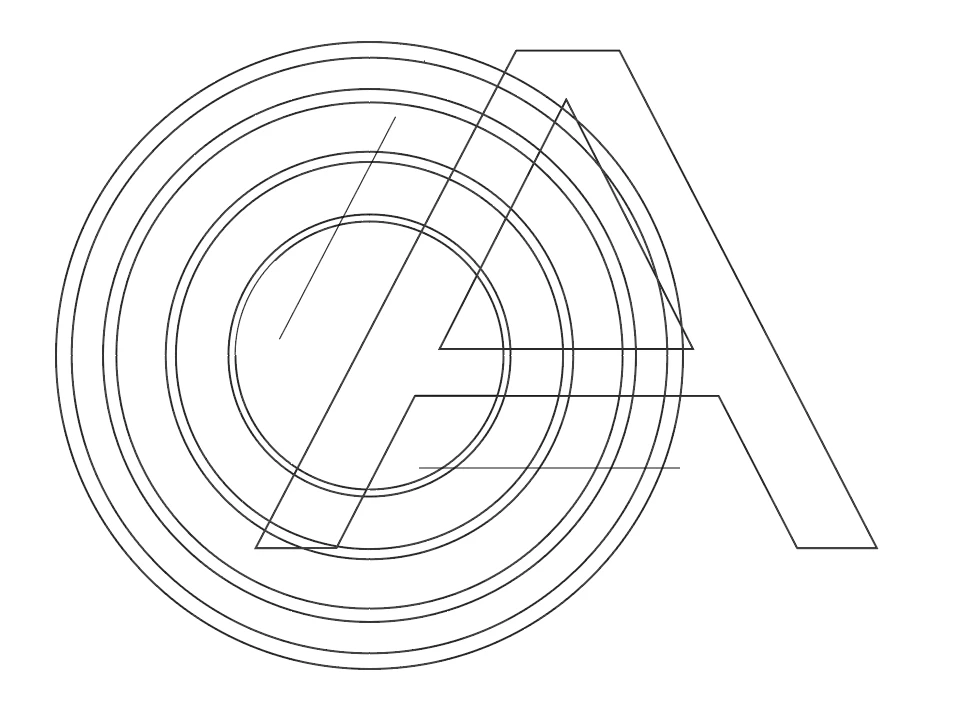
I am working on the attached graphic (embedded image one). Several weeks ago, I did this and wound up with a reasonable show of what I am aiming for (embedded image four). That is, the fourth image is what I am trying to accomplish, with the except of the fill that goes throw the tip of the A, but cannot remember how I did it. In either case I cannot use the last image because the inner circles are not concentric, have variable widths, etc. The diagonal line to the left of the A in the first image where I am now in recreating the 4th (which I need to extend to the outermost concentric circle) and the horizontal line below the A are where I want the concentric circles to end.
My thought is that I need to do something that joins all paths at their intersection and creates an anchor point at every intersecting path. That way, the concentric circles beyond the lines and everything inside the A would be fragmented paths which I can just deleted with the direct selection tool. I've googled the question of joining paths at intersections but everything I have found says there is no such feature but is from 2012-2013. Certainly by now, Adobe has added the feature.
I have played with pathfinder but I'm not sure what happens because half of the image disappears.
I am to the point where I'm wondering whether its easier just to take a screenshot of the first image, as I did to provide it below, using the trace image feature, expanding the trace image, and that would leave me with path fragments I can then just delete with direct selection tool. But certainly there's a way to do that without having to go through those steps?



 AdChoices