


dzgnr89
Inspiring
May 29, 2019
Answered

JPG is in an unknown format and cannot be opened

  • May 29, 2019
  • 5 replies
  • 35026 views

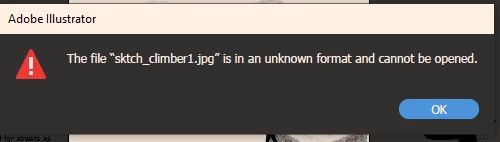
I am using Illustrator CC 2019. I have some images which when I open in illustrator, I get the following error. The image is opening fine in MS paint and Picasa photo viewer. I resave the file from ms paint after making few barely visible dots but the issue still persists.

What should I do to fix this issue ?
    Correct answer Test Screen Name

    Please try this. Copy the file. Rename the file so .jpg is .png instead. Try opening the renamed file.

    5 replies

    Participant
    October 16, 2022

    Rename/change the file extensions: so from (image.jpg to image.png) ant try to open with Ilustrator ore Photoshop 😉

    Omar.Fathy
    Community Expert
    Community Expert
    May 29, 2019

    Try to open and save it with Microsoft Paint.

    Participant
    February 10, 2020

    Thanks!!! Your suggestion worked for me. I opened with paint, saved as .png and now opened normally in Illustrator.

    Jon Fritz
    Community Expert
    Community Expert
    May 29, 2019

    There should be no issue opening the JPEG file format in AI, whether you're trying to edit them directly, or trace them is beside the point. AI can open JPEG files natively.

    Were these erroring images actually saved as .jpeg from within your photo editing software, or were their extensions changed at the OS level in the hopes of turning some other format to a .jpeg?

    If the file extensions weren't just changed at the OS level, it would mean there's some other corruption going on with the file itself. Do they open in Photoshop? If so, you might try clearing the corruption by saving as a different file type, like TIFF or EPS, then opening that new file and saving as jpeg over the original jpeg or possibly just opening the new file type in AI ( it can also open EPS and TIFF natively).

    That's cleared the issue for me in the past.

    dzgnr89
    dzgnr89Author
    Inspiring
    May 29, 2019

    https://forums.adobe.com/people/Jon+Fritz+II  wrote

    There should be no issue opening the JPEG file format in AI, whether you're trying to edit them directly, or trace them is beside the point. AI can open JPEG files natively.

    Were these erroring images actually saved as .jpeg from within your photo editing software, or were their extensions changed at the OS level in the hopes of turning some other format to a .jpeg?

    If the file extensions weren't just changed at the OS level, it would mean there's some other corruption going on with the file itself. Do they open in Photoshop? If so, you might try clearing the corruption by saving as a different file type, like TIFF or EPS, then opening that new file and saving as jpeg over the original jpeg or possibly just opening the new file type in AI ( it can also open EPS and TIFF natively).

    That's cleared the issue for me in the past.

    Photoshop doesn't open the file as well. This is really unusual as a free software like ms paint is able to open the file but not photoshop and illustrator.

    I get following error in photoshop.

    I did not change the file's extension. It was saved as jpeg only from the beginning.

    Jon Fritz
    Community Expert
    Community Expert
    May 29, 2019

    You might be able to save as a different file type in one of your other programs to get past that error.

    There's definitely something wrong with the files themselves if neither AI or PS will open them.

    Jacob Bugge
    Community Expert
    Community Expert
    May 29, 2019

    arjun,

    In addition to what Steve said, you can have Link ticked for a linked file or unticked for an embedded one.

    A linked file helps you keep the AI file size down since it is only referred to, an embedded file adds to the file size but allows you to change the (appearance of the) image in certain ways such as the Object>Envelope Distort options and the Effect>Warp options.

    Steve Werner
    Community Expert
    Community Expert
    May 29, 2019

    Illustrator creates vector objects, not pixel-based like MS Paint or Picasa.

    You DON'T OPEN a JPEG file because it is composed of pixels.

    If you'd like the JPEG image to appear in your illustration, you choose File > Place and scale to the size you like. But you won't be able to edit the JPEG file.

    dzgnr89
    dzgnr89Author
    Inspiring
    May 29, 2019

    https://forums.adobe.com/people/Steve+Werner  wrote

    Illustrator creates vector objects, not pixel-based like MS Paint or Picasa.

    You DON'T OPEN a JPEG file because it is composed of pixels.

    If you'd like the JPEG image to appear in your illustration, you choose File > Place and scale to the size you like. But you won't be able to edit the JPEG file.

    I was using it as a drag-n-drop reference linked file only.

    When I chose place, I got the following error.