


Inspiring
November 11, 2025
Question

Keep visual appearance of SVGs on export?

  • November 11, 2025
  • 1 reply
  • 174 views

I'm not sure what this process is, so am not sure how to look it up. I'm working in CMYK but want to export to print, or as RGB SVG for web.
I haven't had to do this before - kinda working backwards - but I have a layered AI file with a few transparency modifiers... how do I keep the visual intensity of the AI file on export?
Left side is AI... right side export. 
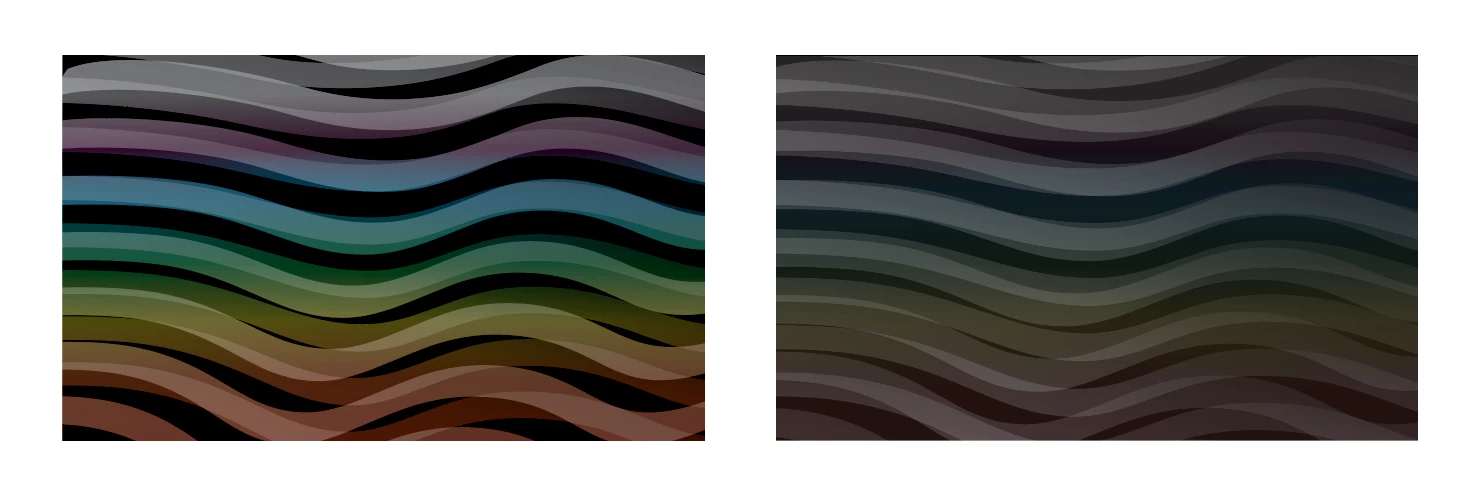
Any help appreciated!


1 reply

Ton Frederiks
Community Expert
Community Expert
November 11, 2025

This should not be difficult to get in SVG.

What are your Color Settings?

How do you export to SVG, export as.. export for screens?

turner111Author
Inspiring
November 12, 2025

Hi Ton - 

Thanks for the note. 
Regarding color settings, I'm in CMYK, but have also tried RGB. (If that's what you mean.)
I have tried both "direct" export as SVG as well as for screens, with the same result. I haven't tried changing any particular settings on export, though.

Is there any other info I can provide?
I tried dropping a test file here (the AI document), but am getting an error:
"The attachment's test.ai content type (application/postscript) does not match its file extension and has been removed."
??
Cheers

Ton Frederiks
Community Expert
Community Expert
November 12, 2025

I cannot replicate the problem, so it would be good to have an example file.

This Illustrator forum does not like Illustrator files, but if you rename them to .pdf or save them as PDF, you can attach them.