January 25, 2019
Question

Kendi kendine silinen ai dosyalarımı nasıl kurtarabilirim?

  • January 25, 2019
  • 3 replies
  • 1458 views

This topic has been closed for replies.

3 replies

ceyhun_akgun
Legend
February 1, 2019

Selamlar Yağmur,

Konuyu araştıracağım ve bilgi vereceğim. Jacob iletti.

buraya yazarım.

Merhaba Yağmur,

Kullandığın Illustrator belgesini benimle paylaşabilir misin? Buraya da yükleyebilirsin, bana direkt mesaj gönderebilirsin.

İstanbul / Maslak'tayım.

Graphic Designer Educator / PrePress Consultant
Jacob Bugge
Community Expert
Community Expert
February 1, 2019

Çok teşekkür ederim Ceyhun ve bol şans Yağmur: meyve bahçesine hafif yağmur yağabilir.

Jacob Bugge
Community Expert
Community Expert
January 25, 2019

yağmurs,

Burada size yardım edebilecek bir Adobe çalışanı bulmaya çalıştım.

Ayrıca birkaç Türkçe forum arkadaşımız var. Umarım bunu da görürler.

January 27, 2019

I just thought my designs were problematic, but something happened to my computer and I'm very sorry.

I don't know what to do. I'm not very active at this point, why is there any other way I can reach you? Instagram?

Jacob Bugge
Community Expert
Community Expert
January 27, 2019

yağmurs,

I had an answer from the Adobe staff friend I contacted, and she has sent a message to another staff friend asking him to look into it. It is Sunday, so there is no way to know how soon anything can happen.

​I am still hoping that one of our Turkish forum friends sees this thread.

Jacob Bugge
Community Expert
Community Expert
January 25, 2019

yağmurs,

One thing often tried first is to create a new document and File>Place the (PDF contents, if any, of the) corrupted one to see how much may be rescued that way.

Here are some websites where you can see whether it can rescue the actual file, and if it can, you may pay for a subscription to have it done,
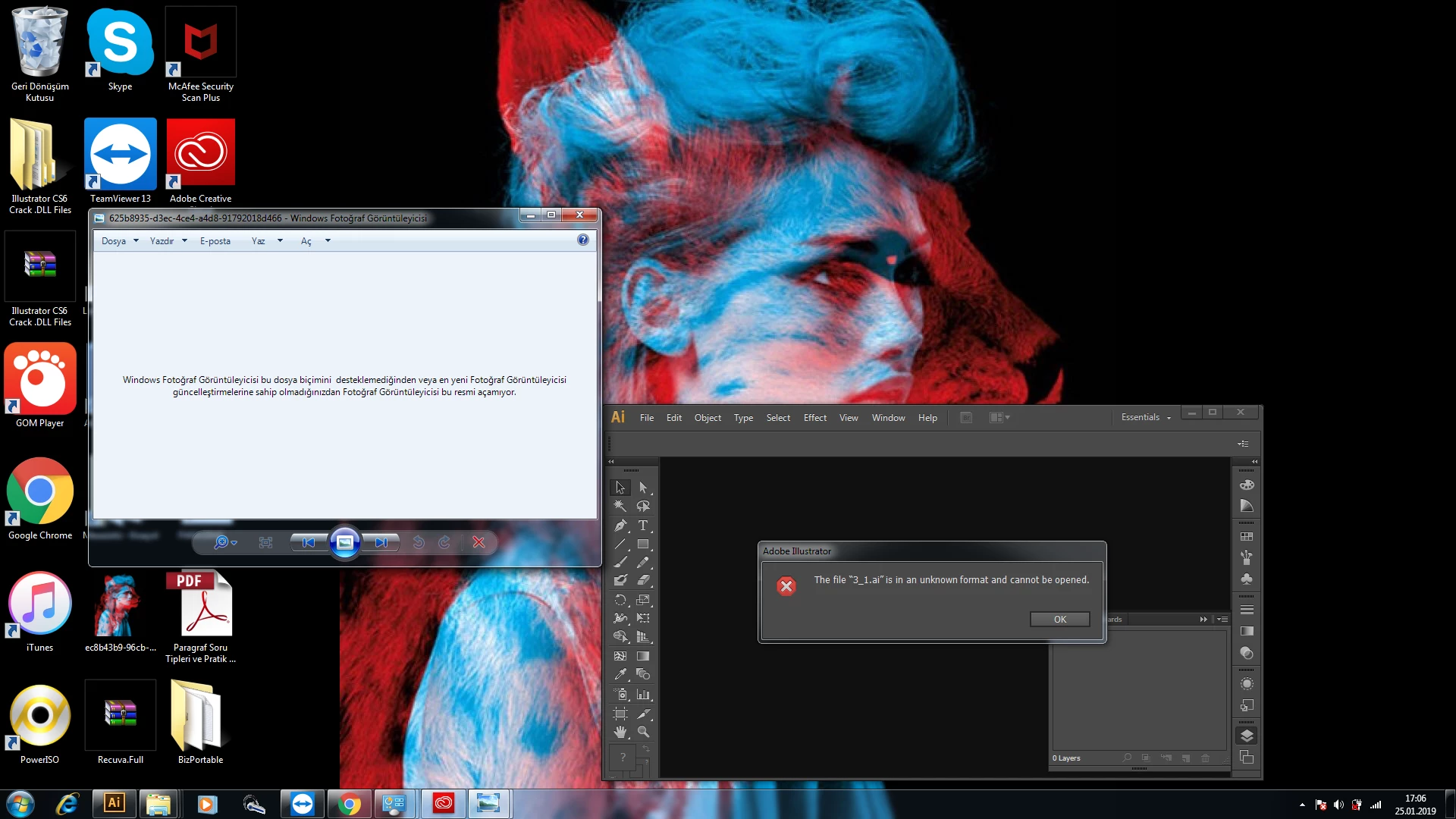
http://www.recoverytoolbox.com/buy_illustrator.html

http://markzware.com/adobe-software/fix-illustrator-file-unknown-error-occurred-pdf2dtp-file-recovery/

http://www.illustrator.fixtoolbox.com/

http://www.erepairillustrator.com/

As far as I remember, the first one is for Win and the second one is for Mac, while the third and fourth one should be for both.

Here are a few pages about struggling with it yourself:

http://daxxter.wordpress.com/2009/04/16/how-to-recover-a-corrupted-illustrator-ai-file/

http://helpx.adobe.com/illustrator/kb/troubleshoot-damaged-illustrator-files.html

http://kb2.adobe.com/cps/500/cpsid_50032.html

http://kb2.adobe.com/cps/500/cpsid_50031.html

http://helpx.adobe.com/illustrator/kb/enable-content-recovery-mode-illustrator.html

It is always recommended to create backups with different names regularly, and to store backups in more than one place/way.

And also to save often.

If you have a CC subscription, saving files in your Creative Cloud Files folder will automatically create and keep versions up to 10 days.

https://helpx.adobe.com/illustrator/using/crash-file-data-recovery.html

https://helpx.adobe.com/creative-cloud/help/sync-files.html

https://helpx.adobe.com/creative-cloud/help/versioning-faq.html

and here are some other suggestions,

https://forums.adobe.com/message/9328988#9328988