
Participant
March 23, 2022
Question

Kerning tool stopped working on latest Illustrator

  • March 23, 2022
  • 3 replies
  • 4530 views

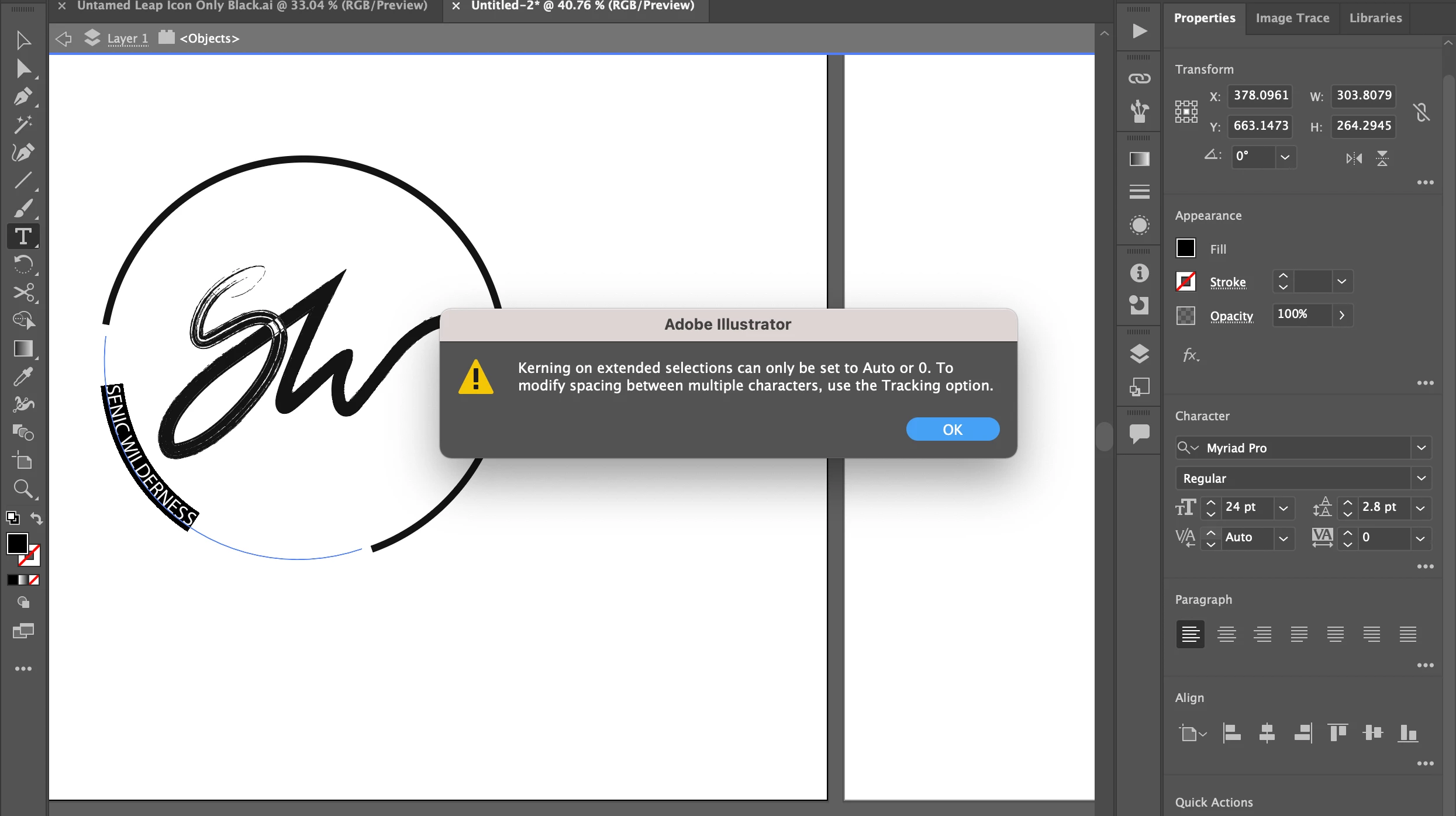
 Recently the kerning option seems to have stopped - I'm not sure if i've clicked something to change the setting, but i keep getting this message everytime i try use the kerning tool. 


Can I get some guidance here - thank you 
 

This topic has been closed for replies.

3 replies

Met1
Legend
February 10, 2023

Just ignore me, I didn't check the posting date!

Participant
March 23, 2024

So, has anybody actually found a solutiuon to this issue yet?  I'm experiences it right now, and resetting the preferences did nothing to solve the problem. Anything?

Monika Gause
Community Expert
Community Expert
March 23, 2024

Kerning sets the distance between two letters. When the cursor is positioned between 2 letters, you can set a value. WHen text is selected, you can only set it to Auto.

You probably want to adjust tracking (to the right of kerning)

michelew83603738
Community Expert
Community Expert
March 30, 2022

Maybe I am misunderstanding, but you have all the letters selected and are talking about kerning. Kerning is when you try to adjust spacing between 2 letters. Are you trying to adjust the tracking - the entirety of the phrase and that isn't working? From my point of view, with your selections, kerning is working correctly. You can use Opt/Atl arrow left/right to adjust spacing of all the letters. Hope that helps.

Participant
April 22, 2022

Hi there, 

Sorry for the delayed response and thank you for your message - Yes i've highlighted the full text body and tried to adjust the spacing between the letters with the kerning tool - but the error notification is telling me to go to the Tracking option to amend the problem.... but that doesnt seem to work. I've also tried all the shortcuts like Opt/Atl arrow left/right. I still get the same error notifcation. 


Doug A Roberts
Community Expert
Community Expert
April 22, 2022

What happens when you try to use Tracking?

For reference, kerning has always worked this way. If you place a cursor between two characters (instead of selecting text), you should be able to hold alt and press the left/right arrows to adjust kerning. What happens when you try that?

sishamIAGD
Community Expert
Community Expert
March 30, 2022

Have you tried resetting your preferences to see if that fixes it..?

https://helpx.adobe.com/illustrator/user-guide.html/illustrator/using/setting-preferences.ug.html

Participant
April 22, 2022

Hi there, 

Thanks for your comment (sorry about the delaying in replying).

Yes, I've tried to do a full Preference reset and it's still showing the same notifcation when i try increase the kerning. I've tried to edit the Tracking to Auto and that wont allow me either.